12Power On and Confirm Connections
HELIX Series
1. Press and hold the VIEW key.
2. Select System > Accessory Test.
Confirm that GPS + Heading Sensor (optional) are listed as Connected. See the illustration HELIX Accessory Test.
3. Press and hold the VIEW key.
4. Select System > GPS Diagnostic View.
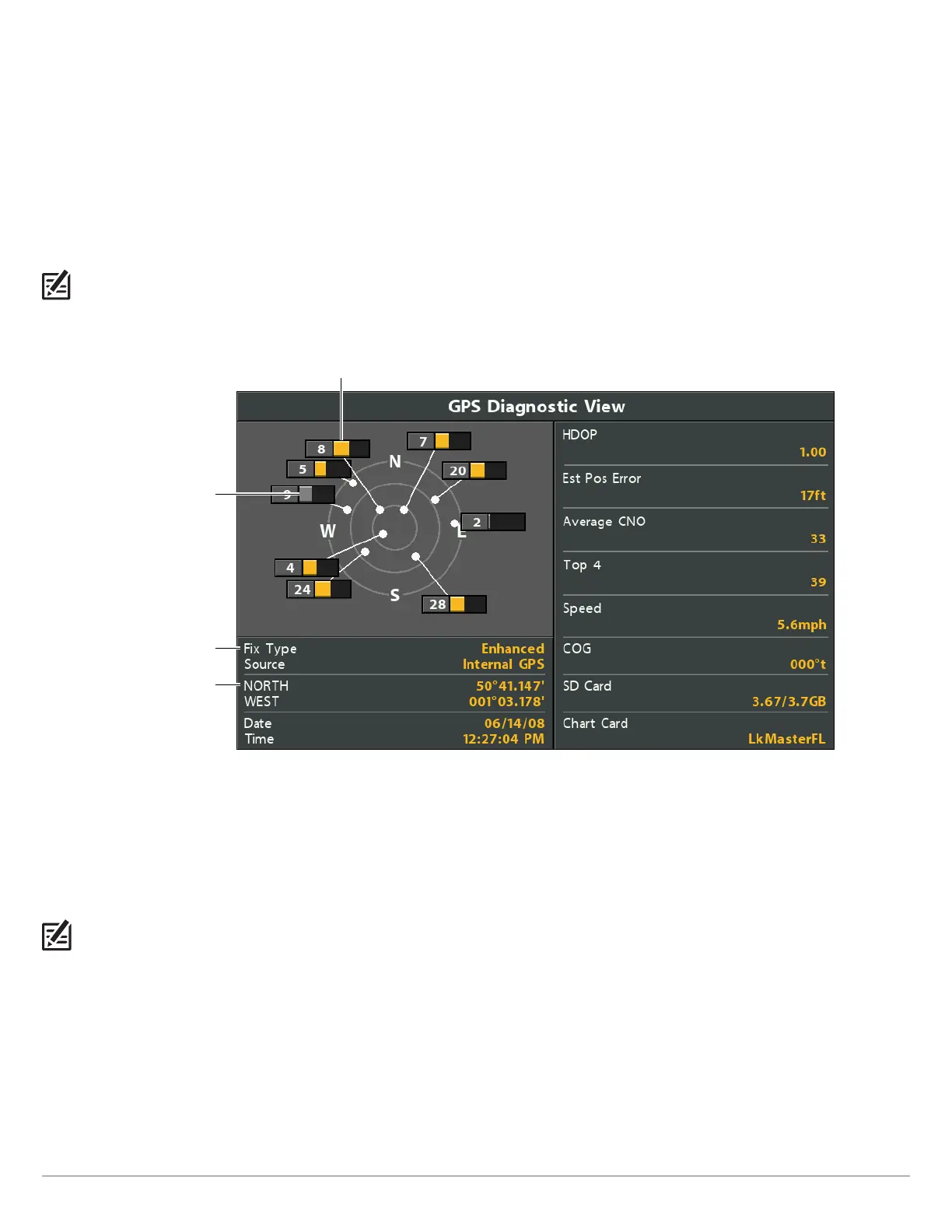
Confirm GPS Fix Type is shown as Enhanced or 3D.
Confirm that the latitude/longitude position readout is displayed.
NOTE: If the GPS Diagnostic View or Accessory Test is not displayed in the View Rotation, press the MENU key twice to open the Main Menu.
Select the Views tab > GPS Diagnostic View or Accessory Test. Change the setting for each view to Visible.
Reviewing GPS Reception (HELIX)
fixed type shown
as enhanced
monitored
satellite signal
strength (gray)
active satellite signal strength (yellow)
latitude/longitude
position
GPS Reception: The sky chart displays the satellite number and signal strength bar.
GPS Fix Type: reported as No Fix, 2D Fix, 3D Fix, or Enhanced. An Enhanced Fix has been augmented using information from WAAS,
EGNOS, or MSAS.
HDOP (the Horizontal Dilution of Precision): a GPS system parameter which depends on the current satellite configuration. HDOP
is used to calculate the Estimated Position Error.
NOTE: To manually change your GPS source, change the output frequency, or turn on GLONASS, see Manage your Control Head.






 To Next Page