13
Machine Setup for 7” and 10” Records
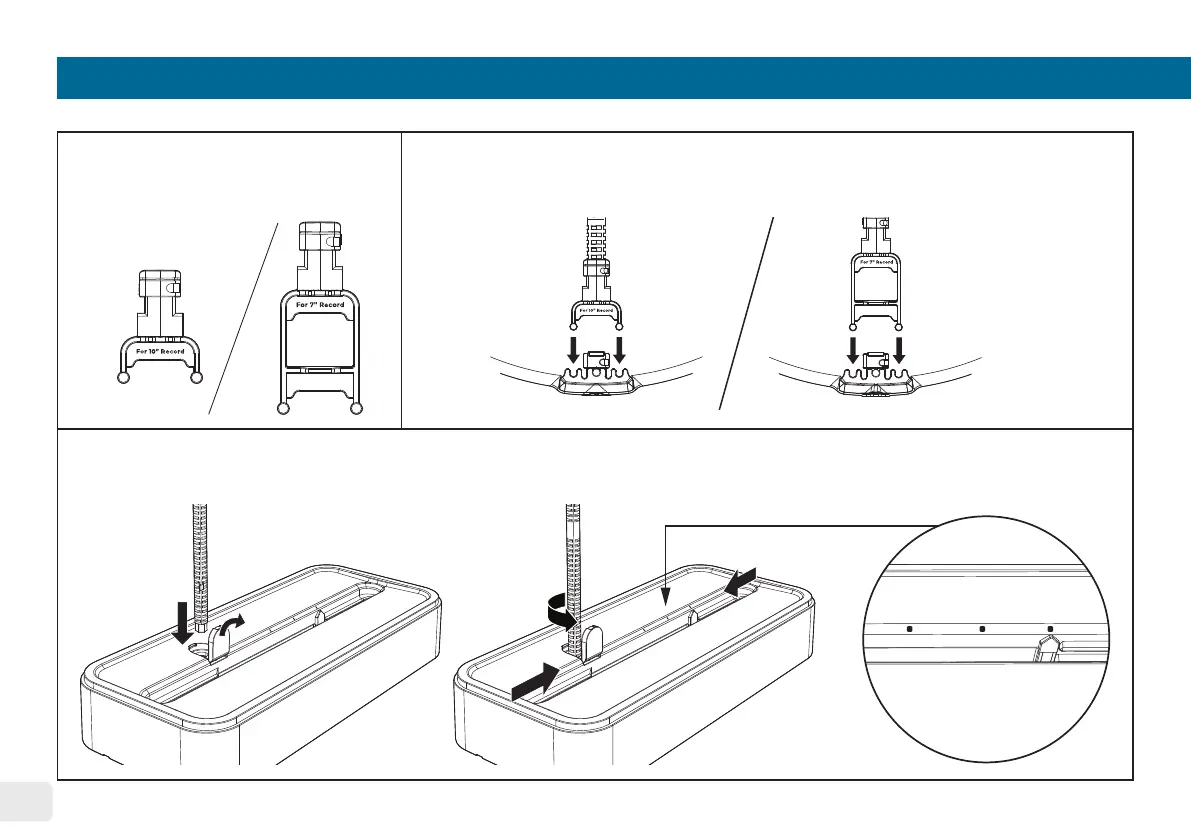
Select the corresponding
water basin support for 7”
or 10” record.
To insert the 7” or 10” water basin support, use the maintenance tool to
vertically insert the selected support into the water basin lter slot. There is
no need to remove the water basin lter beforehand.
1.
2.
Open the rubber cover on the top housing and vertically insert the Rotation Wheel Adjustment Jig. Turn it
counter-clockwise to adjust the position of the rotation wheels for 7” or 10” records.
3.
open
insert
Turn Counter
Clockwise
The “arrow” indicates the
wheel position for 7”, 10”,
& 12” records.


 To Next Page