EasyManua.ls Logo

Husky H3DETW - User Manual

Husky H3DETW
8 pages
Print Icon
To Next Page IconTo Next Page
Loading...
THANK YOU
We appreciate the trust and condence you have placed in Husky through the purchase of this Electronic Torque
Wrench. We strive to continually create quality products designed to enhance your home. Visit us online to see our
full line of products available for your home improvement needs. Thank you for choosing Husky!
USE AND CARE GUIDE
3/8 IN. DRIVE ELECTRONIC TORQUE WRENCH
(10-100 FT/LBS)
Questions, problems, missing parts?
Before returning to the store, call
Husky Customer Service
8 a.m. - 7 p.m., EST, Monday - Friday
9 a.m. - 6 p.m., EST, Saturday
1-888-HD-HUSKY
HUSKYTOOLS.COM
Item #1005 589 774
Model #H3DETW
Question and Answer IconNeed help?

Do you have a question about the Husky H3DETW and is the answer not in the manual?

Summary

Safety Information

Warranty

Limited Lifetime Warranty

Details of the limited lifetime warranty coverage and what is covered.

Power (On;Off)

Power On

Instructions for powering on the torque wrench and its default mode.

Power Off

Instructions for manually or automatically powering off the torque wrench.

Settings

How to Change Unit of Torque Measurement

Steps to select torque measurement units like Ft-lbs, In-lbs, or Nm.

How to Set Mode

Guide to selecting operating modes such as Peak Torque, Angle, or Peak Angle.

How to Set Target Torque in “Peak Torque” Mode

Procedure for setting target torque values in Peak Torque mode.

How to Set Angle

Instructions for setting the desired angle for measurement.

How to Change “Target Torque Alert” and “Target Angle Alert” Percentages

Adjusting alert percentages for target torque and target angle.

How to Use Pre-Set Torque Values

Instructions on utilizing pre-saved torque settings.

How to Change Pre-Set Torque Values

Steps for modifying or saving new pre-set torque values.

How to Set Torque with Angle

Procedure for setting both torque and angle simultaneously.

Battery

Low Battery

Indicators and actions to take for low battery status.

Changing Batteries

Step-by-step guide for replacing the wrench's batteries.

Operation

How to Apply Torque

Correct procedure for applying torque with the electronic wrench.

Maximum Capacity Exceeded

Information on what occurs when the wrench's capacity is exceeded.

Extensions

How extensions affect torque application and necessary calculations.

Certification

Details on calibration, tolerance limits, and accuracy.

Overview

This document is a Use and Care Guide for a Husky 3/8 in. Drive Electronic Torque Wrench, Model #H3DETW (Item #1005 589 774), designed for torque measurements between 10-100 ft/lbs.

Function Description:

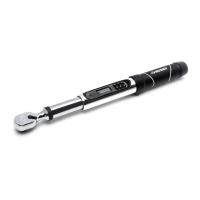
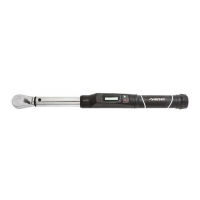
The Husky 3/8 in. Drive Electronic Torque Wrench is a precision tool used for applying and measuring torque and angle to fasteners. It features an electronic display and provides audible, visual (LCD screen), and haptic (handle vibration) alerts to indicate when a target torque or angle has been attained. This ensures accurate and consistent fastening, preventing over- or under-tightening, which can lead to fastener failure or damage to the workpiece. The wrench supports multiple units of torque measurement and various operating modes, including Peak Torque, Angle, Peak Angle, and Target Torque Alert Setting.

Important Technical Specifications:

  • Drive Size: 3/8 inch
  • Torque Range: 10-100 ft/lbs
  • Power Source: 2 AA (Alkaline) Batteries
  • Accuracy (Torque):
    • +/- 2% Clockwise (Right handed) from 20% to 100% of capacity
    • +/- 3% Counter Clockwise (Left Handed) from 20% to 100% of capacity
  • Accuracy (Angle):
    • +/- 1% of reading
    • +/- 1 degree @ angular velocity >10 degree/sec <180 degree/sec
    • +/- 1 degree of test fixture
  • Units of Measurement: Ft-lbs., In-lbs., Nm, Kg-m, Kg-cm
  • Automatic Shut-off: After 90 seconds of no torque application
  • Target Torque Alert Range: 1% to 50% of target torque value
  • Target Angle Alert Range: 5 degrees to 50 degrees before the target angle

Usage Features:

  • Power On/Off: The wrench is powered on by pressing the "On/Off/Clear" button for 2 seconds and powers off automatically after 90 seconds of inactivity or manually by pressing the "On/Off/Clear" button for 3 seconds.
  • Modes: The wrench offers four operating modes:
    • P (Peak Torque): The default mode, measures the maximum torque applied.
    • A (Angle): Measures the angle of rotation.
    • PA (Peak Angle): Combines peak torque and angle measurement.
    • PCt (Target Torque Alert Setting): Allows adjustment of the percentage at which the target torque and angle alerts activate.
  • Unit Selection: Users can cycle through five torque measurement units (Ft-lbs., In-lbs., Nm, Kg-m, Kg-cm) using the "UNI" button.
  • Target Torque Setting: In Peak Torque mode, users can set a specific target torque value. The wrench provides alerts (vibration, beeps, LCD color change from red/green to solid red) as the target torque is approached and reached.
  • Angle Setting: In Angle mode, users can set a target angle. The wrench calibrates on a flat surface and provides alerts as the target angle is approached and reached.
  • Pre-Set Torque Values: The wrench allows for the selection and modification of pre-set torque values, which can be used in Peak or Peak Angle modes.
  • Torque with Angle Setting: In PA (Peak Angle) mode, users can set both a target torque and a target angle. The wrench records the angle measurement after reaching the target torque and provides alerts for both.
  • LCD Display: Features a color LCD screen that alternates red/green for warnings and shows solid red when the target is reached. It displays the current unit of measurement, torque/angle values, and mode.
  • Audible and Haptic Alerts: The wrench provides beeps and handle vibration to signal when target torque or angle is attained.
  • Extension Use: The manual provides a formula for computing torque adjustments when using extensions that change the effective lever length. Socket extension bars axially in line with the square drive do not require adjustment.
  • Calibration Verification: Users are advised to verify calibration if the wrench's capacity is suspected to have been exceeded. Periodic recalibration is required to maintain accuracy.

Maintenance Features:

  • Battery Replacement: The wrench uses two AA (Alkaline) batteries. The battery icon on the display flashes when capacity is at 30% and shows continuously at 10%, indicating the need for immediate replacement. Batteries should be removed if the wrench is not used for an extended period.
  • Cleaning: While not explicitly detailed, the general care for electronic tools suggests keeping the device clean and dry. The manual warns against immersing the wrench in fluids.
  • Recalibration: Periodic recalibration is necessary to maintain the wrench's accuracy over time.
  • Warranty: The product comes with a Limited Lifetime Warranty covering defects in material or workmanship, allowing for replacement at any Home Depot retail store. The warranty excludes incidental/inconsequential damages and failures due to misuse, abuse, calibration, or normal wear and tear.

Safety Information:

  • Always use the torque wrench with the power on to measure applied torque.
  • Do not press any key while torque is being applied.
  • Do not use the electronic torque wrench to loosen fasteners.
  • Never apply more torque than the maximum wrench capacity or the maximum fastener specifications.
  • Do not immerse the wrench in fluids.
  • Do not use on live electrical circuits, as electrical shock can cause injury.
  • The rubber handle is NOT insulated.
  • Improper use can result in damage to the tool and/or workpiece.
  • Any deviation from the prescribed torque application procedure (e.g., using universal joints or universal sockets) can result in inaccurate torque readings.

Husky H3DETW Specifications

General IconGeneral
BrandHusky
ModelH3DETW
CategoryPower Tool
LanguageEnglish

Related product manuals