2
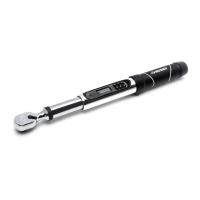
Never use the torque wrench with the power off. Always turn on the torque wrench so the applied torque
is measured.
Do not press any key while torque is being applied.
Do not use electronic torque wrench to loosen fasteners.
Verify the calibration of the wrench if you know or suspect its capacity has been exceeded.
Periodic recalibration is required to maintain accuracy.
Never apply more torque than the maximum wrench capacity or the maximum fastener specifications.
Do not immerse in fluids.
Do not use on live electrical circuits.
Electrical shock can cause injury. Rubber handle is NOT insulated.
LIMITED LIFETIME WARRANTY
WHAT IS COVERED
If this Husky product ever fails due to a defect in material or workmanship, return the product to any Home Depot
retail store for replacement with an item of equal or greater value.
WHAT IS NOT COVERED
This warranty excludes incidental/inconsequential damages and failures due to misuse, abuse, calibration or normal
wear and tear. This warranty gives you specific rights, and you may also have other rights, which vary from state to
state. Contact the Customer Service Team at 1-888-43-HUSKY or visit www.HUSKYTOOLS.com.
TABLE OF CONTENTS
WARRANTY
SAFETY INFORMATION
WARNING:
Do not use on live electrical circuits.
CAUTION:
Rubber handle is NOT insulated.
NOTICE: Read and understand this manual
before use. Improper use of tool can result in
damage to tool and/or work piece.
Percentages ................................................... 5
How to Use Pre-Set Torque Values ...................... 5
How to Set Torque with Angle ............................ 5
Battery .................................................. 6
Low Battery .................................................... 6
Changing Batteries .......................................... 6
Operation ............................................... 7
How to Apply Torque......................................... 7
Maximum Capacity Exceeded ............................ 7
Extensions ...................................................... 7
Certification ........................................... 7
Safety/Warranty Information .................... 2
Warranty ................................................ 2
Power (On/Off)........................................ 3
LCD Display and Function ................................. 3
Settings ................................................. 4
How to Change Unit of Torque Measurement ........ 4
How to Set Mode ............................................. 4
How to Set Target Torque in “Peak
Torque” Mode ............................................. 4
How to Set Angle ............................................. 4
How to Change “Target Torque Alert” and
“Target Angle Alert” ..................................... 5


 To Next Page