P/N 3110586_A 3-1
HUSSMANN CORPORATION • BRIDGETON, MO 63044-2483 U.S.A.
ISMGG2DAA Merchandisers
CONTROLLER OPERATION
The electronic controller is located in the
cassette compartment. The controller comes
factory set, and is ready for use. The front grille
must be removed in order to access this control.
When removing the grille for this operation or
for condenser cleaning, care must be taken not
to damage the display interface cable. It may be
unplugged during this task.
1. Before inserting the power cord into a
dedicated receptacle, complete the start-up
sheet on page 1-7. Turn the power switch
to the “off” position. The power switch is
located just below the controller. Next, plug
in the power cord and turn the power switch
“on”. There is a 1-minute power-up delay.
a) The controller will illuminate
b) Interior lighting will illuminate
c) Evaporator fans will start
2. The compressor cut-off is the setpoint
and cut-in is the differential. The setpoint
(cut-out) for the IMGG20DA is 23°F. The
differential (cut-in) is 20°F. A complete
list of setpoints can found on a separate
document that shipped with the case. The
document number is: P/N 3056058.
a. The setpoint is the adjustable
pre-programmed temperature.
b. The differential is the non-adjustable
pre-programmed temperature.
c. The control is designed to read and display
a cabinet temperature not a product
temperature.
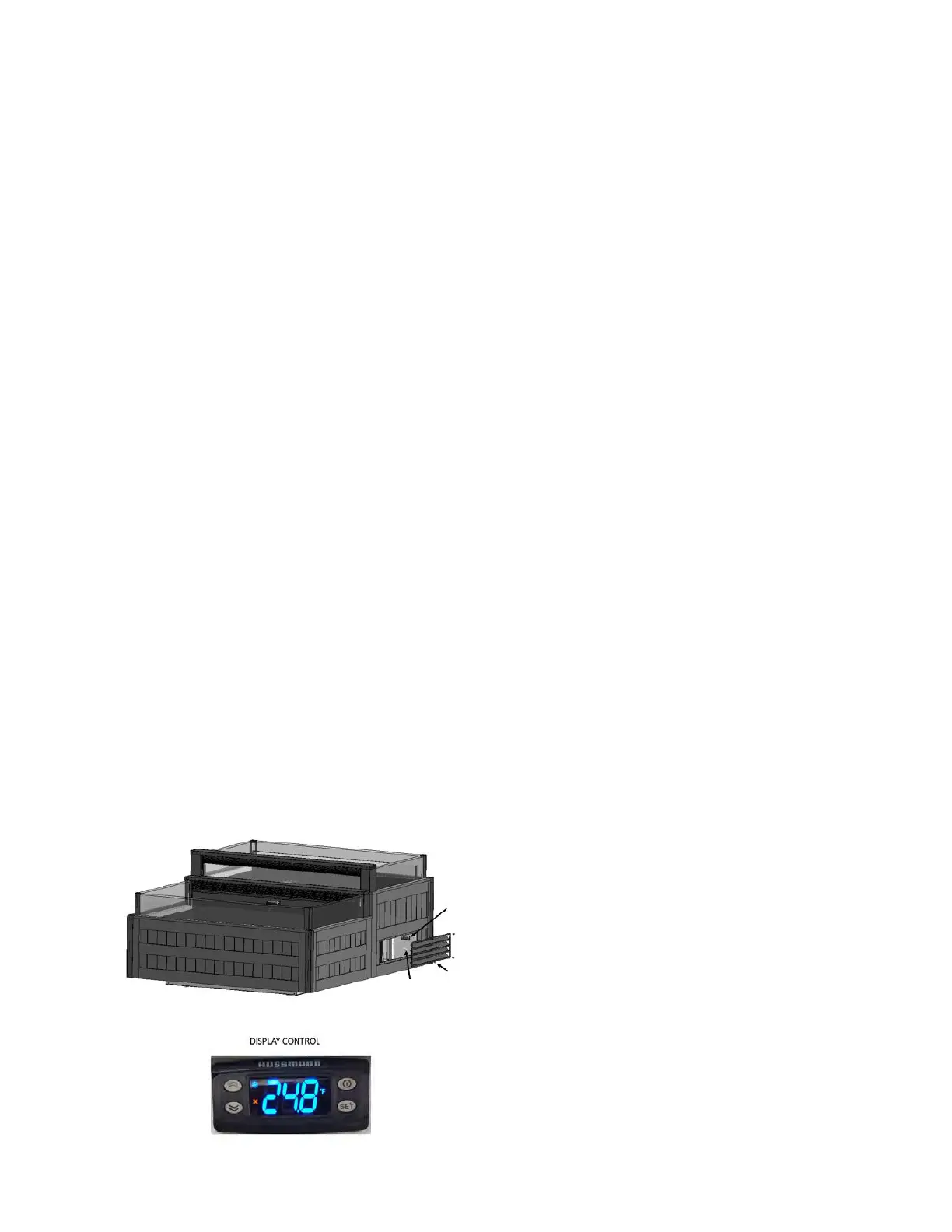
Controller Display / Main Switch Access
Use a screwdriver or cordless drill to remove the
screws on the end grille. The controller display
and main switch are on the right side.
Controller Controller
DisplayDisplay
End GrilleEnd Grille
Main Main
SwitchSwitch
3. e case is pre-programmed to achieve average
shelf temperature of 38°F (recommended)
for cut fruit and deli sandwiches. (Controller
setpoint is 23°F). If it is needed to change the set
point temperature, follow these steps:
a. To display the set point value, press “SET”
to enter the “Machine status” Menu, then press
“SET” again when the label is displayed.
b. e setpoint value appears on the display.
c. Change the setpoint value to the desired
temperature.
d. Press “SET” again to select the change.
4. e average shelf temperature of 30°F is
recommended for meat (controller setpoint is
16.5°F).
START UP / OPERATION



 To Next Page