5-2 SERVICE
P/N 3110586_A U.S. & Canada 1-800-922-1919 • Mexico 01 800-890-2900 • www.hussmann.com
REPLACING FAN MOTORS AND
BLADES
Should it ever be necessary to service or
replace the fan motors or blades be certain
that the fan blades are reinstalled correctly.
the blAdes must be instAlled with rAised
embossing (pArt number on plAstic
blAdes) positioned As indicAted on the
pArts list.
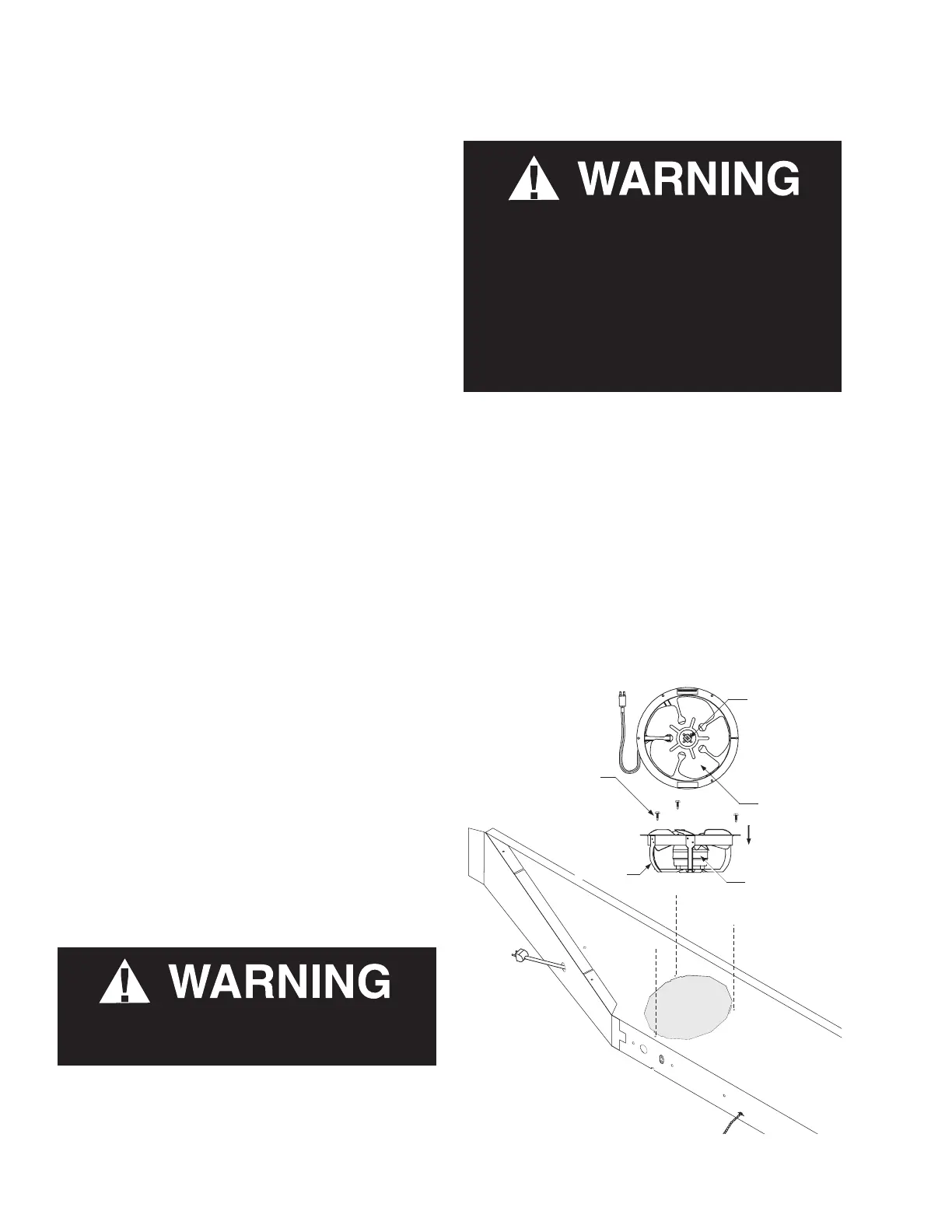
For access to these fans:
1. Remove product and place in a refrigerated
area. Turn off power to the merchandiser.
2. Remove bottom display pans.
3. Disconnect fan from wiring harness.
4. Remove fan blade.
5. Lift fan plenum and remove screws holding
bottom of motor to fan basket.
6. Replace fan motor and blade.
7. Lower fan plenum.
8. Reconnect fan to wiring harness.
9. Turn on power.
10. Verify that motor is working and blade is
turning in the correct direction.
11. Close air gaps under fan plenum. Warmer
air moving into refrigerated air reduces
effective cooling. If the plenum does not
rest against the case bottom without gaps,
apply foam tape to the bottom of the fan
plenum to reduce improper air movement.
Use silicone sealant to close other gaps.
12. Reinstall display pans. Bring merchandiser
to operating temperature before restocking.
SERVICE
— LOCK OUT / TAG OUT —
To avoid serious injury or death from electrical
shock, always disconnect the electrical power
at the main disconnect when servicing or
replacing any electrical component. This
includes, but is not limited to, such items as
doors, lights, fans, heaters, and thermostats.
Product will be degraded and may spoil if
allowed to sit in a non-refrigerated area.
S
er
vi ce
# MO.XXXXXXX
XX XXXXX
Fan Assembly
Screws
Bracket
Plenum
Speed-Nut
Fan Blade
Airflow
Direction
Motor
Note: Plenum length
and number of fans will
vary with model.
Fan assembly
Speed-Nut
Fan Blade
Screws
Airow
Direction
Bracket
Motor
Plenum



 To Next Page