User Manual
Rev 9.0 Page 23 HV Diagnostics
Data Transfer Modes
The HVA built in memory can save up to 50 reports and 40 test
sequences. Data storage location and transfer capability depends on the
configuration of the communication port (12).
Configuration
Characteristics
RS232
During testing, RS232 cables are not connected to
communication port (12)
• Test sequences are directly saved to HVA memory
• New reports are directly saved to HVA memory
• All test sequences and reports saved in HVA memory can be
transferred to the linked PC, once the HVA Control Center
Software has been installed
USB Flash
Adapter
During testing, USB adapter and stick are connected to
communication port (12)
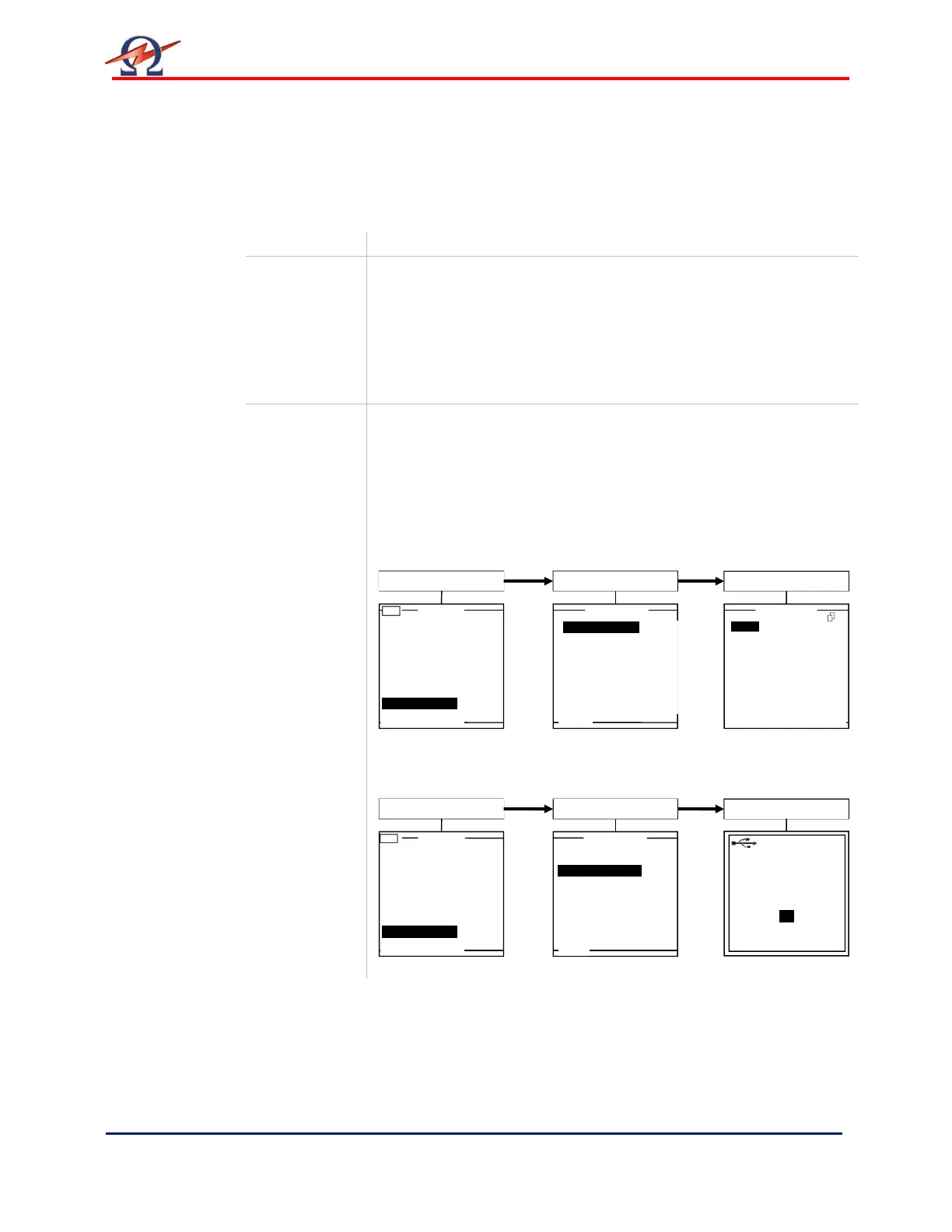
• When connected, left hand corner of main menu displays
“USB”.
• Test sequences are directly saved to HVA memory
• Reports saved on the USB stick can be retrieved and viewed
on the HVA display:
• All reports saved in HVA memory, can be transferred to the
linked USB stick:
Main Menu
3.0kV Maint. C. HYBR (T)
(T)
Start a New Test
Manual Mode
Reports & Setup
Reports &Setup
View Reports (2)
Store Rep. to USB
Edit Auto Test Seq.
Instrument Settings
Display Contrast 4
Service
USB
MAIN
OK
Main Menu
3.0kV Maint. C. HYBR (T)
(T)
Start a New Test
Manual Mode
Reports & Setup
Reports &Setup
View Reports (2)
Store Rep. to USB
Edit Auto Test Seq.
Instrument Settings
Display Contrast 4
Service
USB
MAIN
ALPHA
ALPHA 2
1/3


 To Next Page