User Manual
HV Diagnostics Page 26 Rev 9.0
6.2 Manual Test Mode
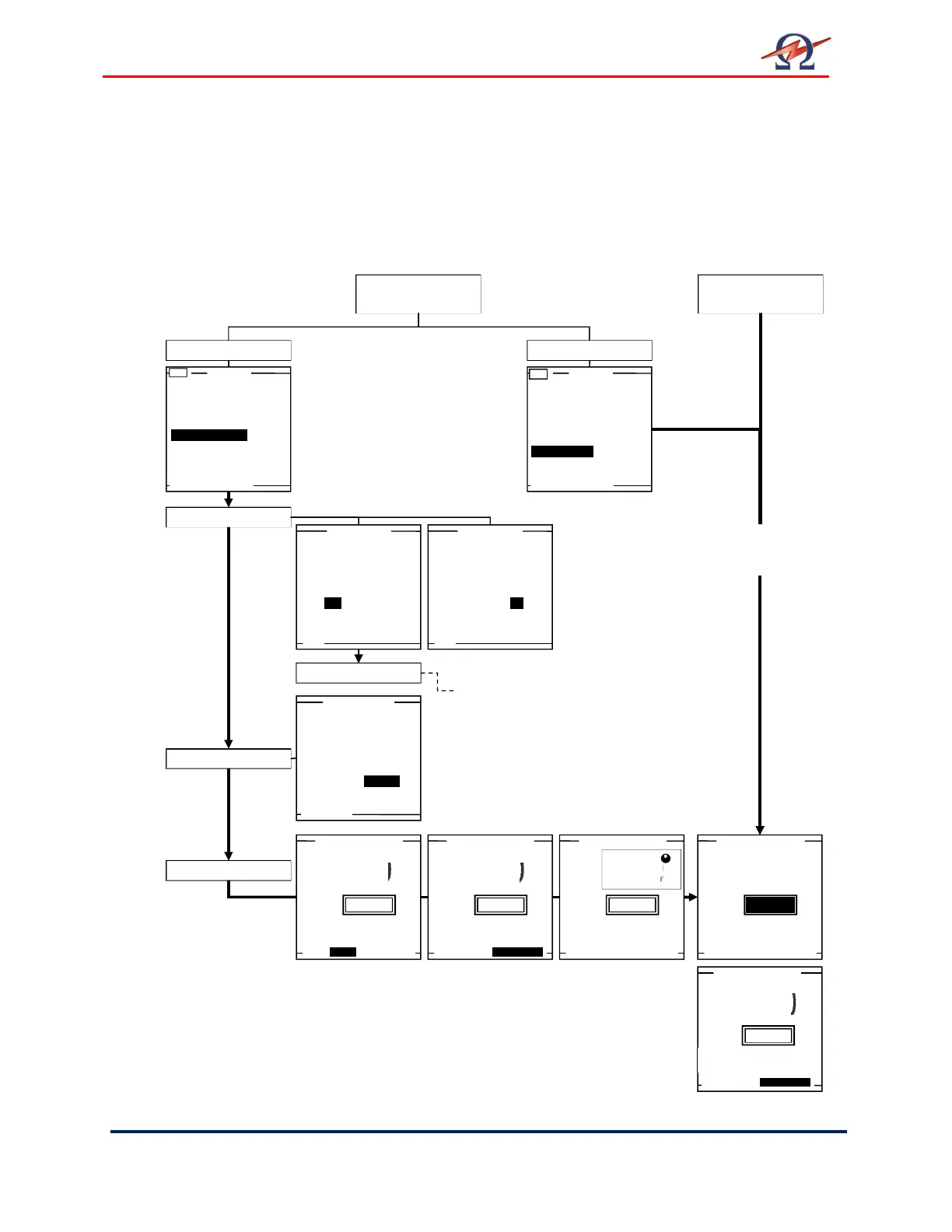
This HVA test mode facilitates rapid testing. If the default is the “Manual
Mode Screen”, a test with the same settings as the previous test can be
started directly after activating the system. Similarly, if the “Main Menu”
is set as the 1
st
screen, select “Manual Mode”. Otherwise, select “Start a
New Test” to change test parameters or to activate reporting.
Main Menu
Default Screen
Manual Mode
Default Screen
Use Last Test Seq.?
(T)
Start a New Test
Manual Mode
Reports & Setup
Start a New Test
Manual Mode
(T)
Start a New Test
Manual Mode
Reports & Setup
Do you want to
store a report?
Yes No
Do you want to
store a report?
Yes No
Report?
Setup Report
HVA guides user through series of questions.(See section 6):
• DUT Type
• Voltage Rating
• (Cable) Insulation
• Report Title
Timer: 30 min
START
0.0
series of questions:
• Waveform
• Frequency
• Duration
Setup Test
Test Mode?
Auto Test Sequence
or use Manual Mode?
Auto Seq. Manual
Timer: 30 min
START
Timer: 30 min
START
Timer: 30 min
START
Mode
0.0
kV
rms
kV
rms
kV
rms
0.0
0.0
kV
rms
Timer: 30 m 0s, report active
DUT 1.0kV Cable XLPE
0.0
kV
rms
NOTE: If Reporting is active, screen displays additional info.
To test with identical parame
manual test
(i.e. parameter as seen on screen.)
No reporting is possible!


 To Next Page