User Manual
Rev 9.0 Page 27 HV Diagnostics
Setting Manual Test Parameters
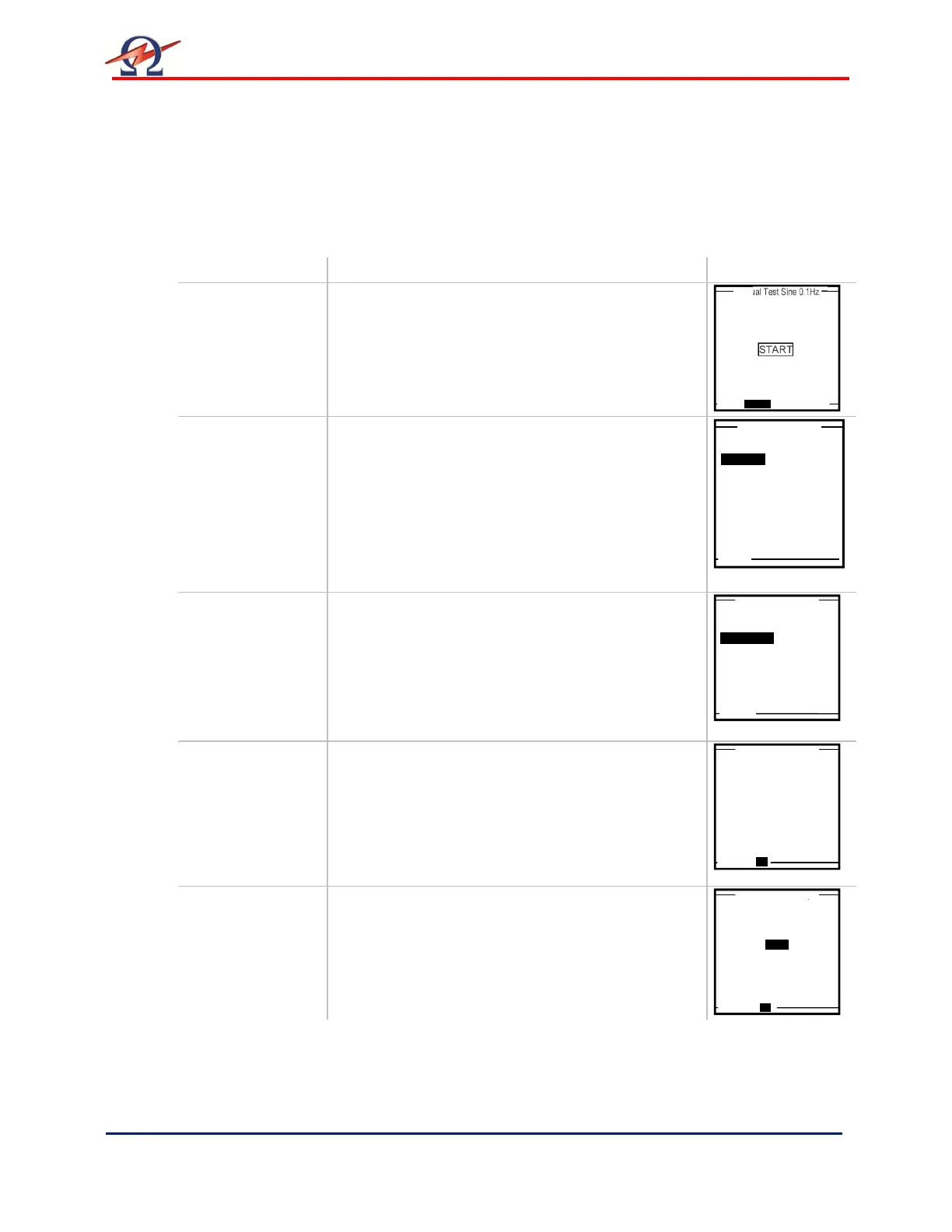
Steps MS 1-MS 8 describe how to set manual mode test parameters.
Step Procedure (Set Manual Test Parameters) Example
MS 1:
SETUP
To set the waveform, frequency, or test duration,
select “SETUP” on bottom of “Manual Test” screen
MS 2:
SETUP:
Waveform
Select one of the following output modes:
• Sine wave
• Square wave
• DC+
• DC-
• Vacuum Bottle Test
• Sheath Test
• Sheath Fault Location
MS 3:
Sinewave;
Squarewave:
SETUP:
Frequency
Set the frequency to as close to 0.1 Hz as
possible.
• 0.1 Hz/Auto: Recommended setting that
automatically maintains the frequency as close
to 0.1 Hz as possible
To correct entry select “CANCEL” at bottom of
display.
MS 4:
Vacuum Bottle
Test:
SETUP:
Trip Current
Rise Rate
Set the test “Duration”:
• Min. = 5 seconds; Max. = 15 minutes
Set the test “Trip Current”:
• Min. = 200 µA, Max. = 1000 µA
Set the test “Rise” rate:
• Min. = 0.5 kV/s, Max. = 5.0 kV/s
MS 5
Sheath Test
Set the test “Duration/Timer”:
• Min. = 1 minute; Max. = 15 minutes
Set the test “Trip Current”:
• Min. = 0.1 mA, Max. = 5.0 mA
Timer: 30 min
START
0.0
kV
Sinewave
Squarewave
DC+
DC-
Vacuum Bottle Test
Sheath Test
Sheath Fault Location
Select Waveform
Waveform: Sine
Select Frequency
0.08 Hz
0.06 Hz
0.04 Hz
0.02 Hz
0.07 Hz
0.05 Hz
0.03 Hz
Vacuum Bottle Test
5m 0 s
1000µA
0.5 kV/s
Trip Current:
Rise:
Waveform DC Negative
Set Duration/Timer
1 min
Set Trip Current
5.0 mA


 To Next Page