-11-
swimming pool properly can considerably shorten this period.
Time Delay - the appliance is fitted with built-in start-up delay of 3 minutes as protection for
the electronics and to increase the life of the contacts. After this interval, the appliance will
restart automatically. Even a brief interruption in the flow of current will activate this delay and
thus prevent the appliance from starting up immediately. Additional interruptions in the
current during this delay will have no influence on the 3-minute countdown.
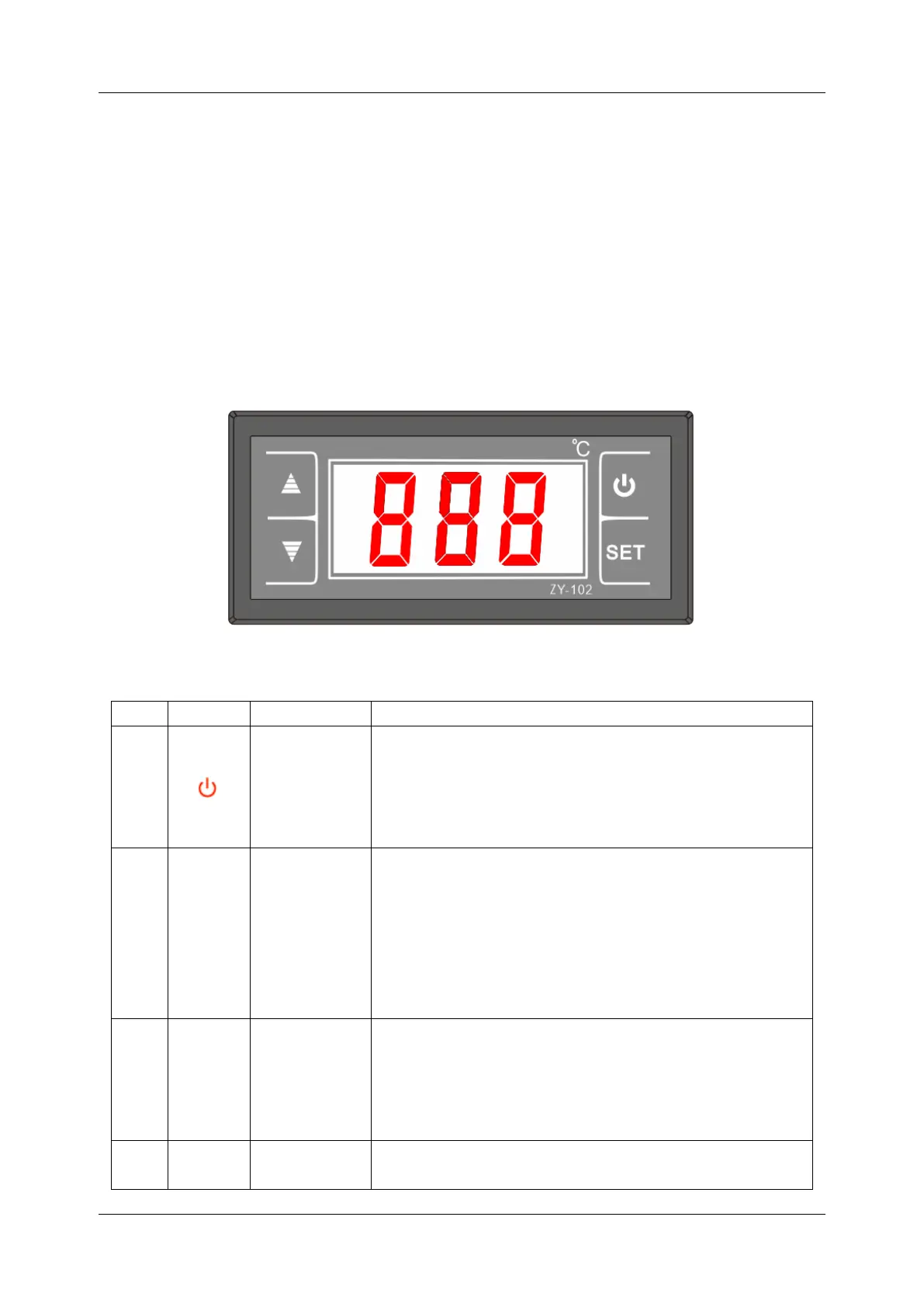
CONTROLLER
Display and Operation Surface
Definitions
In normal working status, hold this key for 5s to power
off the unit. In power-off status, hold this key for 5s to
enter normal working status of the unit.
In setting or query interface, press this key to exit the
interface and store corresponding parameters.
Confirmation
Record query
1. On the home screen, press this key to enter the
status parameter query interface. Hold this key for over
5s to enter the parameter setting interface.
2. In the parameter query interface, press this key to set
parameters.
3. In the parameter setting interface, press this key to
confirm the setting and return to the upper-level menu.
Parameter
value
increase;
Menu item
switch
1. On the home screen, press this key to increase SPT.
2. In the parameter query interface, press this key to
switch to the previous parameter.
3. In the parameter setting interface, press this key to
increase the parameter value.
1. On the home screen, press this key to decrease SPT.
2. In the parameter query interface, press this key to



 To Next Page