Installation
22│Page
REMOTECONTROLLERCONNECTIONS
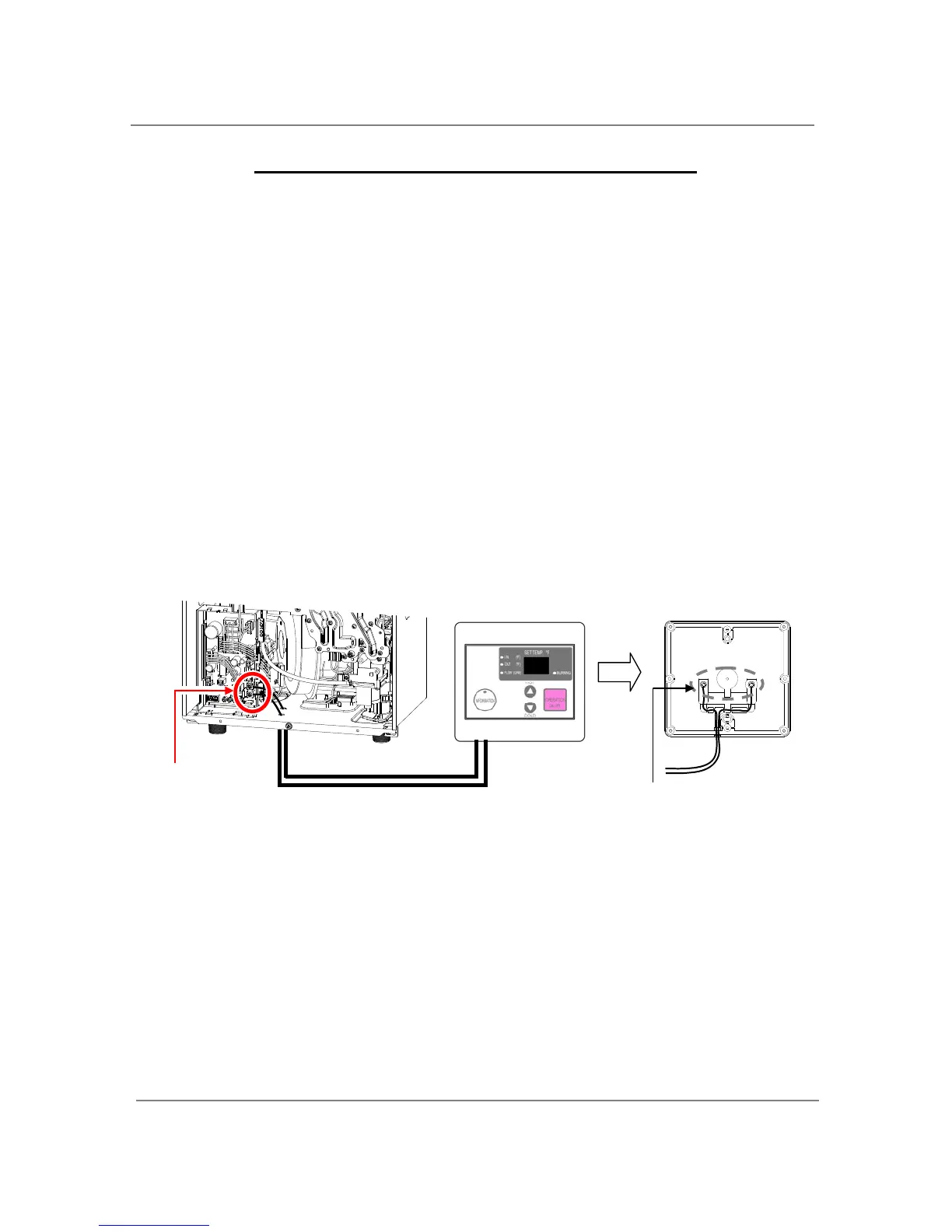
<Howtoconnecttheremotecontrollertothewaterheater>
1.Disconnectpowersupplyfromthewaterheater.
2.Takeoffthewaterheater’sfrontcover.
3.Locatetheremotecontrollerterminal,picturedbelow(locatedaroundthelowerright‐hand
sideofthecomputerboard).
4.Opentheplasticcoveroftheremotecontroller,andthenattachthetwoforkterminals
to
connectorbaseofthebacksidetheremotecontrollerwithtwoscrews.Makesurethe
terminalsarefirmlyfixed.
5.Pulltheremote’swiresthroughtheholeatthebottomofthewaterheater’scasing.
6.Properlyattachtheremote’swirestotheremotecontrollerterminalonthecomputerboard.
(Nopolarity)
*DoNOTjumporshort‐circuitthewiresorcomputerwillbedamaged.
7.ReplaceFrontCoversecurely.
8.Wiresusedfortheremotecontrollerconnectionmustbe:
Minimum18AWGwire(Nopolarity)
Maximum400feetlong
*Fordetailedconnectioninstructionstotheremotecontroller,refertotheinstructionsthatare
packagedwiththeremotecontroller.
Remotecontrollerterminalinsidewater
Frontofremote
Backofremote
Connectotherendtotheseterminals
Connecttothese
terminals
9007666005
(TK‐RE02)


 To Next Page