Hydroid – Series User Manual
29 04/19
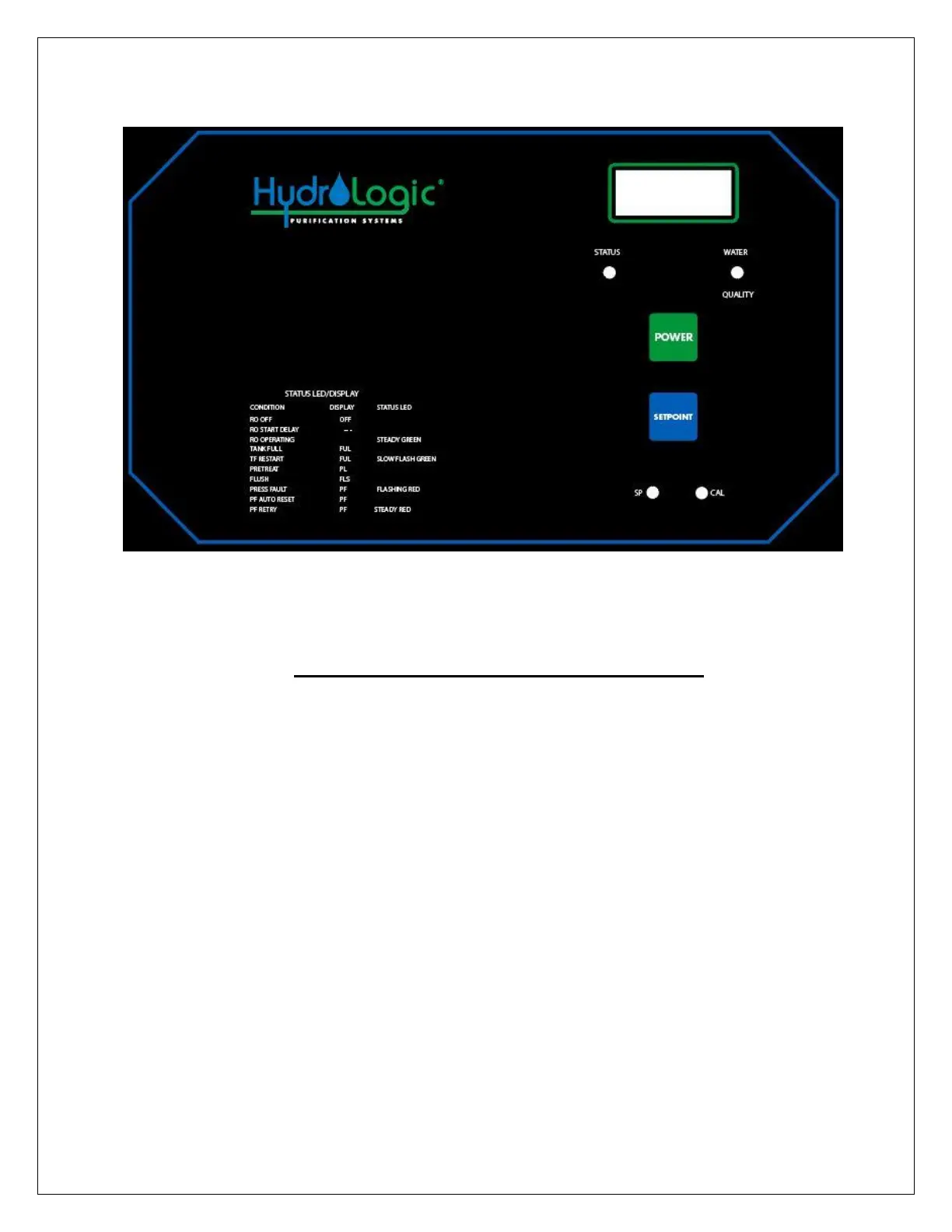
FRONT PANEL CONTROLS AND INDICATORS
LED DISPLAY - Shows status of system and water quality.
STATUS LED - Shows operating status of unit.
WATER QUALITY LED - Green if OK, Red if above limit.
POWER KEY - Places controller in operating or standby mode.
SETPOINT KEY - Places display in mode to display current setpoint
SP - Setpoint adjustment screw.
If technical assistance is required, contact HydroLogic directly:
Toll-free 888-426-5644


 To Next Page