The information below should help you get started with the basics of using your charger with the Hypervolt app. A more in depth guide is available on our
website.
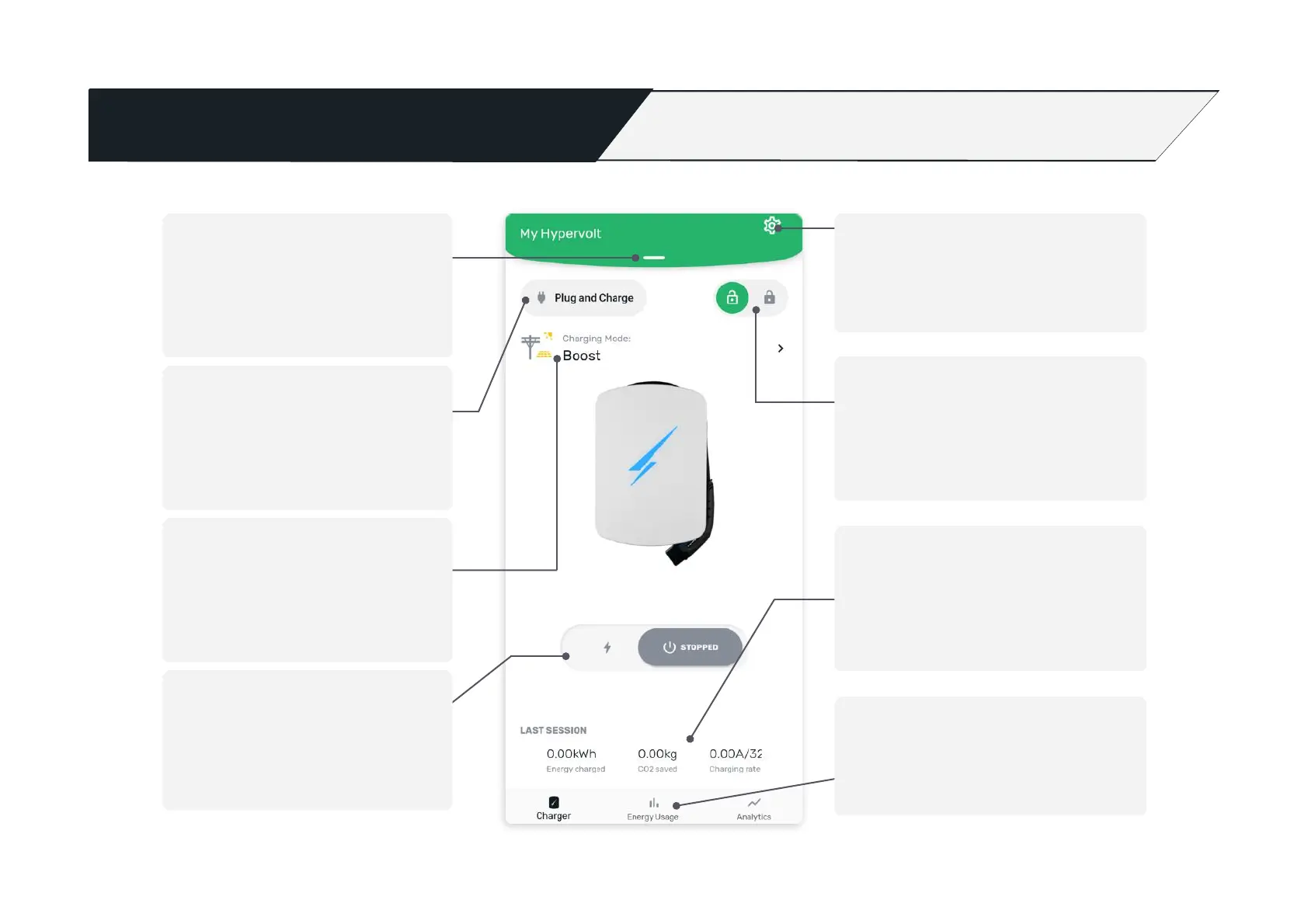
Adopted chargers
See here for the charger you are
controlling. Pull down to switch chargers
or add more.
Charging Mode
The first icon displays whether the
charger is on ‘scheduled’ or ‘plug and
charge’ mode. Just tap on each icon to
change its mode.
Solar Charging Mode
Switch here between the different solar
charging modes or set to boost if you
don’t have solar or need your car
charged the quickest.
Settings
(see page 20 for more details)
Energy Usage
View charging consumption by tapping
‘energy usage’ on the app.
Charger Lock
By tapping the ‘padlock’ icon you can lock
the charger to prevent unauthorised use.
Session data
See real time data for the current charge
session such as charging rate, cost,
consumption and environmental impact.
Stop and start charging
By using this sliding button it toggles
between charging your car and stopping
charging.


 To Next Page