12 © Copyright 2019 HYPERVSN. All rights reserved
5. DEVICE ASSEMBLY
Important.
If the Device has been stored in low temperatures, leave it indoors for at least 2 hours before use.
This avoids moisture condensing on internal components of the Device, which otherwise may
cause damage to the Device.
Do not touch LEDs of the rays. This may damage them.
Attention. Before assembling the Device, double-check that the components seem to be in good working
order.
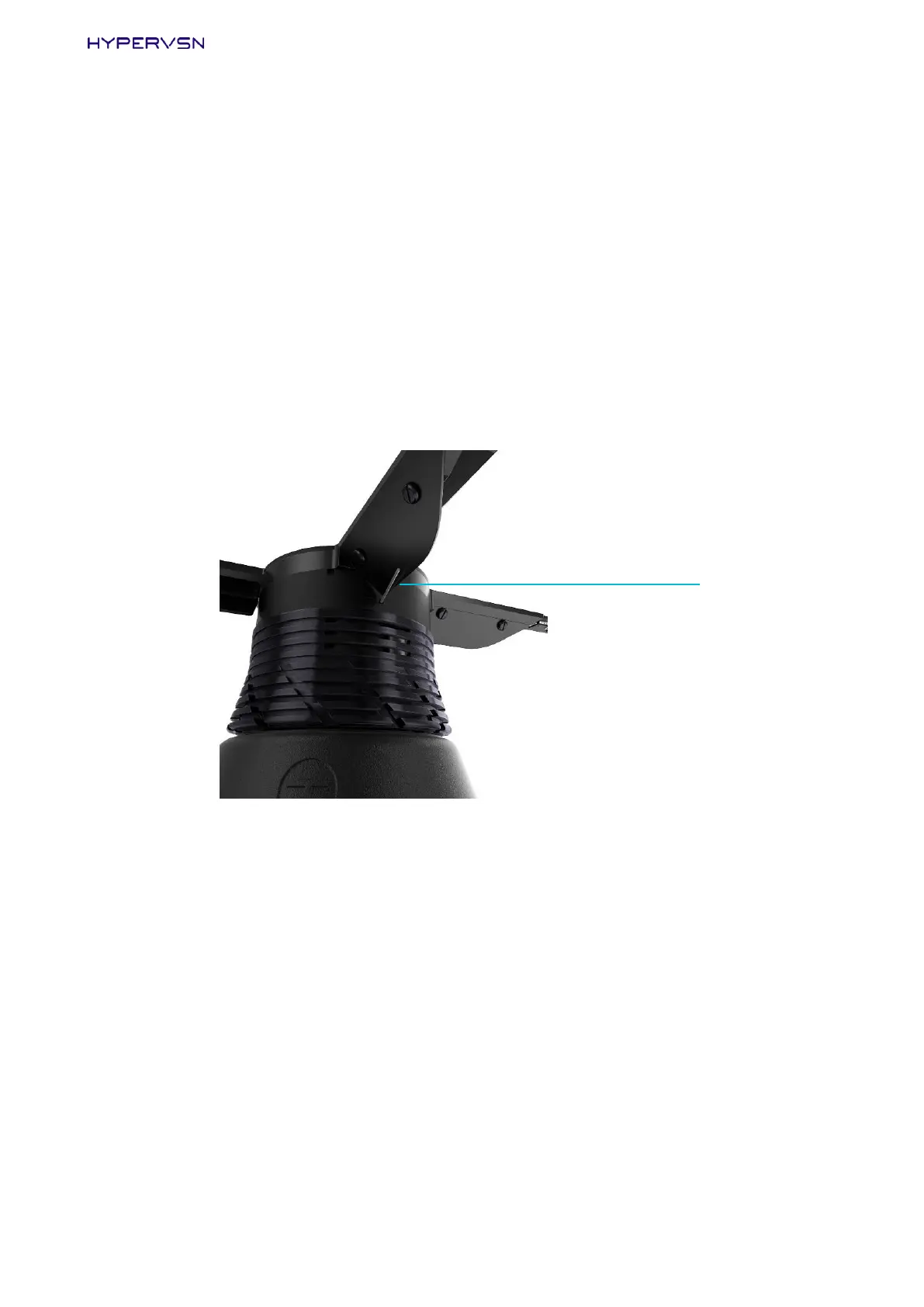
Ensure that the wireless antenna remains with its full integrity. (Do not cut the wireless antenna off).
Picture 7. Wireless antenna
The rays should not have any cracks or other visual damage.
The stator should not have any dents in it.
If the Device is supplied disassembled, check that the shaft is perpendicular to the bottom (base) of
the stator, the shaft should turn on its axis (rotate the shaft with your fingers).
Contact your supplier if you notice any irregularities during your component check.


 To Next Page