© Copyright 2019 HYPERVSN. All rights reserved 21
8. DEVICE INITIAL ACTIVATION
In order to use the Device, you need to first activate it.
Note.
Before starting the Device activation, define the details of the network(s) that you will use to connect
the Device to the Internet.
The Device requires to be connected to an Internet-enabled Wi-Fi network. If the router is provided,
please configure it in accordance with the instructions provided.
The appearance of web pages as presented in this manual may differ from your setup depending on the
operating system and browser you use.
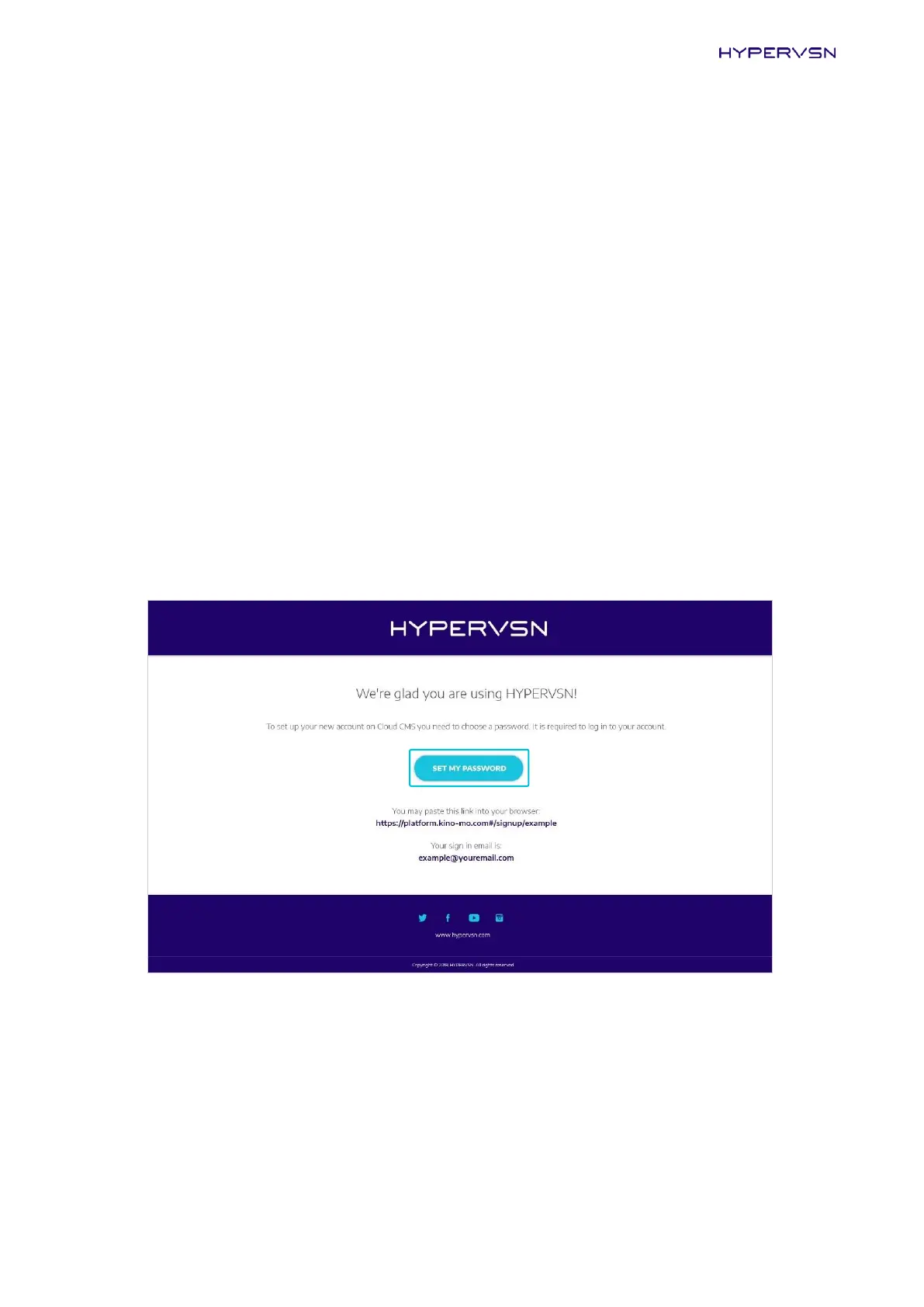
Upon purchase, each customer receives a personal email invitation. If you have not received this, kindly
contact your dealer or HYPERVSN customer service.
1. Click Set my password in the email invitation you received or open your browser and paste the
specified link into the address bar.
Picture 18. Personal email invitation


 To Next Page