© Copyright 2019 HYPERVSN. All rights reserved 17
7. DEVICE OPERATING MODES OVERVIEW
Attention. Sections 7.1 - 7.3 are designed for reference only (no action is required at this stage).
7.1 OPERATING MODES
There are two Device operation modes – the Setup (Hotspot) mode and the Operating mode.
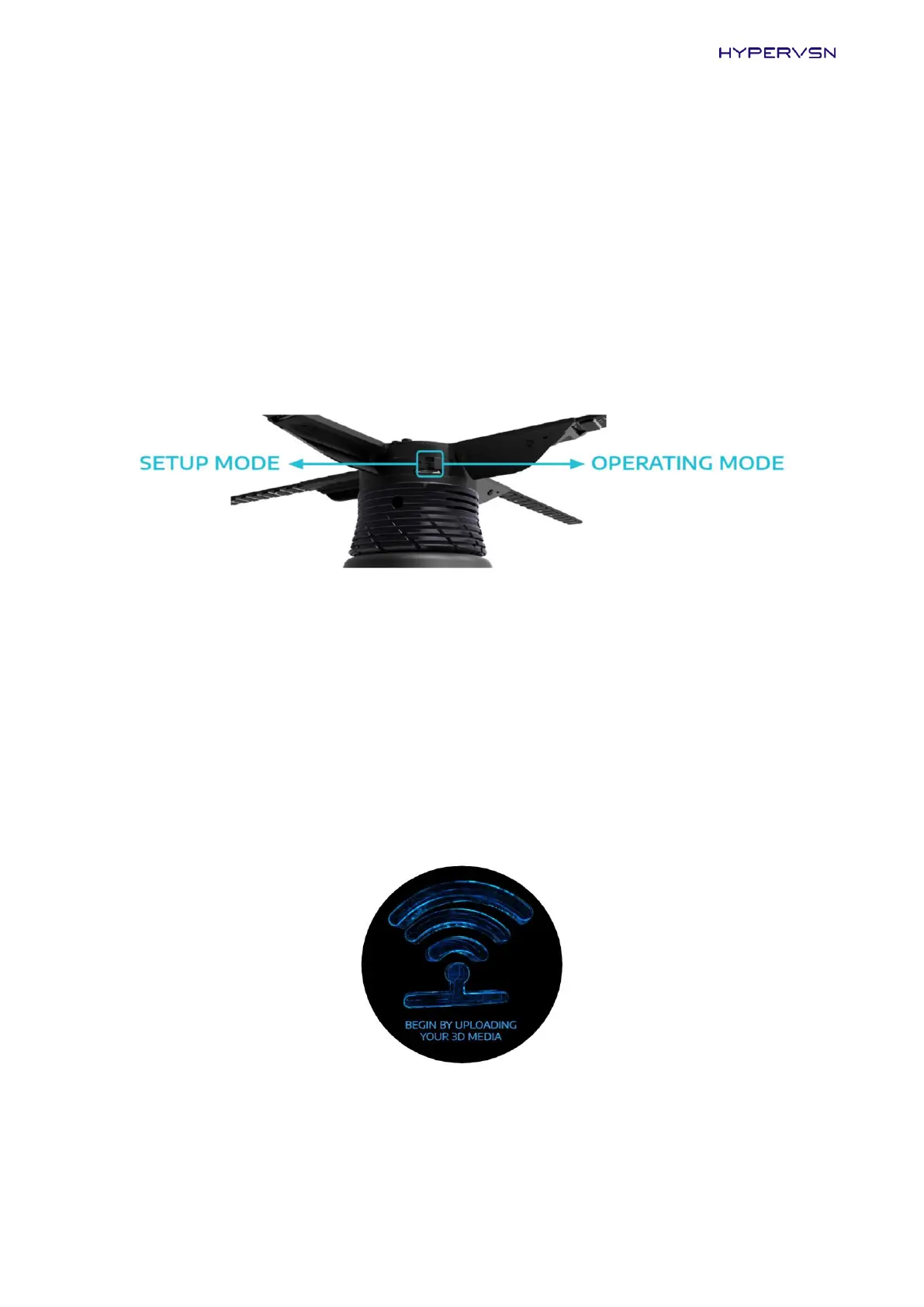
The modes are selected by the mode switch on the rotor.
Picture 13. Mode switch on the rotor
The “Setup mode” switch position is marked with a black dot.
Setup (Hotspot) mode
In the Setup (Hotspot) mode the Device creates a wireless network in close proximity to the Device. The
network name is hypervsn-YYXXXXX, where YYXXXXX is a 7-digit serial number located on the base of the
rotor.
In this mode the Device displays the “BEGIN BY UPLOADING YOUR 3D MEDIA” message (Picture 14) if these
is no content uploaded onto the Device or media playback is stopped.
Picture 14. Starting message in the Setup (Hotspot) mode


 To Next Page