© Copyright 2019 HYPERVSN. All rights reserved 23
3. Enter your e-mail and password once again. Click Log In.
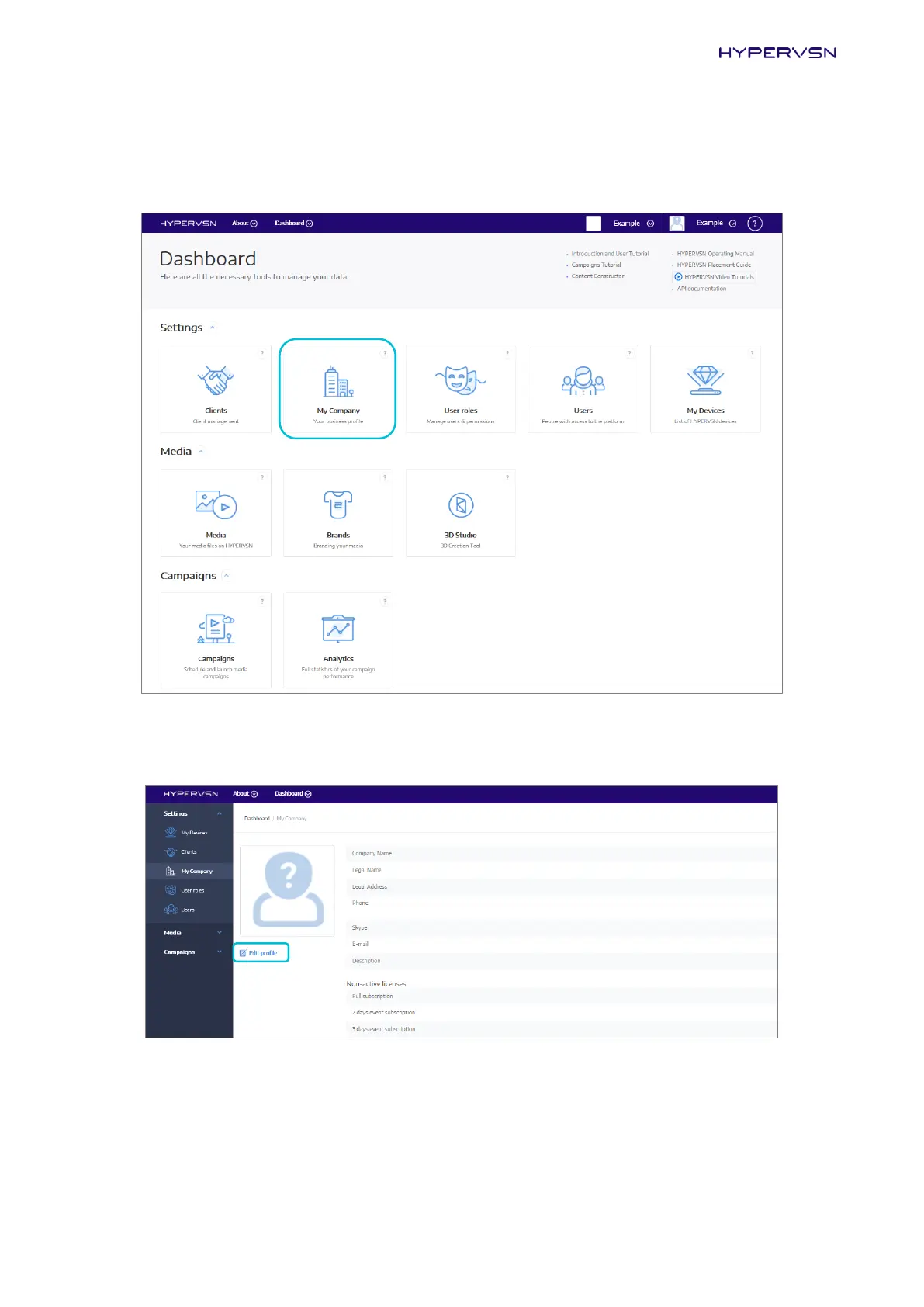
The next page will open:
Picture 21. Dashboard
4. Click My Company. The next page will open:
Picture 22. “My Company” page
The first seven fields contain information about your company. If it is incorrect, click Edit profile and
edit the data, then go to the next step. This can also be done after completing the Device installation.


 To Next Page