© Copyright 2019 HYPERVSN. All rights reserved 27
Calibration (image horizontal orientation adjustment)
a) Move the “Calibration Screen” switch to the “On” position (Picture 30). The Device will start to
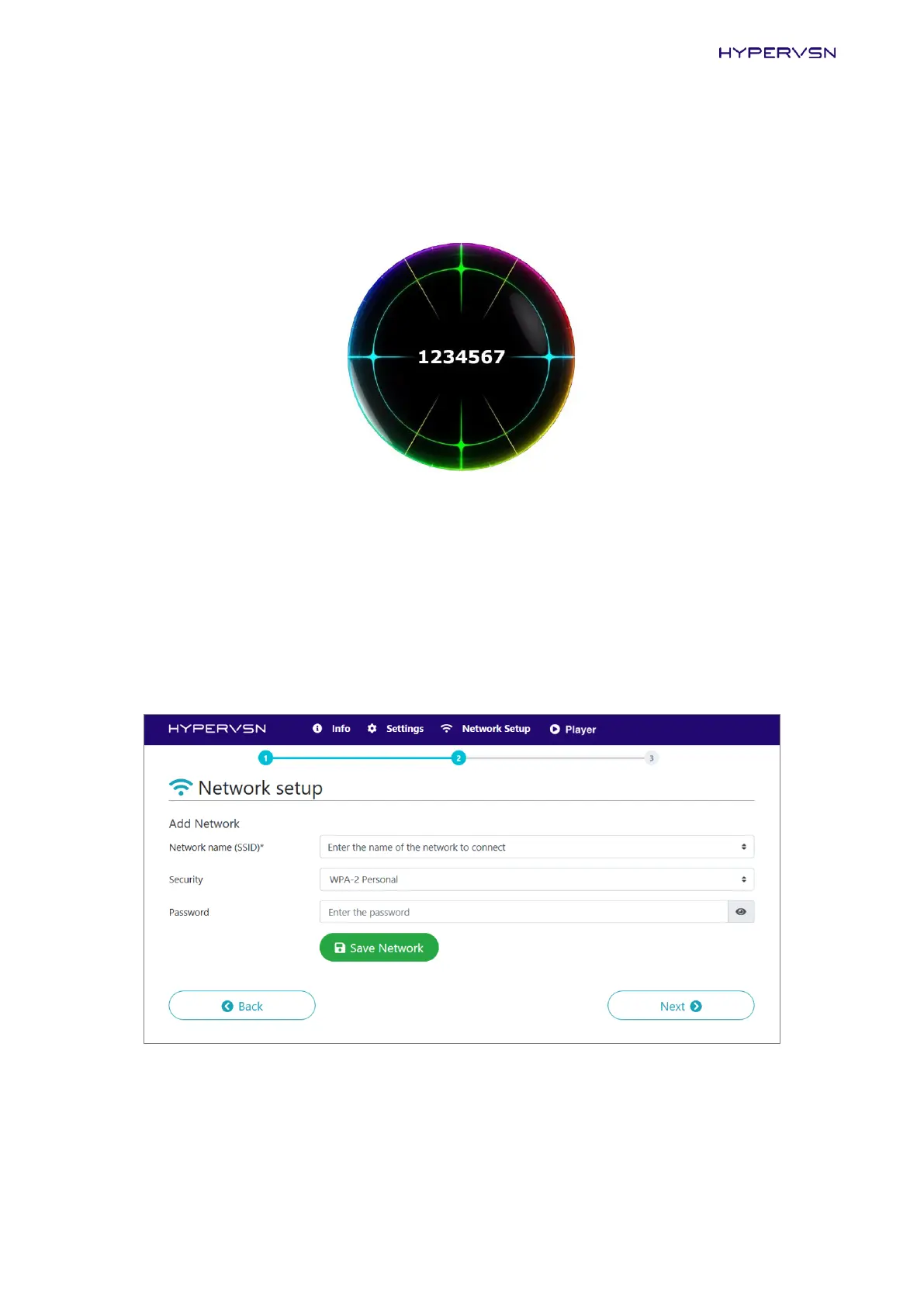
display an image containing the rotor serial number:
Picture 31. Image with the rotor serial number
The displaying rotor serial number should be parallel to the ground.
b) To adjust the image horizontal orientation, click Right to rotate the image clockwise, and Left to
rotate the image counter-clockwise.
c) Move the “Calibration screen” switch to the “Off” position.
15. Click Next. The following page will open:
Picture 32. Step of the activation procedure
Enter the required information for the Wi-Fi network that you plan to use with the Device. Click Save
Network.
Any number of networks may be used.


 To Next Page