26 © Copyright 2019 HYPERVSN. All rights reserved
The following page will open:
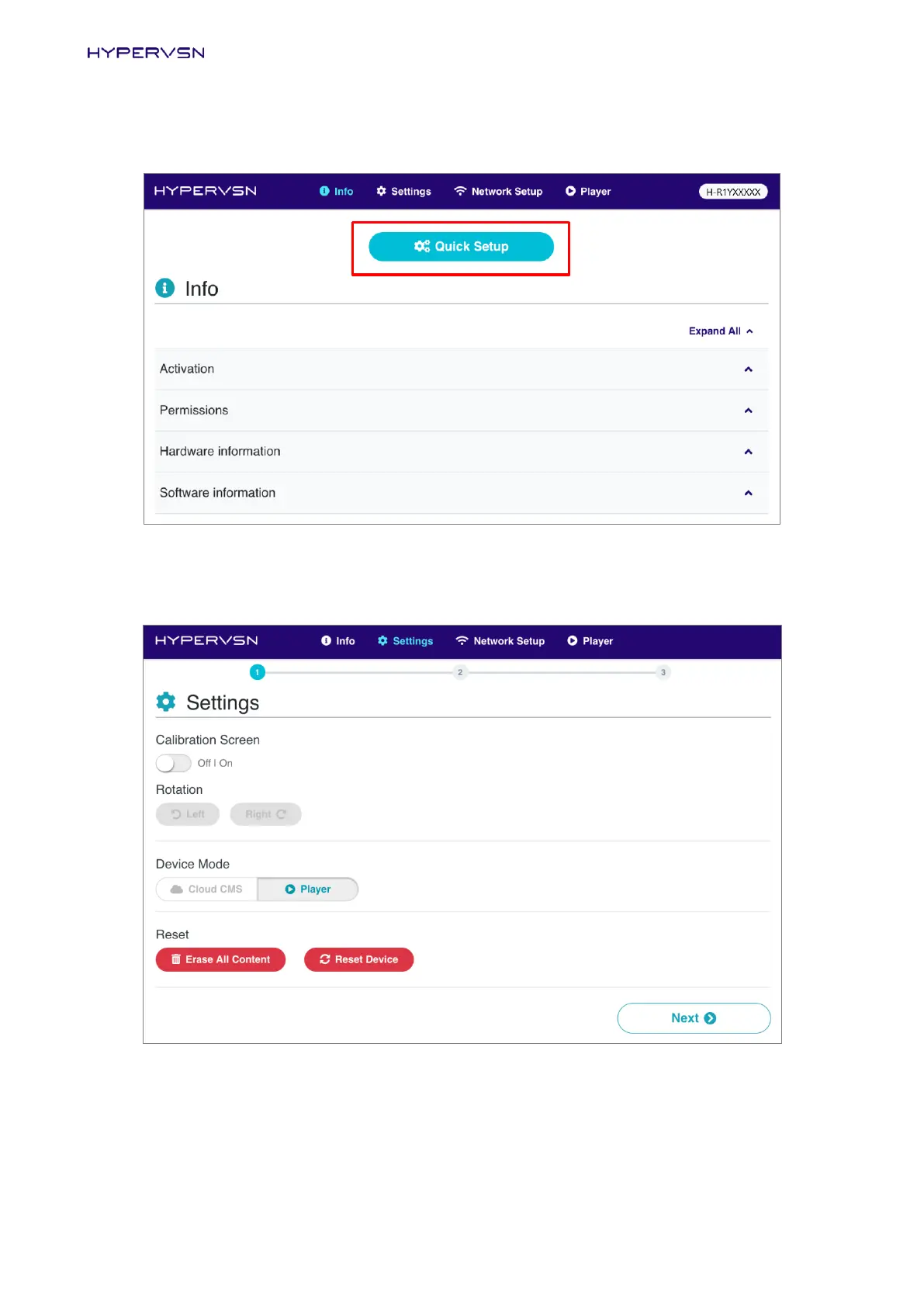
Picture 29. “Info page, Quick Setup button
14. Click Quick Setup (Picture 29). The form for the Device calibration will be displayed on the open page:
Picture 30. Form for the Device calibration
If you have already mounted the Device on a wall, the calibration procedure may be performed at
this step. Otherwise it should be performed later, after completing the initial activation procedure.


 To Next Page