© Copyright 2019 HYPERVSN. All rights reserved 33
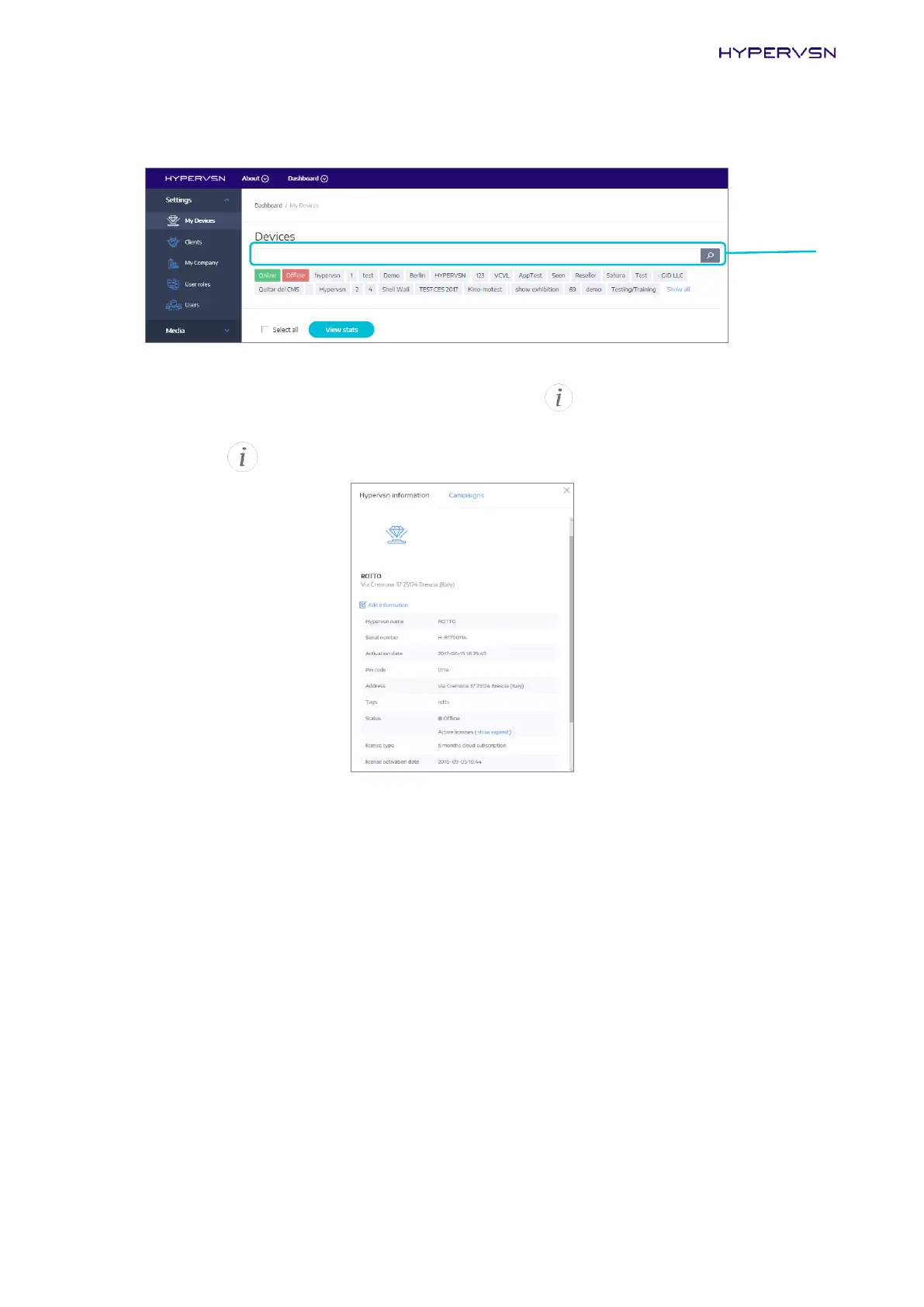
You can also enter the Device serial number in the search bar to see the required Device in this list.
Picture 42. Search bar
You can always check your license status by clicking on the button near the Device name (Picture
41).
24.
Click on the button of the activated Device. The following window will open:
Picture 43. Editing Device info
25.
Check the data in the following fields of the open window to help you recognize your Device during
the future sessions:
“HYPERVSN name”
“Address”
“Tags”
You need to enter the correct display address so that the Device is located correctly.
If the data is incorrect, choose Edit information in the open window (Picture 43), edit the data, click
Save.
After all these steps you will be able to create a media campaign and upload the content.


 To Next Page