You can configure the scan feature in two ways: Configure through Programming and Configure through Radio
Menu.
Configure through Programming
Please ensure that digital channels and analog channels are added for scan.
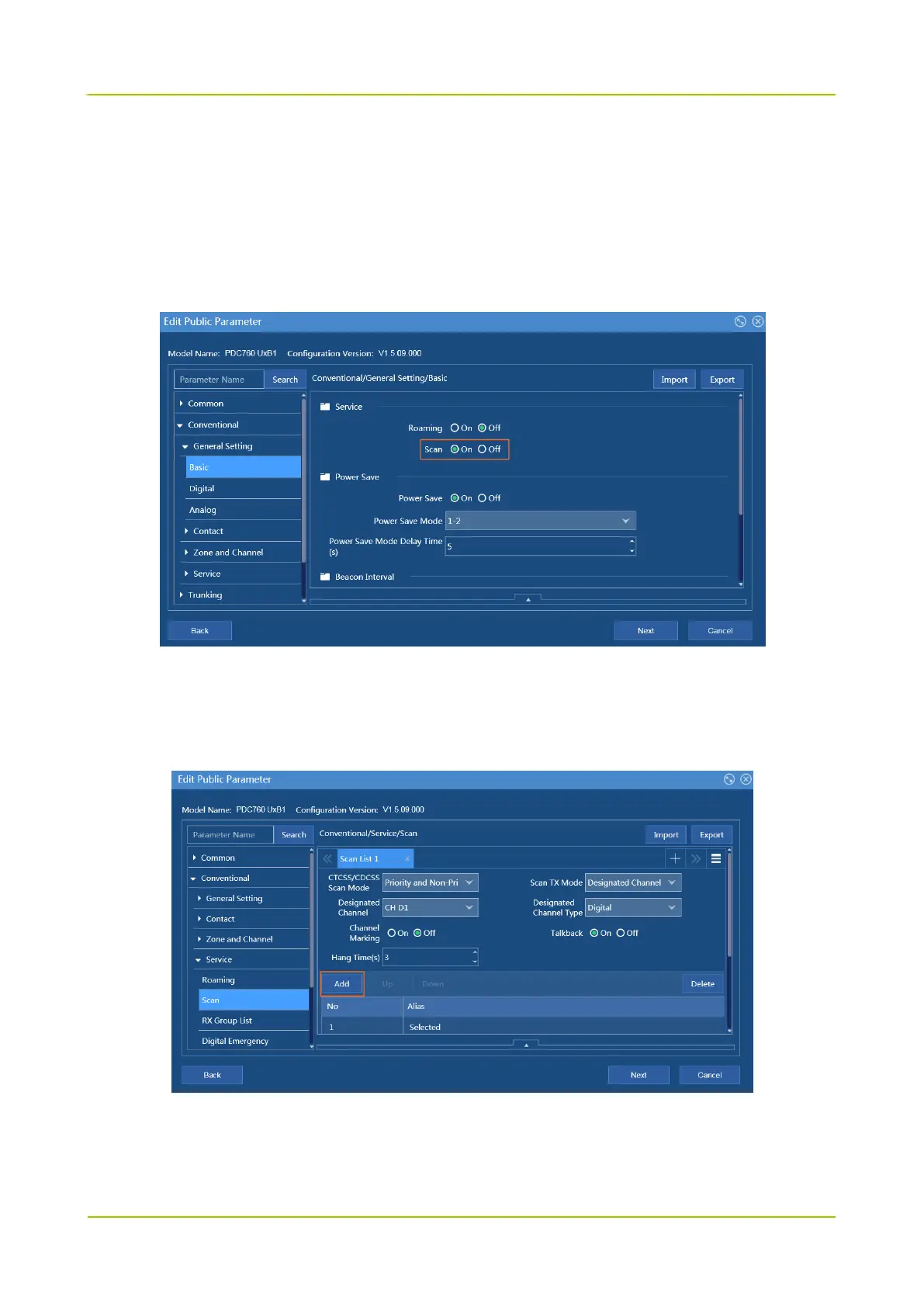
Step 1 Choose Conventional -> General Setting -> Basic, and set Scan to On.
Step 2 Configure the scan list.
1. Choose Conventional -> Service -> Scan, and click Add to add a channel to the scan list.
At least two channels are added to the Scan List, or the feature will be unavailable.
2. Set CTCSS/CDCSS Scan Mode as Priority and Non-Priority Channel.
3. Configure Scan TX Mode.
The radio may need to transmit services during the scan, but the stayed channel, selected channel,



 To Next Page
 Loading...






