6
normal range, the alarm will be eliminated with the
segment disappearing and the alarm indicator going out.
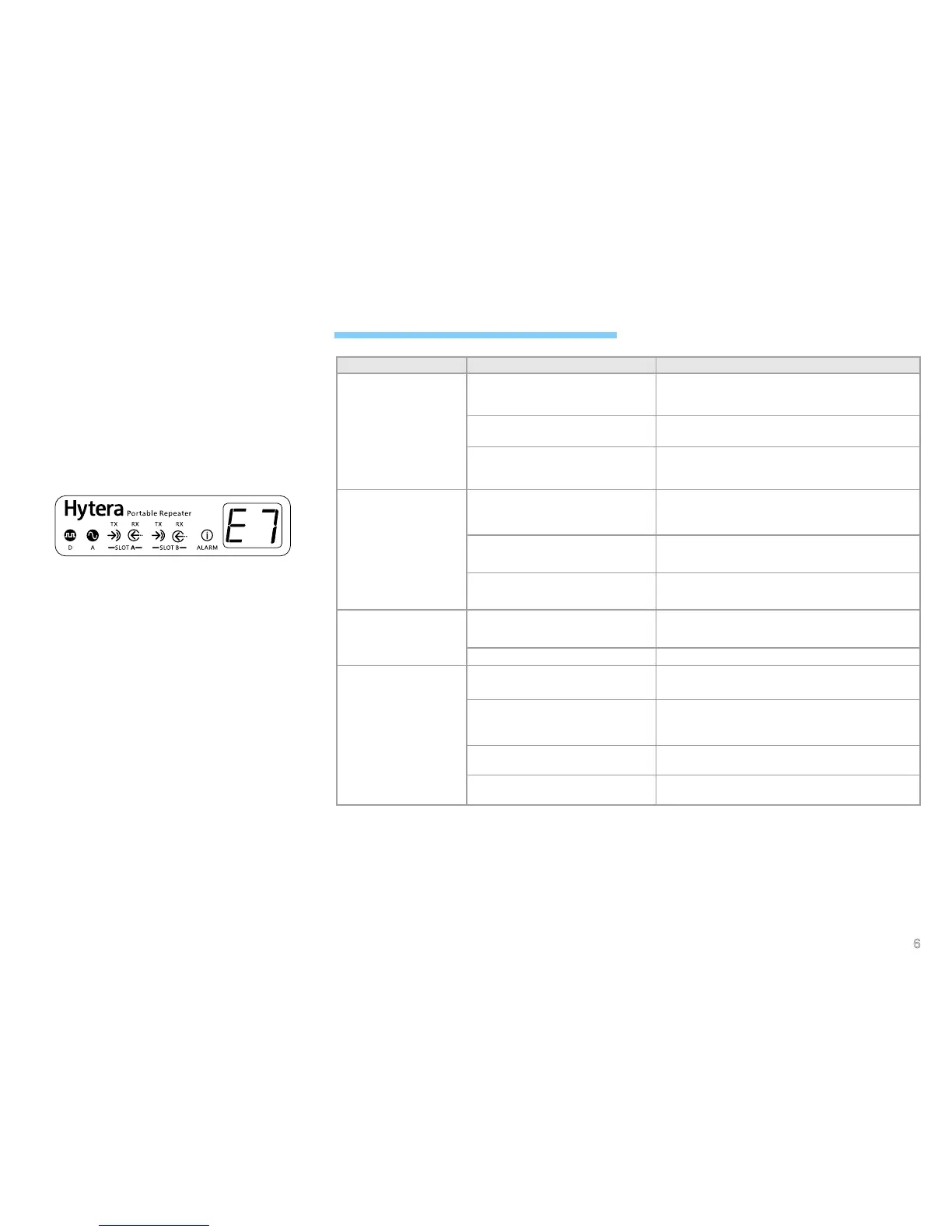
VSWR Alarm
When transmitting, the repeater will detect the voltage
standing wave ratio (VSWR) of the Tx antenna of the PA
module. Over-high VSWR will damage the PA module
or even disable it. When the VSWR exceeds the normal
range, the alarm indicator will glow red and the LED
segment display will show “E7”:
When this alarm is given, the repeater can still work
properly.
And you need to take the following measures:
1. Check if the Tx frequency is within the frequency
range of the antenna, as improper antenna will result
in poor transmitting performance or even damage
to the transmitter. If not, please contact your local
dealer to replace the antenna.
2. Check if the connection between the transmitter and
RF adapter cable or antenna/feed line is loose or
damaged. If yes, please replace the cable.
3. If you cannot solve the problem, contact your local
dealer for technical support.
When the VSWR returns to the operation range, the
alarm will be eliminated with the segment disappearing
and the alarm indicator going out.
Troubleshooting
Phenomena Analysis Solution
Power-on failure
The power cord may be unconnected
or not securely connected to the
outlet.
Properly connect the power cord and ensure secure
connection.
The battery may have low power
when supplying.
Please charge the battery or contact the dealer to
replace the power supply management system.
The power adapter may output
improper voltage.
Check if the power adapter outputs the voltage
within the required range (12V
±
5%). If not, replace
the power adapter.
The repeater cannot
communicate with other
members in the group
Tx/Rx frequency of the repeater is
inconsistent with that of portable/
mobile radios.
Check if the Tx/Rx frequencies are consistent with
each other, and re-set the frequencies if necessary.
Failed to repeat useful signal due to
strong interference signal.
If you cannot remove or bypass the interference
source, change to operate at other frequencies.
The group member is out of the
coverage of the repeater.
Go within the coverage of the repeater.
Group members cannot
talk to each other, even
though Rx indication is
given.
The radio ID is inconsistent with that
of the other group members.
Set the subscriber ID to the same as that of the
other members.
Inconsistent CTCSS/CDCSS. Re-set CTCSS/CDCSS.
Short communication
range or poor audio.
The connection cable is damaged,
and the signal energy leaks.
Replace the cable with a new one if necessary.
The antenna connector and the
cable may get loose connection or
even disconnected.
Secure the cable connector, or replace it if
necessary.
Invisible damage may occur to the
cable.
Replace the cable with a new one.
Duplexer is not properly set (if the
duplexer is mounted).
Contact the manufacturer or your dealer to re-set
the duplexer.
If the above solutions can not x the problems for you, or you may have some other queries, please contact us or your
local dealer for more technical support.


 To Next Page