4
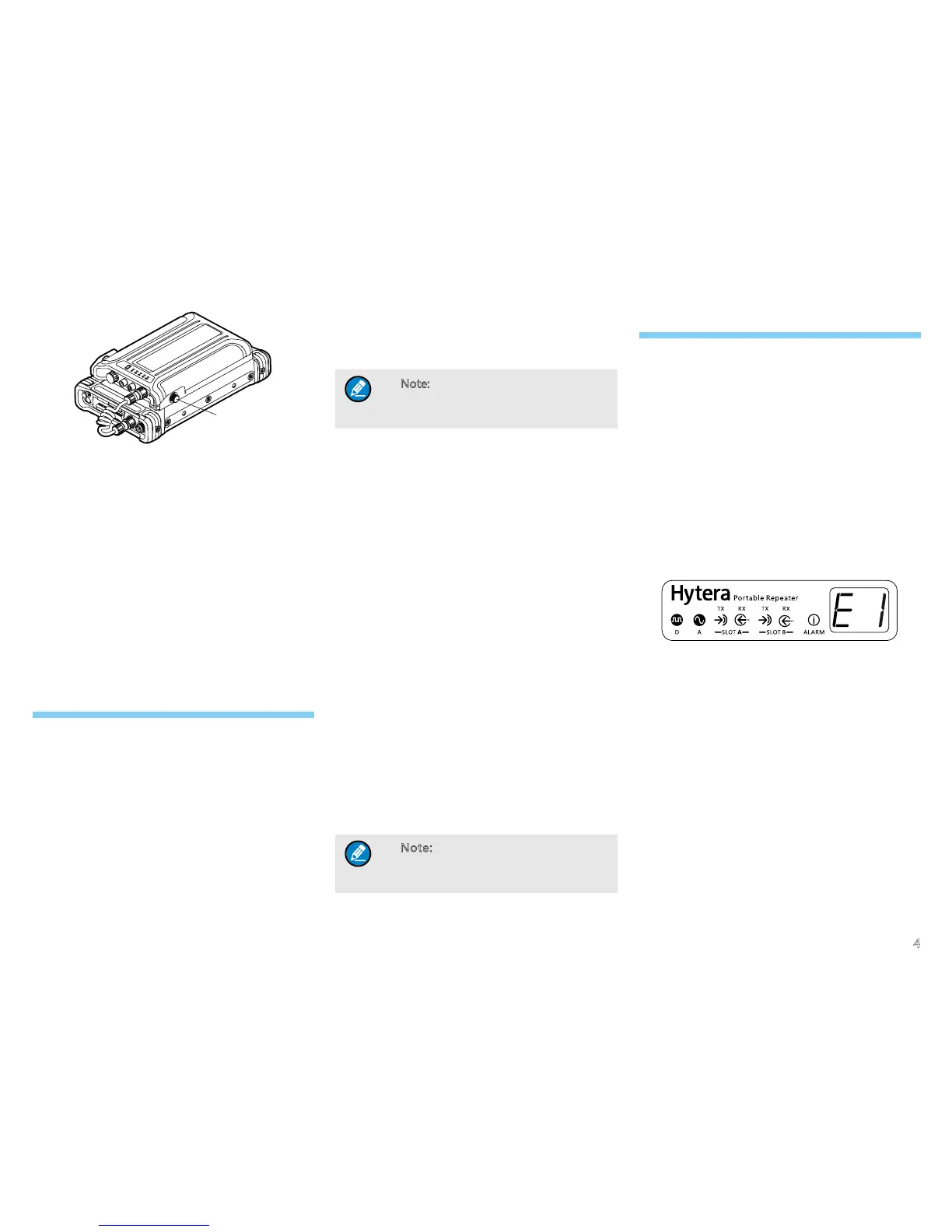
Screw
1. Plug the aviation plug (female) of the power cord
into the power input of the repeater and fasten the
screws on the plug.
2. Plug the aviation plug (male) of the power cord
into the power output of the system and fasten the
screws on the plug.
Product Check
After powering on the repeater, check whether works
properly by observing the seven LEDs and the LED
segment display located in the front panel.
Basic Operations
Powering On/Off
Powering on/off manually
●
To power on, long press the Power On/Off key for
about 2s after connecting the power supply with the
power adapter.
●
To power off, long press the Power On/Off key.
Auto Power On
If the power of the adapter happens to be cut off or the
power adapter runs out of the battery power when in use,
the repeater will be powered off forcibly. After that, when
the power adapter restarts to supply power, the repeater
will power on automatically.
Note: The Auto Power on feature is set
via the programming software by the
dealer.
Adjusting the Power Level
You can request your dealer to set the Tx power to High
or Low. High power can extend the repeater coverage,
enabling you to communicate with farther radios.
Changing the Channel
You can switch the channels by pressing the Channel
Up/Down keys on the front panel. The Channel Up key
is for the former channel and the Channel Down key
for the latter one. The alias of the current channel is
displayed on the LED segment display.
PTT Transmitting
If you have purchased the remote speaker microphone,
you can press the PTT key on it to communicate with
other radios. Then the LED on the front panel will
indicate the repeater status. Please refer to “LED”.
When the repeater is in a digital or mixed channel (“PTT
Tx Channel Type” will be “Digital” then), if “Tx Contact
Name” is not dened, the Digital Mode indicator (blue)
will ash once rapidly when you hold the PTT key.
Note: “PTT Tx Channel Type” and
“Tx Contact Name” are set via the
programming software by the dealer.
Alarm Information
The repeater will have real-time detection of its status
automatically. If the relative alarms are enabled, when
the repeater is working improperly, the LED segment
display will show the corresponding sign and the alarm
indicator on the front panel will glow red.
Battery Mismatch
When powered by a battery box, the repeater will
examine whether the battery in the box matches its
requirements in a real-time way. When the battery does
not match the requirement, the alarm indicator will glow
red and the LED segment display will show “E1”.
When this alarm is given, the repeater cannot work
properly and will power off automatically in 3s. Then
please ask your local dealer to replace the power supply
management system or for further help. If you switch to
an external power supply, this alarm will be eliminated
with the segment disappearing and the alarm indicator
going out.
Low Battery
When powered by battery, the repeater will have real-
time detection of the battery power of the power supply
management system. When the battery power falls
below the low-battery alarm threshold (12% of the battery
capacity by default), the alarm indicator will glow red and
the LED segment display will show “E2”.
Screw


 To Next Page