
 Need help?
Do you have a question about the I-CAN Thunder AX 3600 and is the answer not in the manual?
General restrictions for operating the product in EU member states.
Specifies suitable environmental conditions for product placement and use.
Details the classification of external interfaces and associated safety considerations.
Guidelines for using the power adapter and USB devices.
Advice on software usage and product maintenance.
Procedures for dealing with product damage and seeking service.
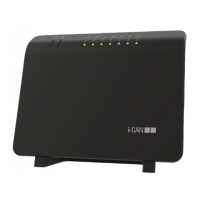
Lists the main gateway unit and included accessories like cables and power supply.
Mentions the quick installation guide and safety flyer.
Explains connections for 2.4 GHz and 5 GHz Wi-Fi.
Details how to connect to the Internet and phone lines.
Describes Ethernet ports and power supply connection.
Information on connecting USB devices.
Guides the user through selecting the interface language.
Covers creating user login and password for router access.
Details how to establish an Internet connection.
Instructions for setting up VoIP services.
Guides on setting Wi-Fi name and password.
Allows users to consent to data collection.
Displays a summary of all configured settings.
Outlines the automatic firmware upgrade procedure.
Displays model, firmware version, serial number, and uptime.
Shows connection profile, status, uplink, and downlink speeds.
Details SSID, connected devices, and WPS status.
Provides status for telephony and network interfaces.
Shows connected devices and system information.
Step-by-step guide to access the router's web interface.
Instructions for logging out and changing the interface language.
Procedures for resetting settings and modifying the password.
Steps for rebooting the router and restarting the configuration wizard.
Detailed steps for upgrading the device firmware.
Details about the physical connection status, speed, and advanced settings.
Information on IP connection status, address, bandwidth, and advanced settings.
Steps to diagnose and resolve internet connection issues.
Configure SSID, password, and WPS for Wi-Fi networks.
Adjust band steering, SSID hiding, client isolation, and security modes.
Customize Wi-Fi channel and bandwidth for optimal performance.
Set up router IP address, subnet mask, and DHCP server.
Configure DDNS and reserve static IP addresses for devices.
View and manage devices connected to the home network.
Details and management of connected USB devices.
Enable, disable, and configure VoIP service and phone lines.
View call history and access detailed telephony settings.
Overview of DSL and Ethernet WAN link statuses.
Status reports for Internet, VoIP, and Wi-Fi connections.
Manage system logs, reboot the device, and reset to factory defaults.
Manage configuration files and update device firmware.
Configure media sharing and USB device access.
Configure network security policies and parental controls.
Set up VPN connections and configure port forwarding.
Optimize traffic with QoS and manage user access credentials.
Use Ping, Download, Upload, and Traceroute for network diagnostics.
Review interface summaries and active network connections.
Official statement of product compliance with EU directives.
Information on reducing environmental impact and saving energy.
Guidelines for product disposal and important user notes.
 General
| Wi-Fi Standard | Wi-Fi 6 (802.11ax) |
|---|---|
| MU-MIMO | Yes |
| OFDMA | Yes |
| Antennas | 4 x External Antennas |
| Beamforming | Yes |
| Memory | 256 MB RAM, 128 MB Flash |
| Weight | 500g |
| Operating Humidity | 10% to 90% Non-Condensing |
| Frequency Band | 2.4 GHz and 5 GHz |
| Ethernet Ports | 1 x Gigabit WAN, 4 x Gigabit LAN |
| Security | WPA3 |
| Operating Temperature | 0°C to 40°C |
| Maximum Data Rate | 3600 Mbps (2402 Mbps on 5 GHz + 1152 Mbps on 2.4 GHz) |

 To Next Page