31
Playing Music
3
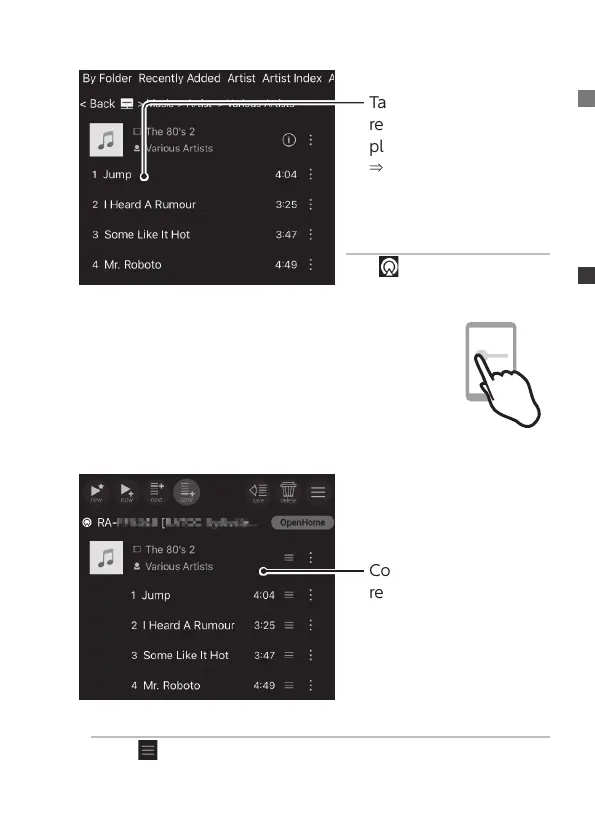
Tap the music to
register it to the
playlist.
⇒
The tapped music is
registered on the right
side (playlist pane).
If music cannot be registered
Tap in the lower right, and
select a renderer (player).
4
Swipe the screen to display another one-side
pane (playlist pane)
* For tablets, 2 panes are displayed, so this process is
unnecessary.
5
Conrm the music
registration
Changing the order of registered music
Drag on the right of the track name or album name to
change the track listing.


 To Next Page