32
Playing Music
Deleting a music registration
●
For iOS
Flick the music to the left, and tap the displayed [Delete]
option.
●
For Android
Flick the music to the left edge.
Changing music registration rules
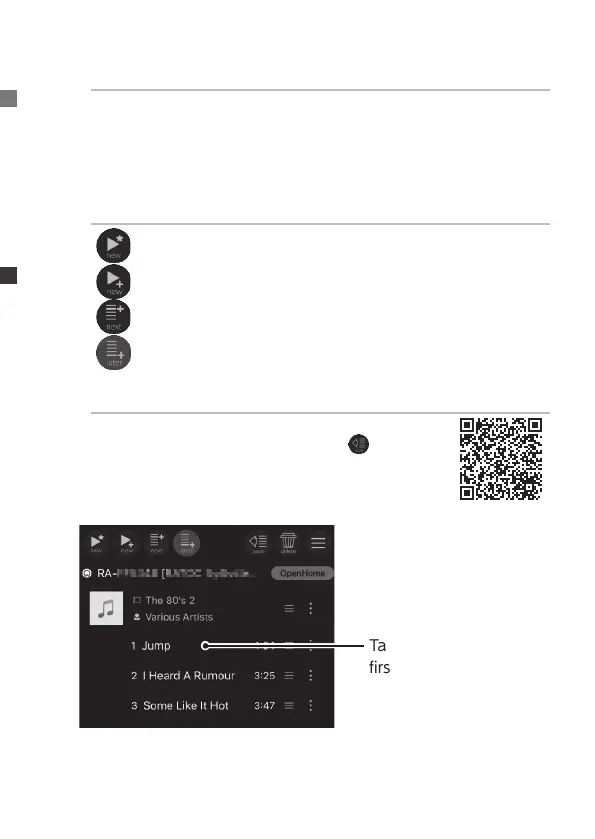
(new): Plays the tapped music. Erases other music from
the playlist. (Select and play from the playlist)
(now): Registers the tapped music at the end of the playlist.
Also plays registered music.
(next): Registers the tapped music to play after the music
that is currently playing.
(later): Registers the tapped music at the end of the
playlist. (Default)
Saving playlists
The current playlist can be saved on this appli-
cation as a local playlist by tapping
(save).
For more information, please see the Detailed
Guide.
6
Tap the music to play
rst
⇒
The music starts to
play.


 To Next Page