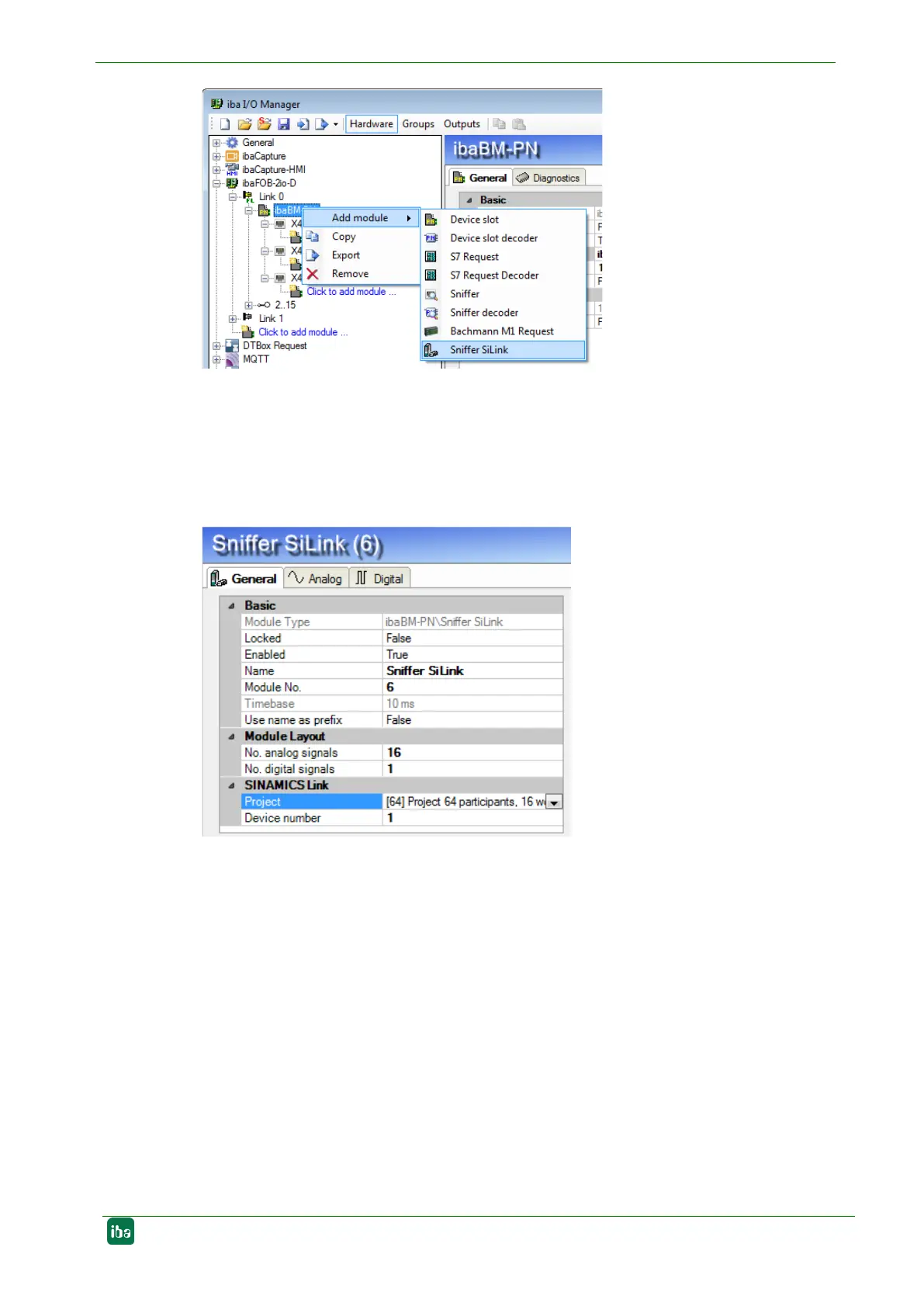
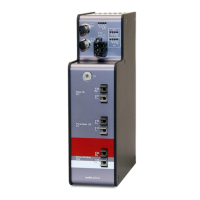
2. Now, enter the “No analog signals“ and “No digital signals“ in the “General” tab of the
module. The default setting is 16 analog and 1 digital signal; a maximum of 1000
analog and 1000 digital signals can be assigned per module. This value determines
the length of the signal tables on the “Analog“ and “Digital“ tabs.
3. Select a project under "SINAMICS Link". The project determines the number of de-
vices and the number of data words per device.
4. Enter the signals to be acquired on the “Analog“ and “Digital” tab. For details see
chapter 9.1.1, steps 12 – 14.
At least two SINAMICS controllers must be available for data acquisition at the
SINAMICS Link. In case you want to acquire data at one controller, see chapter 9.2.8.4.


 To Next Page