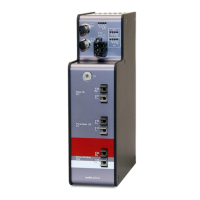
2. Now, enter the “No analog signals“ and “No digital signals“ in the “General” tab of the
module. The default setting is 32; a maximum of 1000 analog and 1000 digital signals
can be assigned per module. This value determines the length of the signal tables on
the “Analog“ and “Digital“ tabs. Under "PROFINET", select a device to which the sig-
nals are to be assigned.
3. Enter the signals to be acquired on the “Analog“ and “Digital” tab. For details see
chapter 9.1.1, steps 12 – 14.
9.1.3 Configuration as sniffer at the SINAMICS Link
For data acquisition at the SINAMICS Link, the device is integrated into PROFINET via
the TAP interface, see chapter 8.7.
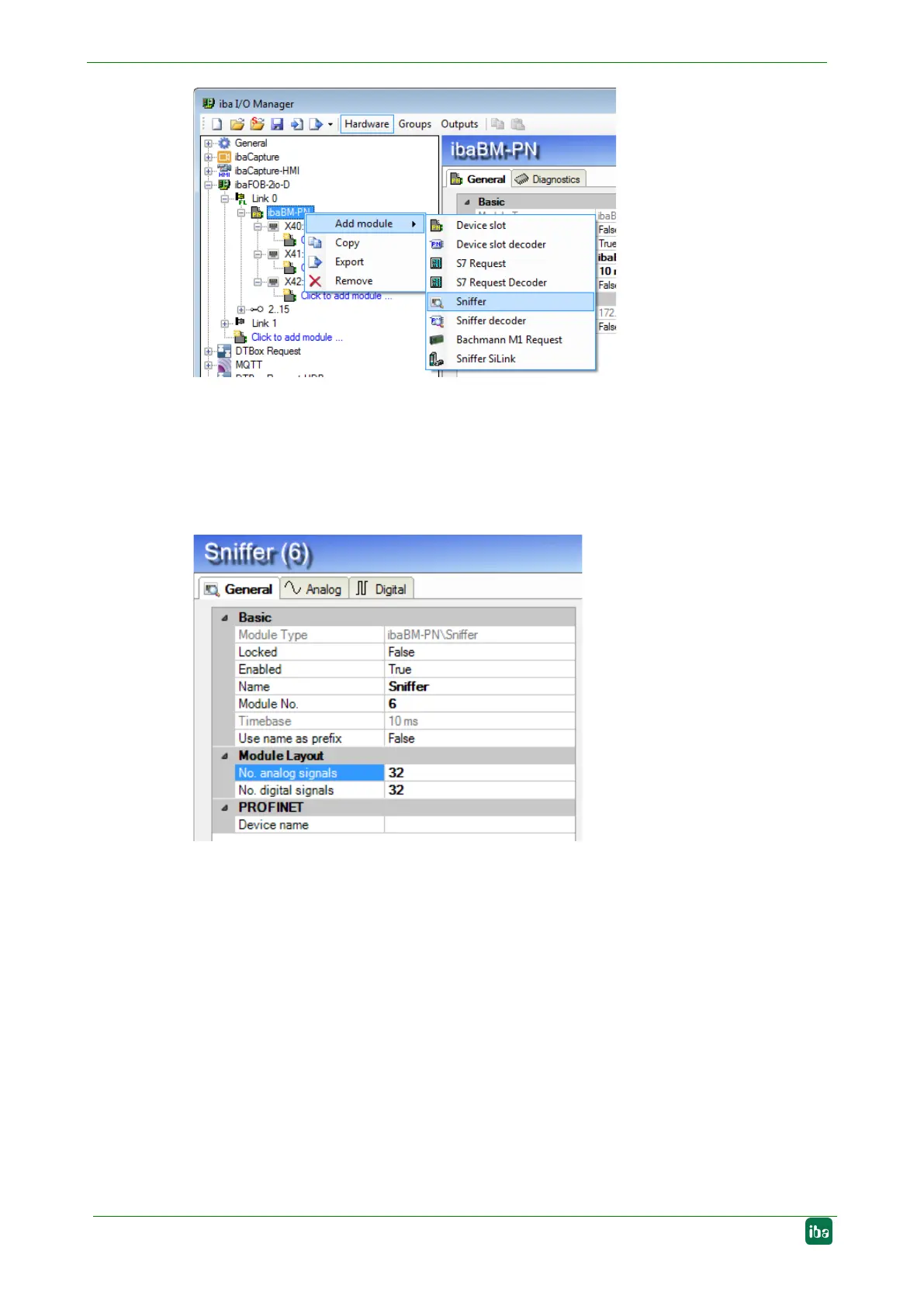
1. In the I/O Manager in ibaPDA, integrate the device as described in chapter 9.1.1,
steps 1 - 7. Add a “Sniffer SiLink” module under the node "X42: TAP”. To do this,
right-click on the ibaBM-PN device, select "Add module" from the context menu and
select the module "Sniffer SiLink”" from the list. Or mark the node "X42: TAP" and
select the module "Sniffer SiLink" from the list via the context menu "Add module".


 To Next Page