9.2.1.4 “Diagnostics“ tab
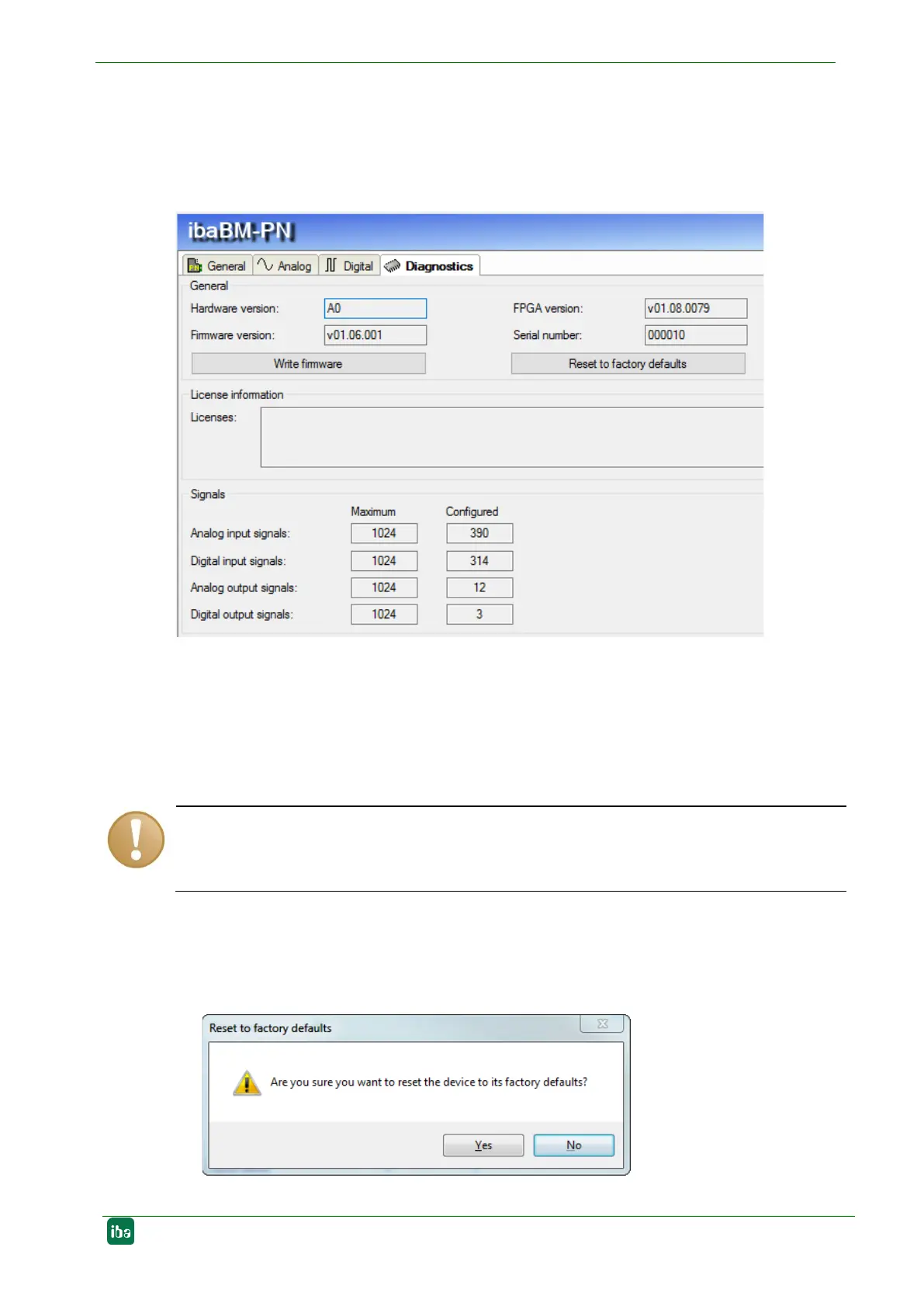
On the “Diagnostics“ tab, the current versions of hardware, firmware and FPGA firmware
as well as the serial number and, if available, additional licenses are displayed. More--
over, you can carry out an update of the firmware and reset the device to the factory
settings.
Firg. 17: “ibaBM-PN“ module – “Diagnostics“ tab
Firmware update
With the <Write firmware> button, you can install firmware updates. Please select
the update file „bmpn_v[xx.yy.zzz].iba“ in the browser and start the update with
<OK>.
This procedure might take some minutes and must not be interrupted. As soon as the
process has been finished, the device restarts automatically.
Reset to factory defaults
Having opened the following dialog by clicking on the button <Reset to factory de-
faults>, all settings are reset to factory settings by confirming with <Yes>.


 To Next Page