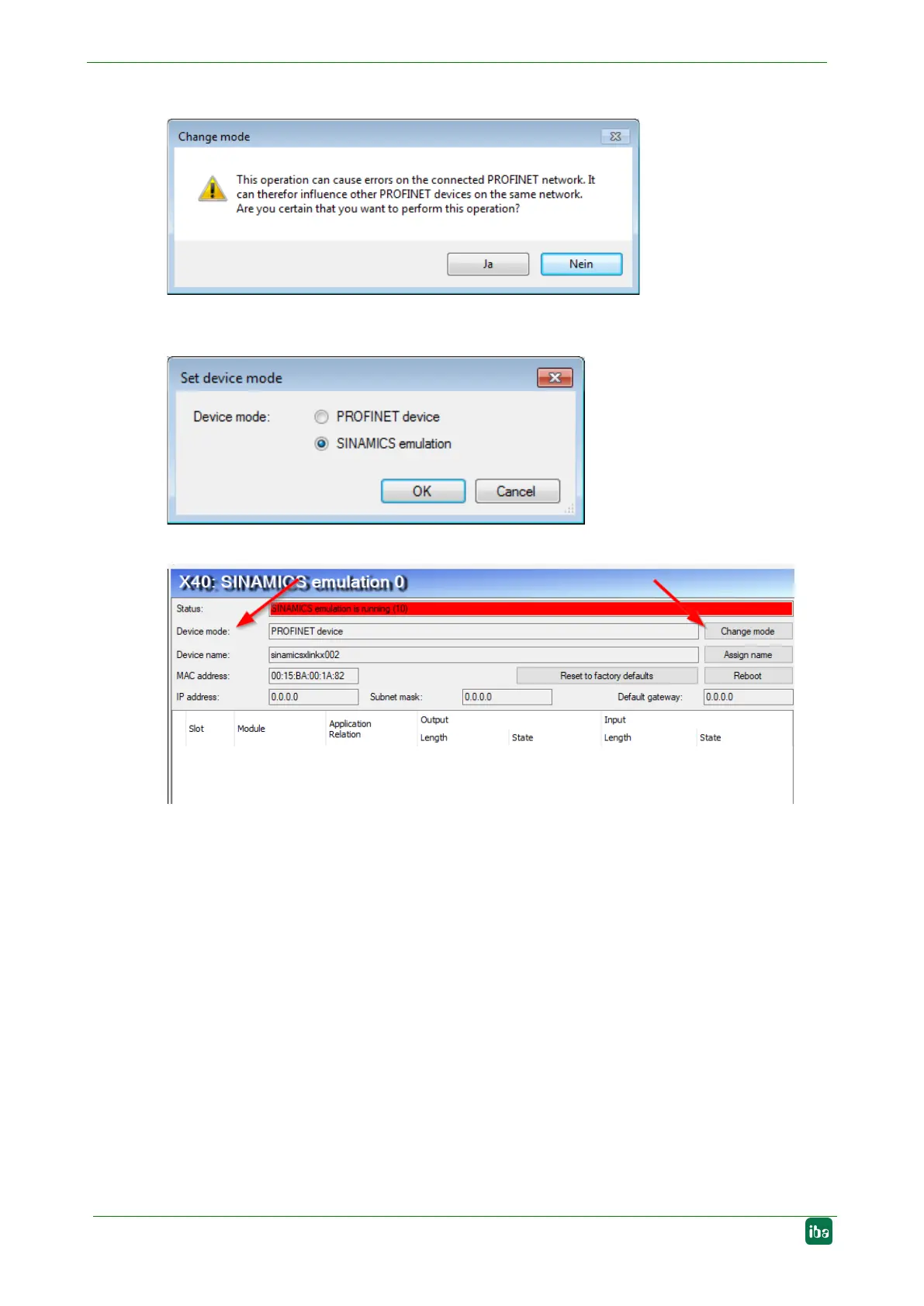
Click on the <Change mode> button and confirm the following warning message.
In the following dialog select the device mode “SINAMICS emulation” and confirm with
<OK>.
The enabled mode is displayed in the Device mode field.
Port 1 of the PROFINET device with enabled SINAMICS emulation mode must be con-
nected to a port of the TAP interface with a patch cable. At the TAP interface it is irrelevant
which port is used.
The actual data acquisition is carried out with the "Sniffer SiLink" module, as when oper-
ating with several SINAMICS controllers, see chapter 9.2.8.


 To Next Page