EasyManua.ls Logo

IBM Medium J11 - User Manual

IBM Medium J11
104 pages
Print Icon
To Next Page IconTo Next Page
Loading...
IBM Cloud Object Storage System
Version 3.14.13
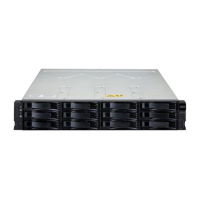
Medium/Large J11/J12 Disk Enclosure
Hardware Installation and Maintenance
Manual
4957-J11/4958-J11, 4957-J12/4958-
J12
IBM

Table of Contents

Questions and Answers

  • J
    Janice CarterAug 11, 2025
    What to do if the internal temperature exceeds the limit in IBM Medium J11?
    • M
      martinericAug 11, 2025
      If the internal temperature of your IBM Enclosure exceeds a preset threshold, first, ensure that the ambient temperature is within the recommended range. Then, check for any airflow obstructions at the front or back, maintaining a minimum gap of 25 mm (1") at the front and 50 mm (2") at the rear. Clear any dust accumulation. Avoid using the enclosure in a fully enclosed rack to prevent heated air recirculation. If possible, power down the enclosure to troubleshoot before continuing.
  • B
    Beth AllenAug 17, 2025
    Why is the Front panel Module Fault LED amber on my IBM Medium J11 Enclosure?
    • C
      christopherwilliamsAug 17, 2025
      If the front panel Module Fault LED is amber on your IBM Enclosure, it indicates a power fault. Make sure the AC mains connections to the PSU are active.
  • B
    Brooke WilsonAug 22, 2025
    What to do if IBM Enclosure does not initialize?
    • M
      Matthew WrightAug 23, 2025
      If your IBM Enclosure does not initialize, try power cycling the system. Also, verify that the power cord is securely connected and that the power source is working correctly. Check the ClevOS Manager event console for any reported errors.
  • S
    Sara CombsAug 28, 2025
    What to do if Controller Node does not recognize IBM Enclosure system?
    • N
      Nicole DavisAug 28, 2025
      If the Controller Node does not recognize the IBM enclosure system, ensure that the interface cables from the enclosure to the host computer are correctly connected. Check that the LEDs on all installed drive carrier modules are green, and verify the drive carrier modules are properly installed. Inspect any visible SAS indicators on the Controller Node HBA Module, Disk Enclosure, and IOM Control Module (if applicable). Check the HBA BIOS for SAS target visibility and confirm that ClevOS is correctly installed.
  • C
    Christie KingSep 4, 2025
    What does an amber LED on the fan module of IBM Medium J11 Enclosure mean?
    • S
      Sarah RichardsonSep 4, 2025
      If an amber LED is illuminated on the fan module of your IBM Enclosure, it indicates a fan failure. Replace the system fan module.

IBM Medium J11 Specifications

General IconGeneral
BrandIBM
ModelMedium J11
CategoryEnclosure
LanguageEnglish

Related product manuals