308DUO V1.1.0
Synchronous Balance Charger/Discharger
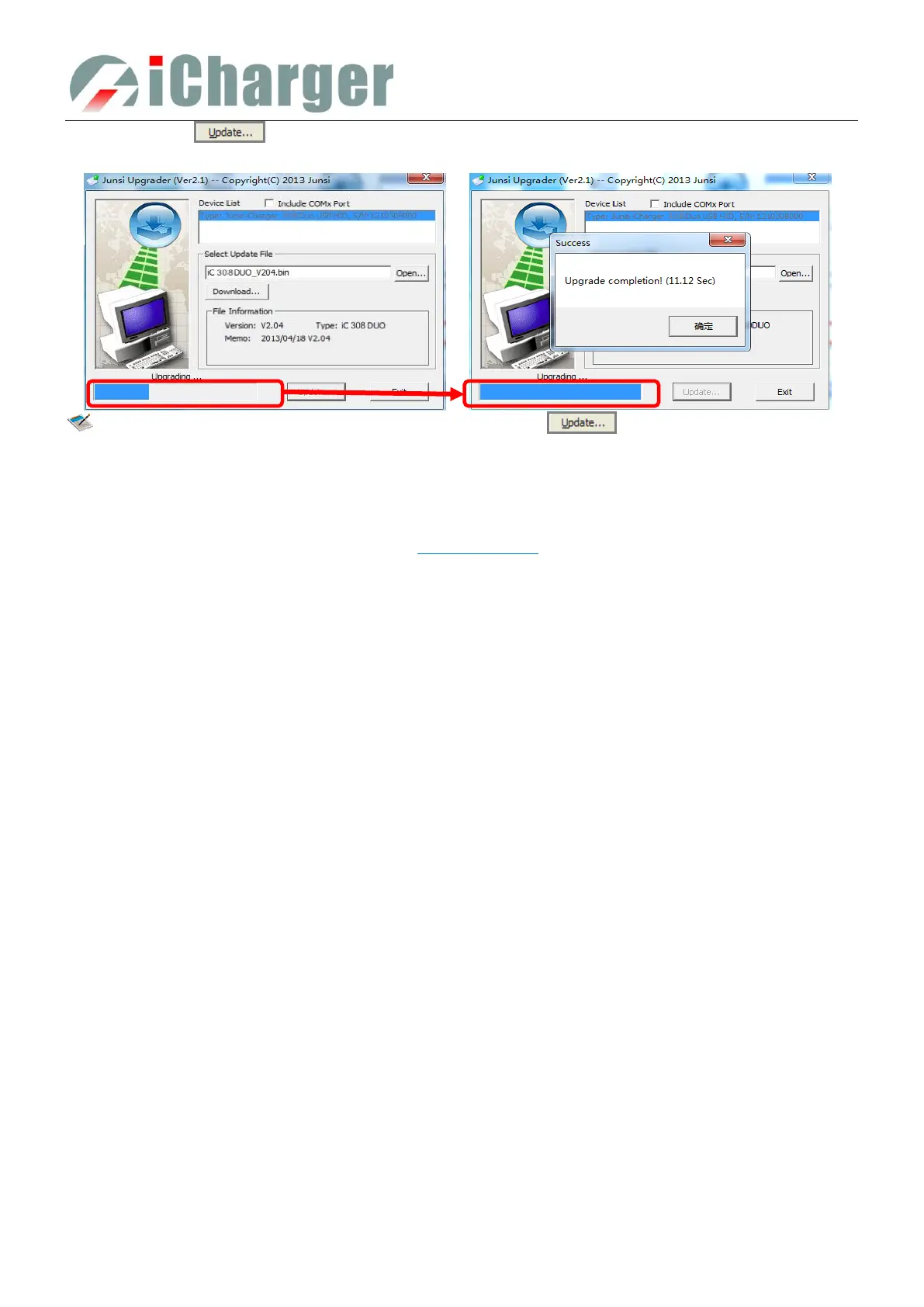
⑤ Click the iron " " on the lower right corner, then the upgrade progress bar will appear on the lower left
corner, a tone sounds for upgrade completion when the upgrade progress bar has completed.
Note: Upgrade failed in the case of not power outages, click " " to upgrade again; if the charger
fails to start normally, press knob, STATUS-2 and STOP/START-2 buttons at the same time and electrify, it
will enter the mandatory upgrade mode, then repeat the above steps to upgrade again.
Firmware Upgrades via SD Card
i Create a new directory in the available SD card: X:\Junsi\Upgrade ;
ii Rename the firmware file to 308DUO.BIN, and copied to the new directory;
iii Insert the SD card into the charger, and press the Knob, STATUS-2, STOP/START-2 at the same time and electrify,
the charger will automatically upgrade the firmware, which takes about 20 seconds.
iv After the upgrading is complete, the charger will reboot.



 To Next Page