308DUO V1.1.0
Synchronous Balance Charger/Discharger
Device Introduction
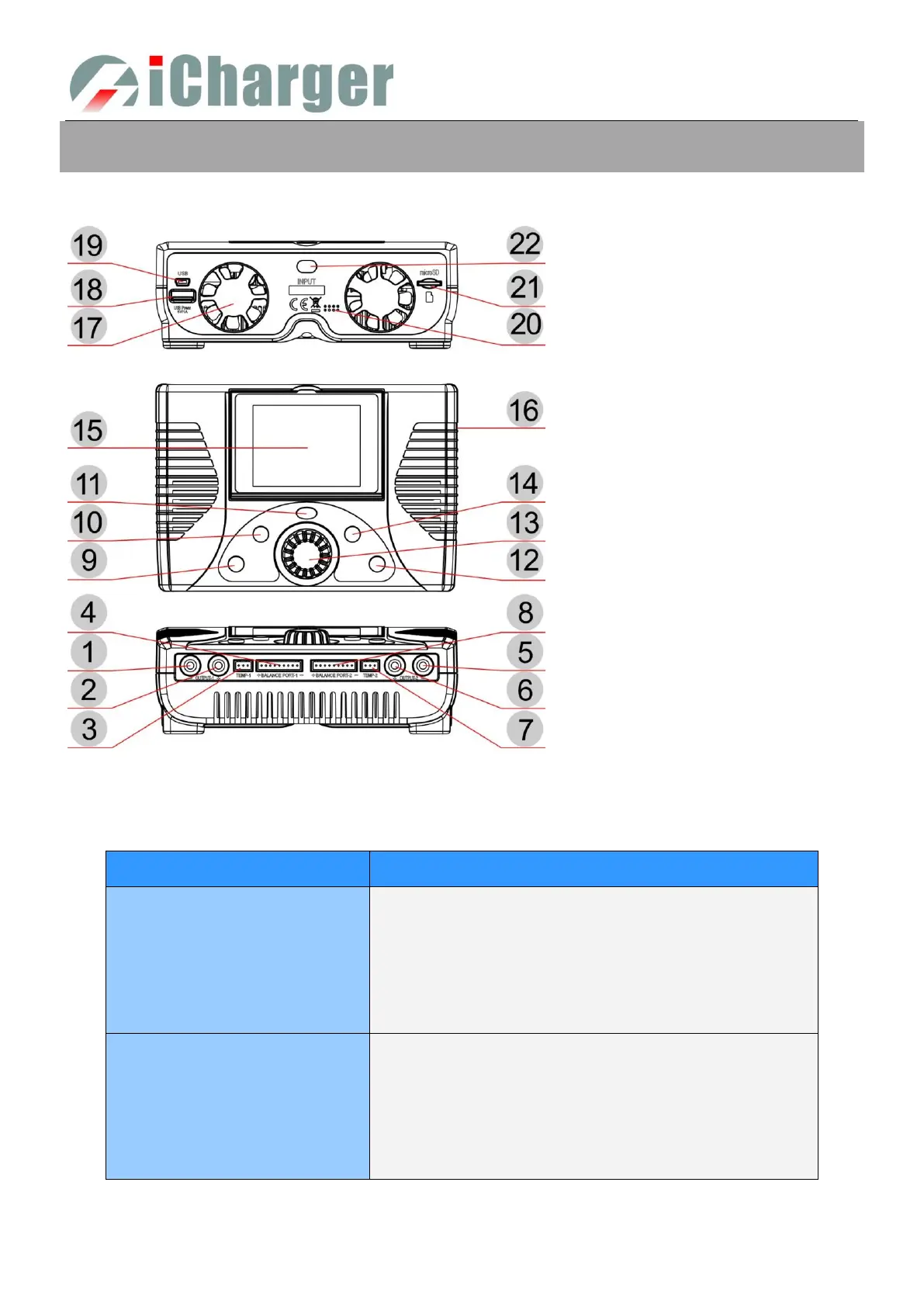
308DUO Parts & Interface Introduction
308DUO Buttons Function & Icons Description
Buttons allow quick access to certain features when using 308DUO, familiarity with the icons on the interface will help
you better understand the working status of the charger, as shown in following chart:
Press: confirm
Counterclockwise rotation: up Clockwise rotation: down
Long press: pop up manage menu via long press on BATTERY
MEMORY SELECTION interface
exit the program after saving via long press on
BATTERY SETUP interface
Long press: enter SYSTEM MENU via long press on initial
interface, and return to the previous menu via long
press on the rest interface
Click: can act as backspace when editing program name on
MEMORY SETUP, and return to the previous menu via
clicking on the rest interface
(1)OUTPUT-1﹣
(2)OUTPUT-1﹢
(3)TEMP-1
(4)BALANCE PORT-1
(5)OUTPUT-2﹣
(6)OUTPUT-2﹢
(7)TEMP-2
(8)BALANCE PORT-2
(9)STOP/START-1
(10)STATUS-1
(11)TAB/SYS
(12)STOP/START-2
(13)KNOB
(14)STATUS-2
(15)LCD
(16)J1,J2 PORT
(17)FAN
(18)USB POWER
(19)USB
(20)BUZZER
(21)SD CARD SLOT
(22)POWER OUTPUT LINE



 To Next Page