Camera Mode Selections
By pressing the MODE BUTTON you can cycle through different shooting modes
that are displayed on the STATUS LCD. When a given mode is displayed, it can be
selected by pressing the SHUTTER RELEASE BUTTON.
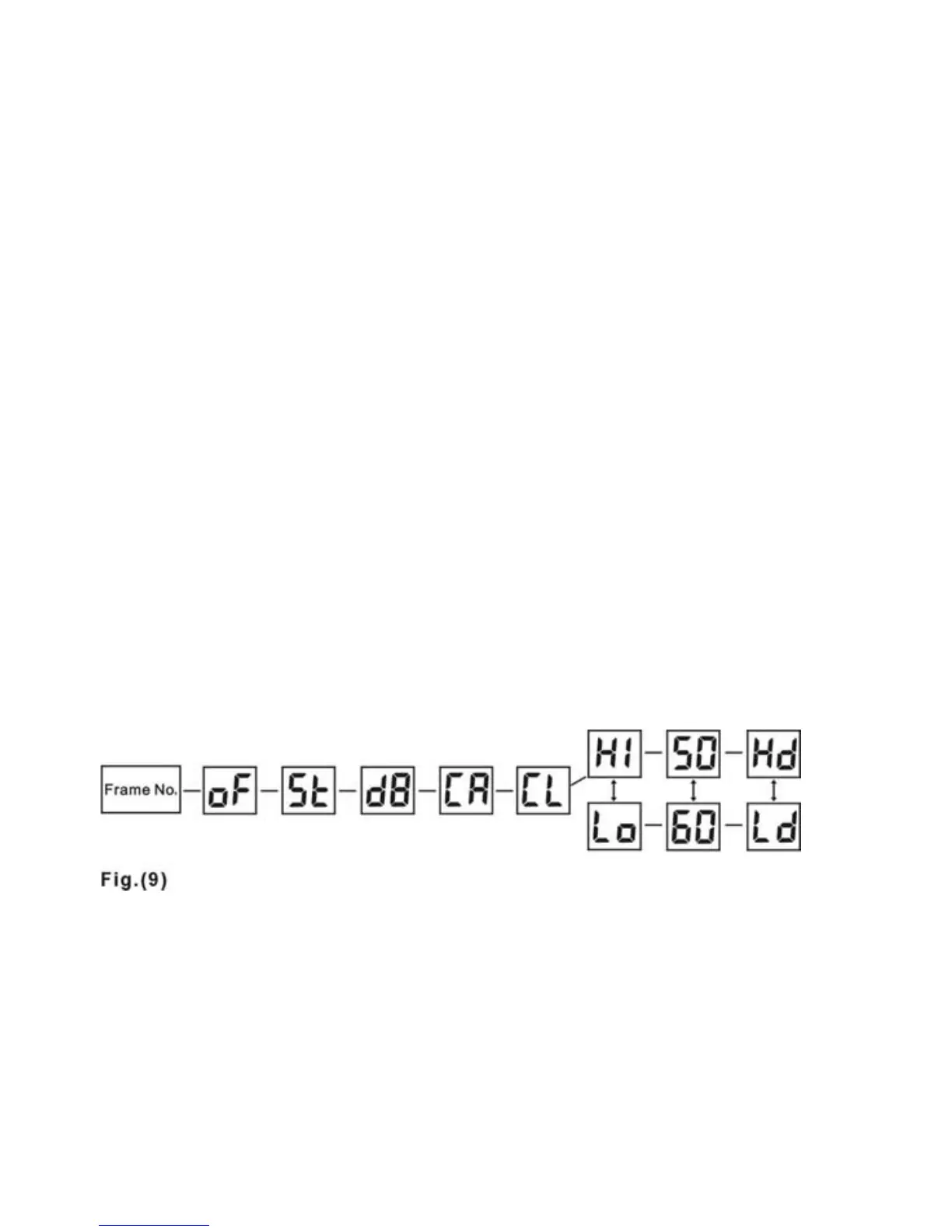
The different mode options that appear on the STATUS LCD are shown below in Fig.
9.
OF: Power off
St: Self timer in 10 seconds
d8: Capture pictures in video mode
CA: Delete all photos in the memory
CL: Delete the last picture
Hi: High resolution (640 X 480 pixels)
Lo: Low resolution (320 X 240 pixels)
50: Lighting AC power frequency 50Hz
60: Lighting AC power frequency 60Hz
Hd: Enable compression
Ld: Disable compression
10



 To Next Page