4
1
ACCESSORIES
1
2
3
4
5
6
7
8
9
10
11
12
13
14
15
16
17
18
19
20
NEVER remove or attach the
battery pack/case
when the trans-
ceiver is wet or soiled. This may result in water or dust getting into
the transceiver,
battery pack/case,
and may result in them being
damaged.
./4% Keep the battery terminals clean. It’s a good idea to
occasionally clean them.
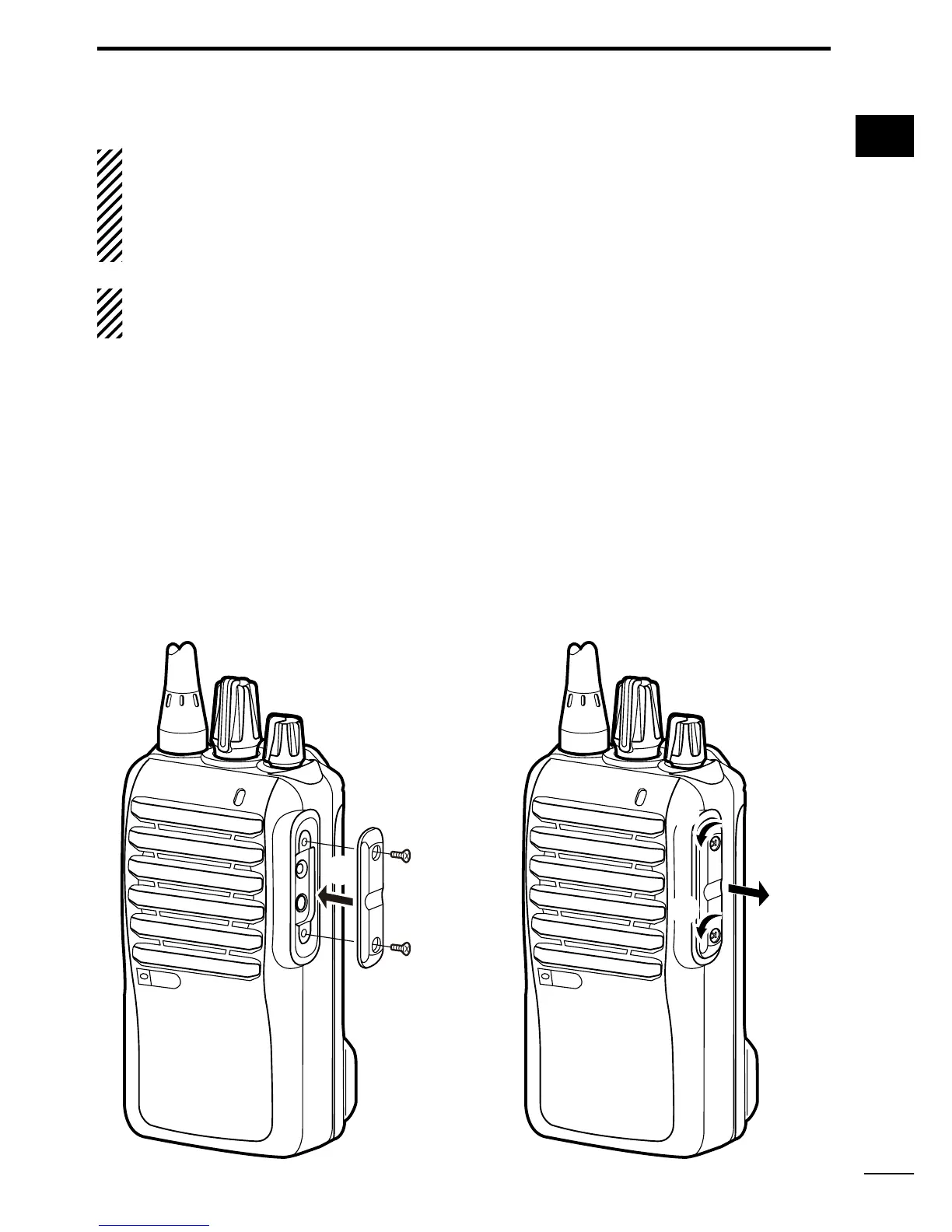
D Jack cover
Attach the jack cover when the optional equipment is not used.
To attach the jack cover:
q Attach the jack cover to the
[SP MIC] jack.
w Tighten the screws.
To detach the jack cover:
e Remove the screws with a
phillips screwdriver.
r Detach the jack cover to con-
nect the optional equipment.


 To Next Page
 Loading...