N/PTIONALBATTERYCASE"0
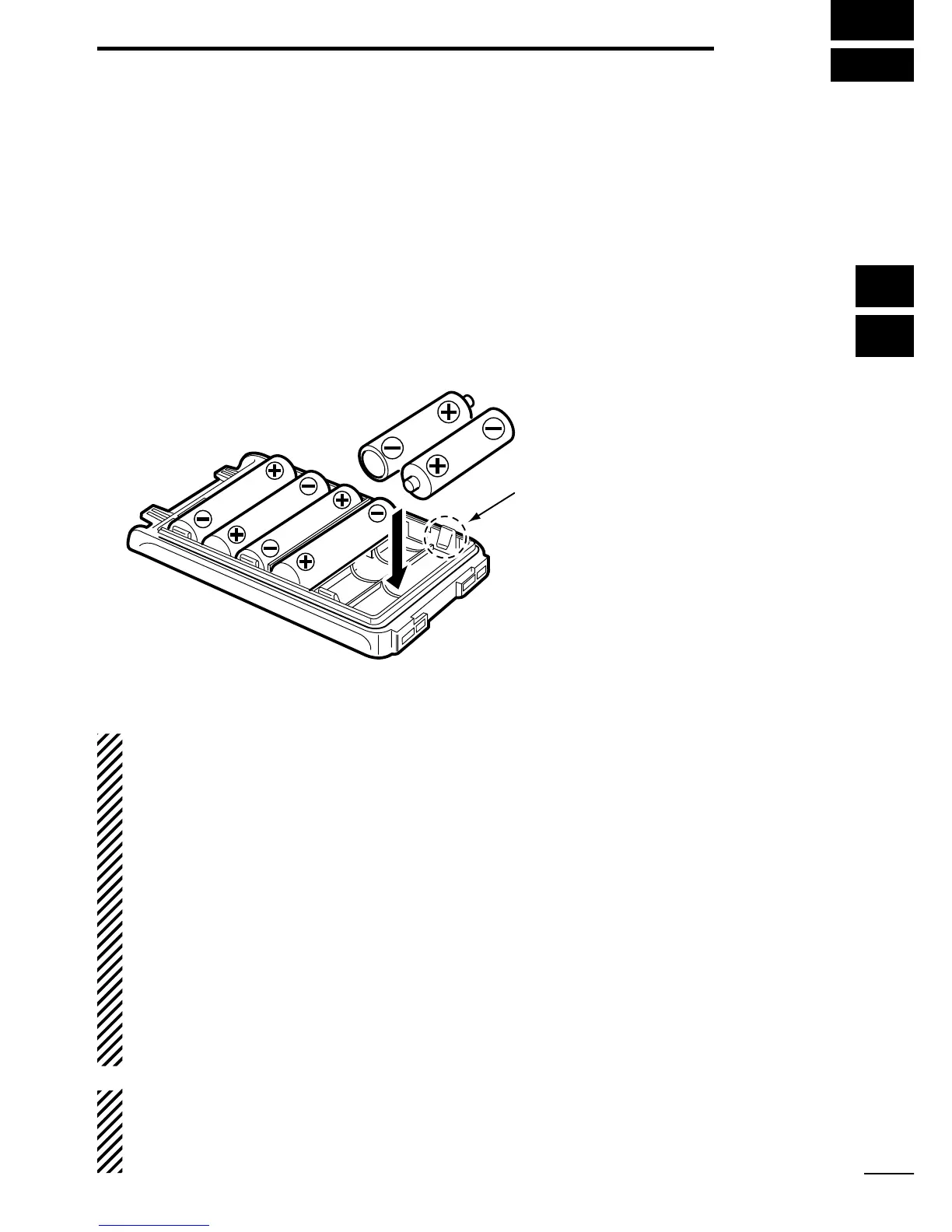
When using the optional battery case, install 6 × AA (LR6) size
alkaline batteries, as illustrated below.
q Remove the battery case if it is attached. (pp. 3, 4)
w Install 6 × AA (LR6) size alkaline batteries, as shown below.
s)NSTALLONLYALKALINEBATTERIES
s"ESURETOOBSERVETHECORRECTPOLARITY
e Attach the battery case. (pp. 3, 4)
#!54)/.
s7HENINSTALLINGBATTERIESMAKESURETHEYAREALLTHESAME
brand, type and capacity. Also, do not mix new and old batter-
ies together.
s+EEPTHEBATTERYTERMINALSCLEAN)TSAGOODIDEATOOCCASION-
ally clean them.
s.EVERINCINERATEUSEDBATTERYCELLSSINCEINTERNALBATTERYGAS
may cause them to rupture.
s.EVEREXPOSEADETACHEDBATTERYCASETOWATER)FTHEBATTERY
case gets wet, be sure to wipe it dry before using it.
s.EVERUSEBATTERIESWHOSEINSULATEDCOVERISDAMAGED
./4%When the optional battery case is attached, the battery
type must be selected as “Battery case operation” when turning
the transceiver ON. Ask your dealer for details. (p. 12)
34
5
BATTERY CASE
1
2
3
4
5
6
7
8
9
10
11
12
13
14
15
16
17
18
19
20
Be careful! The negative
terminals of the battery case
protrude from the body, so
pay attention not to injure
your fingers when inserting
the batteries.


 To Next Page
 Loading...