6
2
PANEL DESCRIPTION
e LED INDICATOR (p. 7)
± Lights red* while transmitting.
* When the optional battery case is attached, the LED indicator
lights orange.
± Lights green while receiving a signal, or when the squelch is
open.
± Lights/blinks orange when the matched 2/5-tone code is re-
ceived, depending on the pre-programming.
r 30%!+%2-)#2/0(/.%*!#+;30-)#=
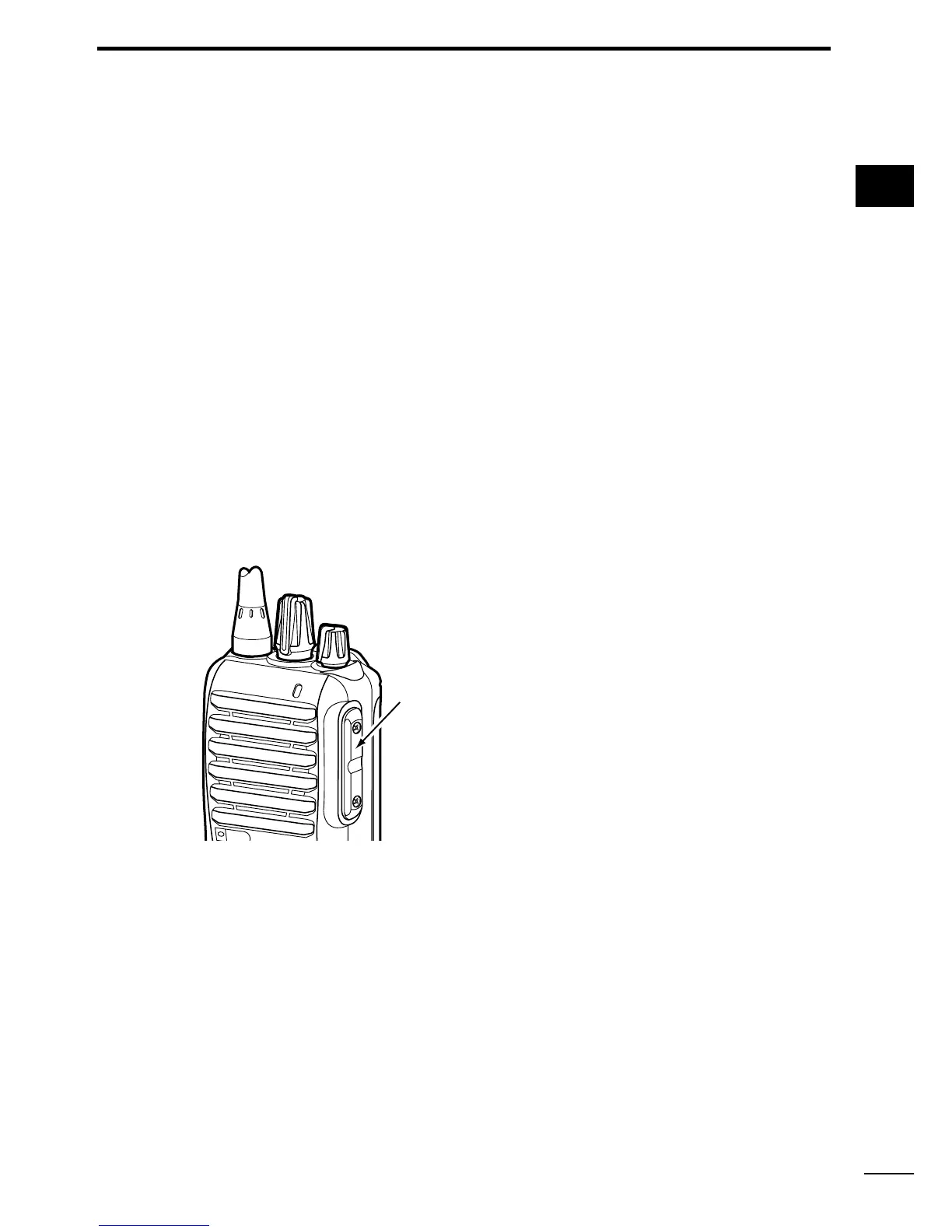
Connect the optional speaker-microphone or VOX adapter
cable.
t ,/7%2+%9;,OWER=
y 500%2+%9;5PPER=
The desired function can be assigned by your dealer. (p. 8)
u 04437)4#(;044=
Push and hold to transmit; release to receive.
i ANTENNA CONNECTOR
Connect the antenna.
1
2
3
4
5
6
7
8
9
10
11
12
13
14
15
16
17
18
19
20
Jack cover
./4% Attach the jack cover
when the optional equipment
is not used. (p. 4)


 To Next Page
 Loading...