29
7
DSC OPERATION
1
2
3
4
5
6
7
8
9
10
11
12
13
14
15
16
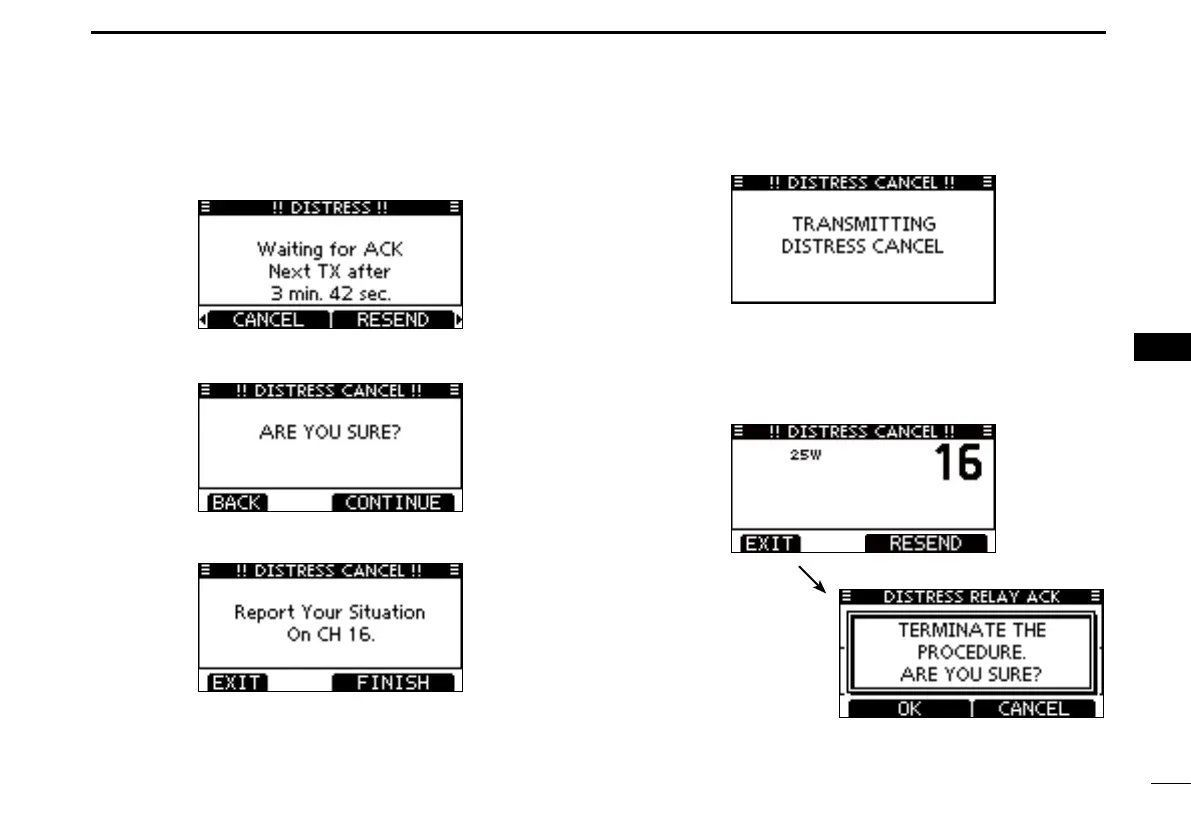
D Canceling a Distress call
q While waiting for an acknowledgment call, push [CAN-
CEL].
w Push [CONTINUE].
• Push [BACK] to return to waiting for an acknowledgement call.
e Push [FINISH].
• Push [EXIT] to return to waiting for an acknowledgement call.
r The Distress cancel call is transmitted.
t Channel 16 is automatically selected.
• Report your situation using the microphone.
• After the report, push [EXIT] to return to the normal operating
mode.*
• Only USA version, push [RESEND] to resend the call.
* Only USA version, the exit confirma-
tion dialog is displayed.



 To Next Page