36
7
DSC OPERATION
■ Making DSC calls
D Making an Individual Acknowledgement (continued)
Manual ACK:
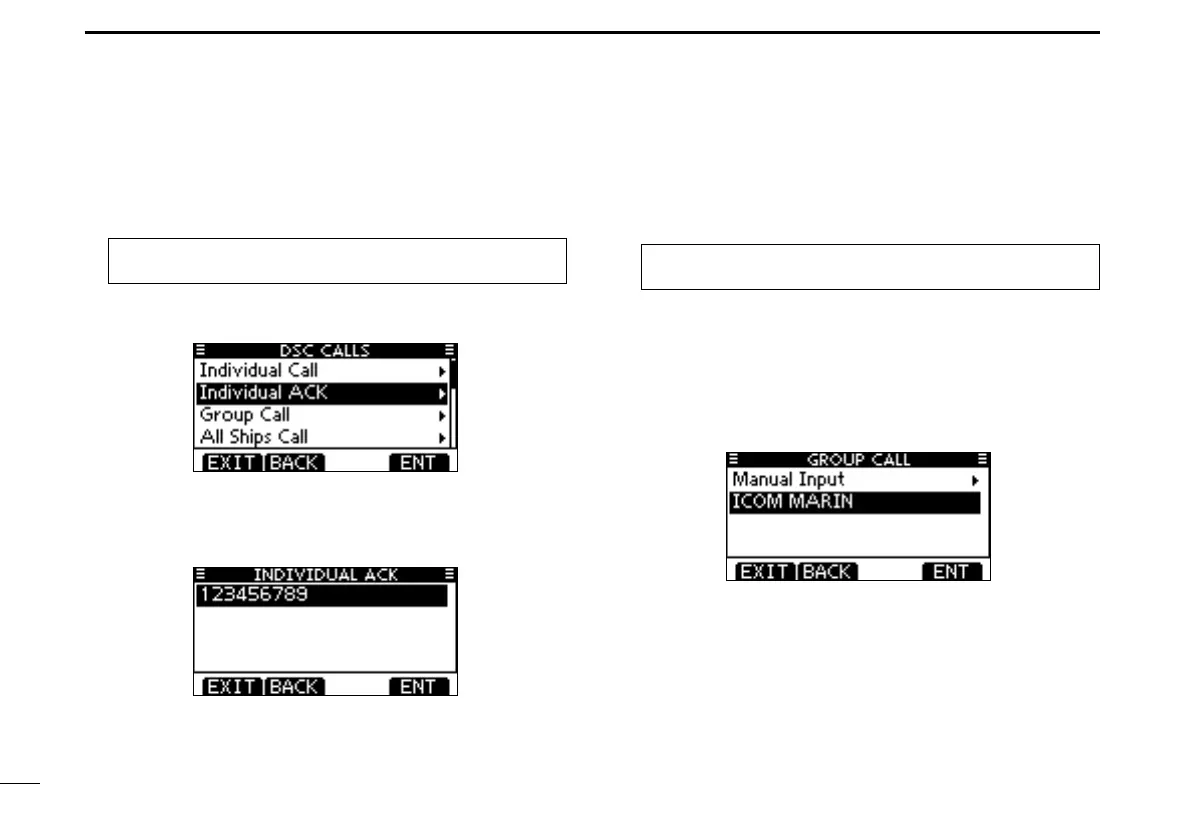
q Enter “INDIVIDUAL ACK” in the DSC CALLS menu.
MENU ➪ DSC Calls ➪ Individual ACK
(Push [MENU].)
(Rotate Dial, then push [ENT].)
• When no Individual call has been received, the Individual ACK
item will not be displayed.
w Select a desired individual address or ID code to reply to,
using Dial or [Y]/[Z], then push [ENT].
• Push [EXIT] to return to the normal operating mode.
• Push [BACK] to return to the previous screen.
e Do steps e to u, as described in “Quick ACK:,” beginning
on the previous page.
D Making a Group call
The Group call function allows you to make a DSC signal to
only a specific group.
q Enter “GROUP CALL” in the DSC CALLS menu.
MENU ➪ DSC Calls ➪ Group Call
(Push [MENU].)
(Rotate Dial, then push [ENT].)
w Select a desired preset group address or “Manual Input,”
using Dial or [Y]/[Z], then push Dial or [ENT].
• The ID code for the Group call can be entered first. (p. 23)
• When “Manual Input” is selected, enter the 8 digit ID code for the
group you wish to call.
• Push [EXIT] to return to the normal operating mode.
• Push [BACK] to return to the previous screen.



 To Next Page