53
7
DSC OPERATION
1
2
3
4
5
6
7
8
9
10
11
12
13
14
15
16
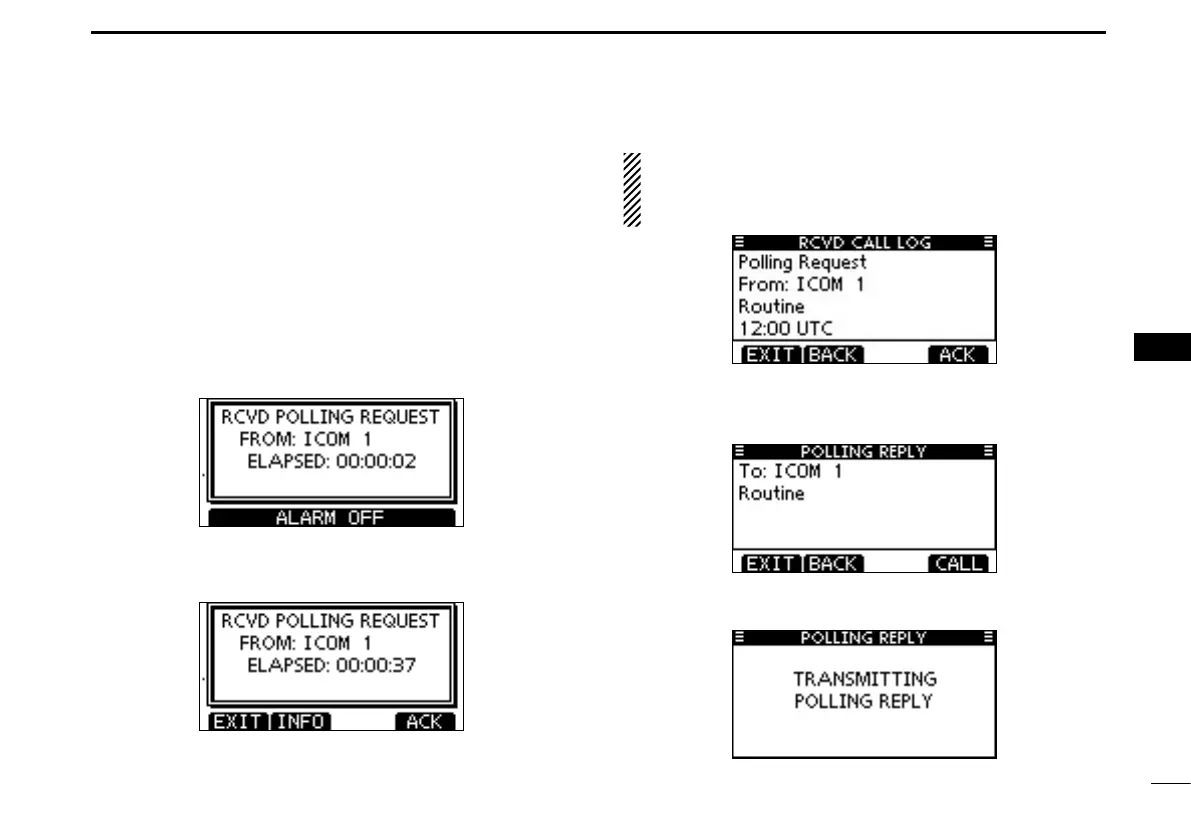
D Making a Polling Request Reply call
Make a Polling Request Reply call when a Polling Request
call is received.
When the “POSITION ACK” in DSC Settings is set to ‘Auto
TX’ (p. 65), the transceiver automatically transmits a reply call
when receiving a Polling Request call.
Quick Reply:
q When a Polling Request call is received, alarm sounds
and the screen as shown below is displayed.
Push [ALARM OFF] to stop the alarm.
w Push [ACK].
• Push [EXIT] to return to the normal operating mode.
• Push [INFO] to display the Polling Request call information.
About Received call information:
• Push [EXIT] to return to the normal operating mode.
• Push [BACK] to return to the previous screen.
• Push [ACK] to go to the next step.
e The Polling Request Reply confirmation screen is dis-
played.
Push [CALL] to make a reply call.
r While transmitting the reply call, the screen shown below is
displayed, and then returns to the normal operating mode.



 To Next Page