32
7
DSC OPERATION
■ Making DSC calls
Making an Individual call (continued) D
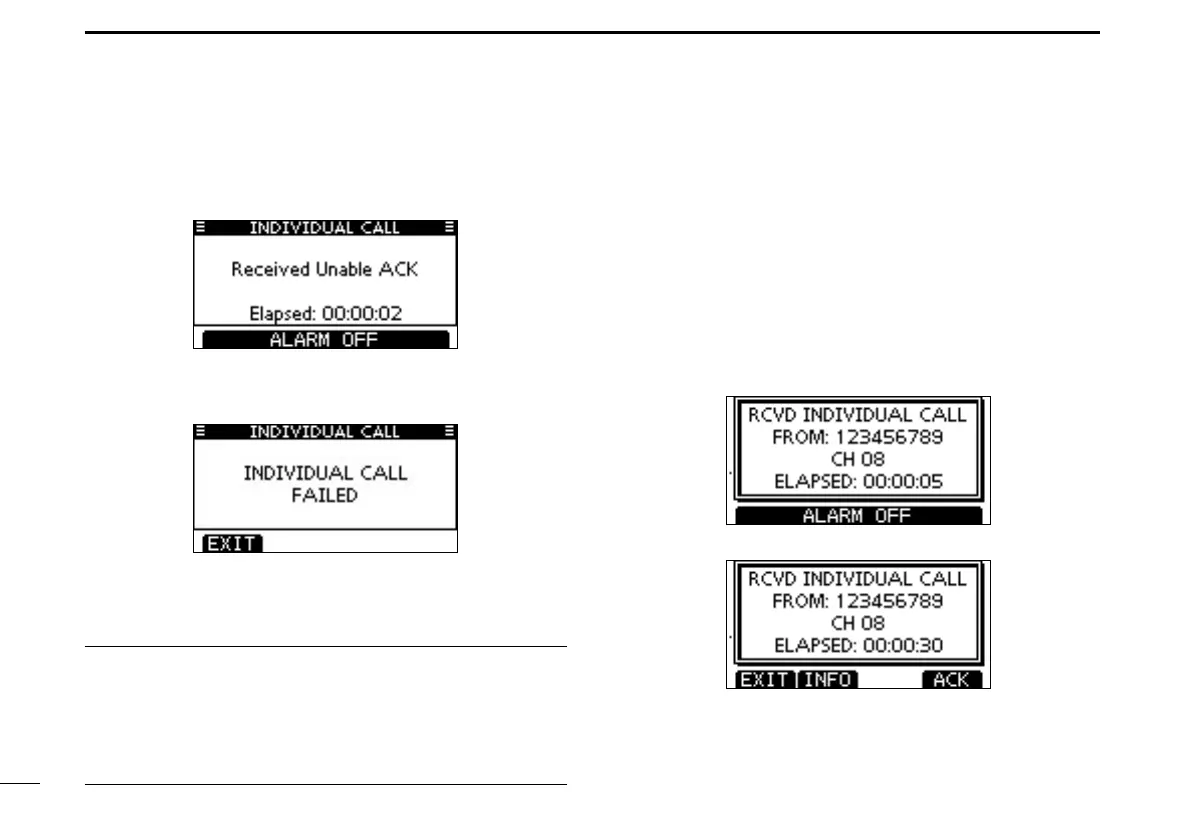
Or, when the acknowledgement ‘Unable to comply’ is re-
ceived, alarm sounds and the screen below is displayed.
Push [ALARM OFF] to stop the alarm. Then push [EXIT]
to return to the operating channel (before you entered the
MENU screen).
After communicating, push [EXIT] to return to the normal i
operating mode.
Tip ✓
When the optional MA-500TR
c l a s s b a i s t r a n s p o n d e r is
connected to your transceiver, you can make individual DSC
calls to selected AIS targets on the transponder without need-
ing to enter the target’s MMSI code.
See pages 67 and 68 for more details.
D
Making an Individual Acknowledgement
When you receive an Individual call, you can make an ac-
knowledgement (‘Able to Comply,’ ‘Propose New Channel,’ or
‘Unable to Comply’) by using the on-screen prompts. (Quick
ACK) Also, you can send an acknowledgement through the
MENU system. (Man ual ACK)
Quick ACK:
When an Individual call is received, alarm sounds and the q
screen below is displayed.
Push [ALARM OFF] to stop the alarm.
Push [ACK]. w
+ Continued on the next page.



 To Next Page