30
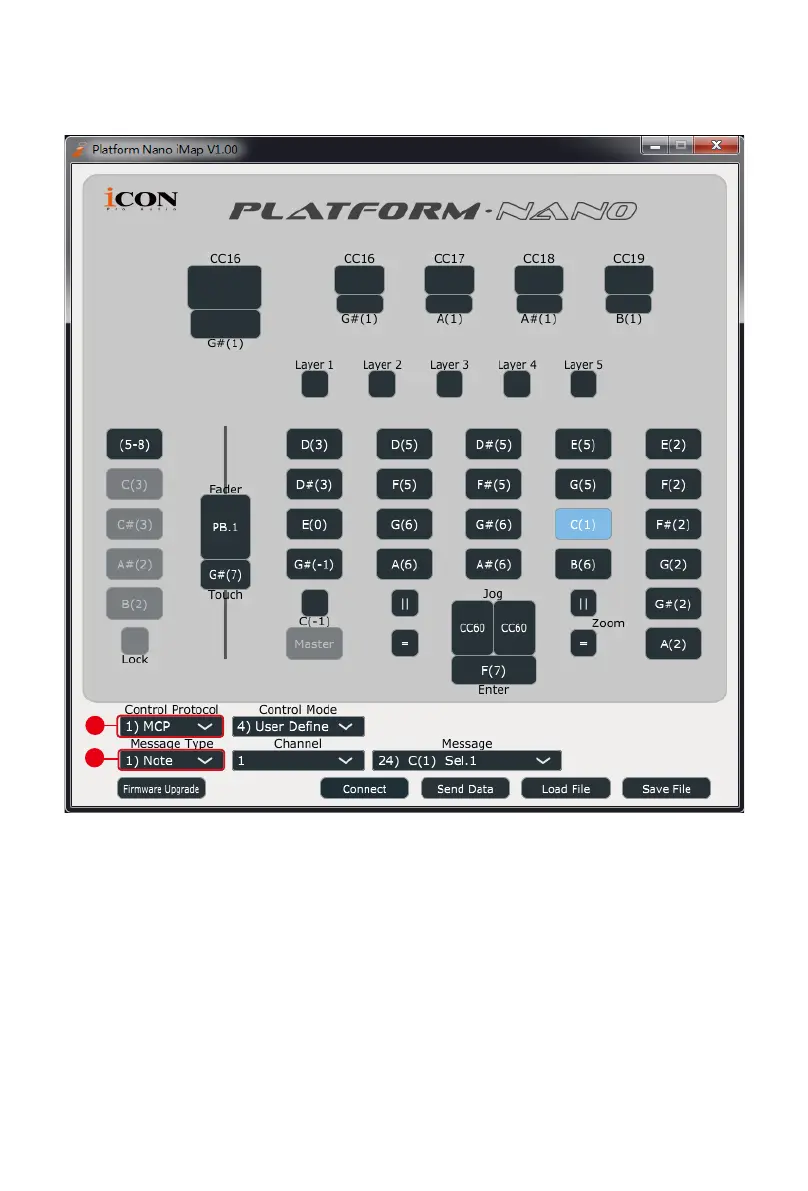
Control element setup at User dened mode
iMap
TM
PlatformNano Software panel
2
1
There are controls including faders, knobs, buttons, and a jog wheel on
PlatformNano for which you may set your own MIDI messages. You may adjust
different types of message include “Pitch”, “Note”, “CC”, “Channel” and “Message”
values for MCP and “Value 1”, “Value 2” and “Function” for HUI, depending on the
control element.


 To Next Page