iconBIT XDS100GL User Manual
11
2.5.4 Connecting a Memory Card
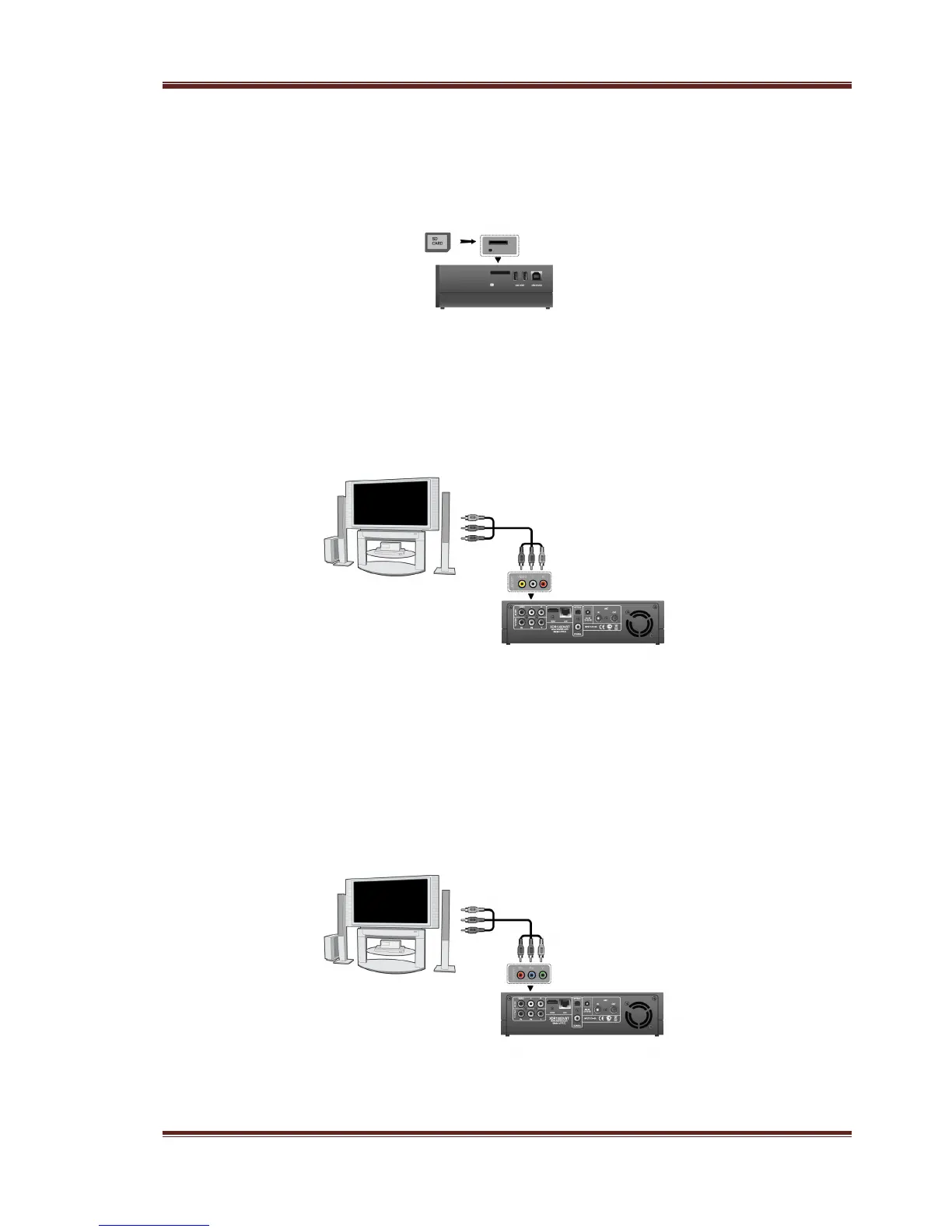
Memory card can be used by inserting to the card slot
(1) Follow the picture to insert the memory card to the card slot properly;
(2) Insert the card by following the arrow pointer in the picture.
2.5.5 TV connection
2.5.5.1 A/V OUT
(1) Follow the picture and plug in the 3 color connector to the player’s A/V OUT jack;
(2) Follow the picture and plug in the 3 color connector to the TV’s A/V IN jack.
2.5.5.2 Y/Pb/Pr Component OUT
(1) Follow the picture and plug in the connector of the YUV cable to the player’s Y/Pb/Pr
jack;
(2) Follow the picture and plug in the 3 color connector to the TV’s Y/Pb/Pr jack.
Audio Connection while using Y/Pb/Pr Video out:
First method: use the audio output from the A/V OUT jack;
Second method: use the audio output from the S/PDIF Coaxial or Optical jack.



 To Next Page