iconBIT XDS100GL User Manual
33
- Then you can browse the media library shared by Windows Media Player 11.
Note:
• Make sure your player and your computer are on the same local area network and
subnet.
• Firewalls may prevent your player to communicating with your computer. Please open
the ports manually and add your player to the ‘trusted’ list, or disable the firewall
temporarily.
3.7.4 A/V Streaming via Linux NFS server
This system enables you to browser the media files shared on Linux NFS Server (Ethernet or
WLAN). Please refer to ’3.1.4 Changing Network Settings’ for details about network
settings.
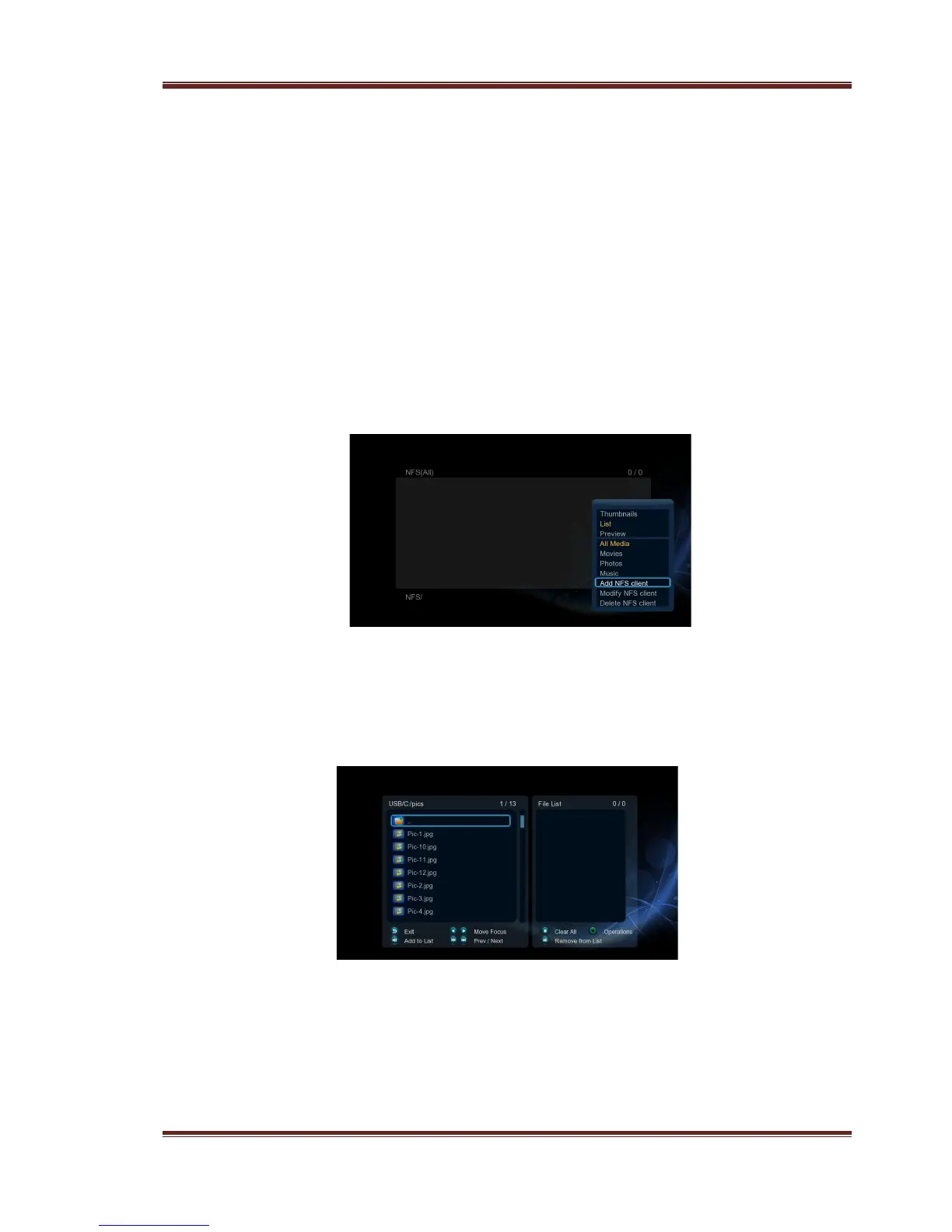
- Visit Files Manager - > NFS menu
- Press the Menu button and a popup menu appear. You can then Add/Modify/Delete a
NFS server’s shortcut. Select Add to open a popup menu where you can input the NFS
Server’s IP and the desired folder destination.
Then you can select and play the shared media files on the Linux NFS server.
3.8 Copy Function
3.8.1 Copy under Media Library
Step 1: press Copy button to enter file selecting menu.
Step 2: press Play/Pause button to select file or folder which you want to copy to the list.
Step 3: press Edit button to enter multi-file editing menu.



 To Next Page