iconBIT XDS100GL User Manual
15
3. Main Functions
3.1 Setup Menu
The Setup menu allows you to personalize and configure the preferences for your player.
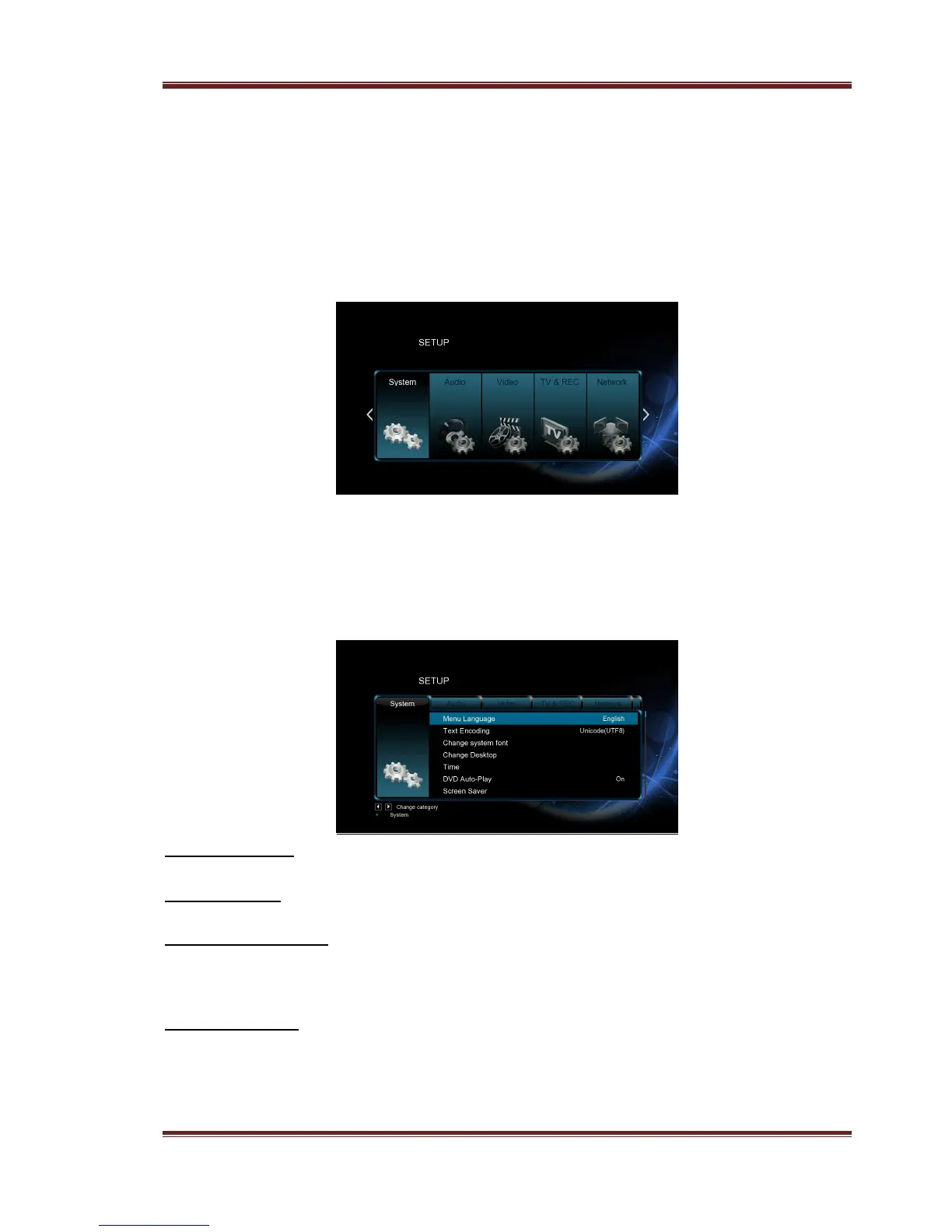
To select a Setup option:
- Select the Setup icon on the home screen, or press Setup button on the remote control.
- Use the Left/Right navigational buttons to select an option, and then press OK.
There are five setup options, including System, Audio, Video, Network and MISC. Use
the Left/Right navigational buttons to select a menu. Press OK to confirm. Press Back to
cancel and display the previous menu screen.
3.1.1 Changing System Settings
Use this menu to configure system settings.
Menu Language
- Select to choose the OSD (On-Screen Display) language.
Text Encoding
- Select to set the text encoding option (subtitle display)
Change system font
- Select to change system font.
Create a folder named “Resource” in the root directory of your USB or HDD, rename
your font as ‘font.ttf ‘and then copy it to the folder.
Change Desktop
- Select to change the desktop.
Create a folder named “Resource” in the root directory of your USB or HDD, rename
your photo as ‘desktop.png ‘and then copy it to the folder.



 To Next Page