iconBIT XDS100GL User Manual
39
3.13 Remote Management
This product comes with a unique remote management feature that allows user to remotely
access from the internet to operate the following functions on the product via a built-in
HTTP server.
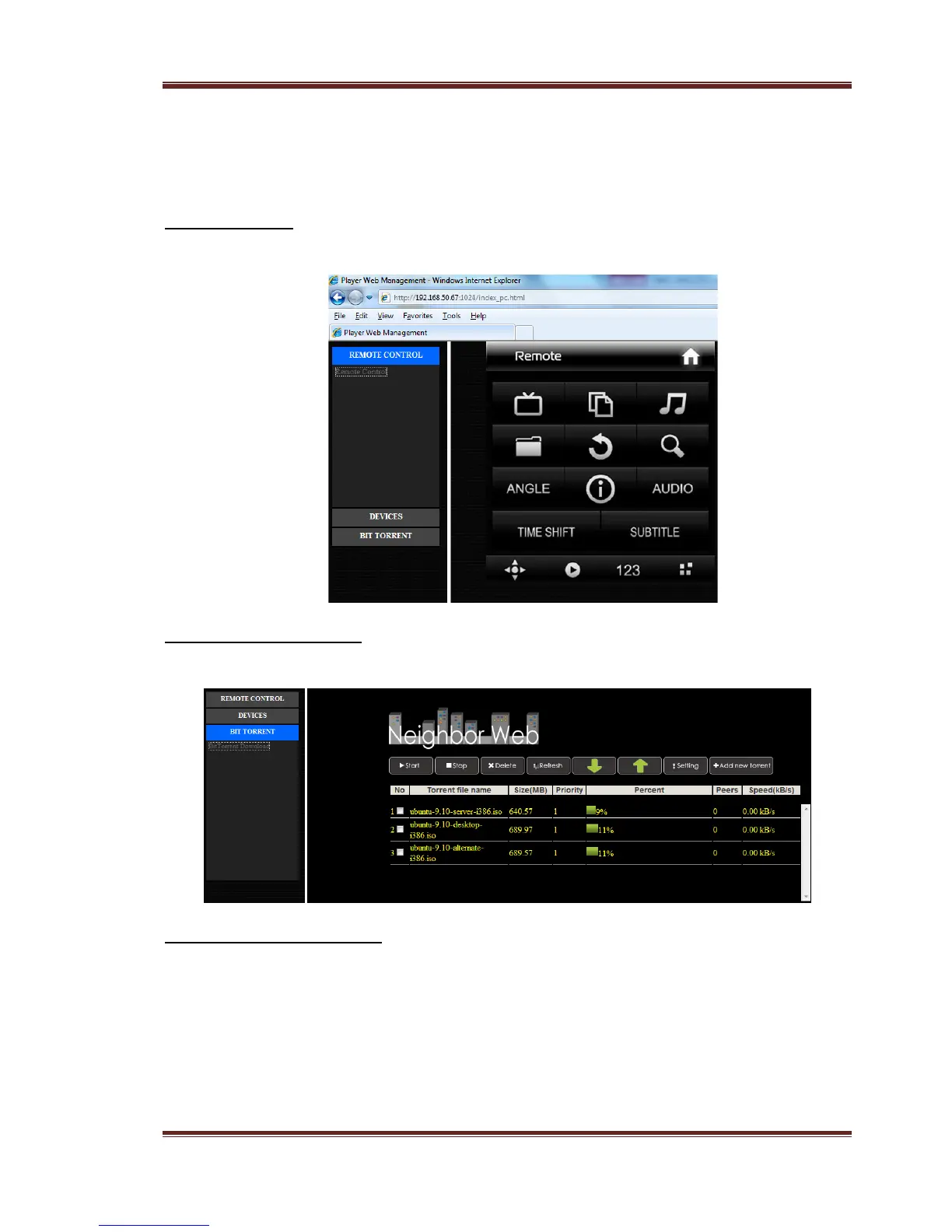
Remote Control
Using the on-screen virtual remote control and use it like you would with the hand-held.
BitTorrent management
View and manage your BitTorrent tasks remotely over the internet.
HTTP Server configuration
On your product,
- Assign a manual Fixed IP address for the product, for example 192.168.0.9 when you
connect to your router either via wired or wireless connection.
- Assign the same subnet mask as your router, usually 255.255.255.0 and the gateway
of your router (router’s local IP address, usually 192.168.xxx.xxx). Please refer to your
router documentation on getting these information from your router.
- Key in your router DNS IP address (primary or secondary)



 To Next Page