iconBIT XDS100GL User Manual
17
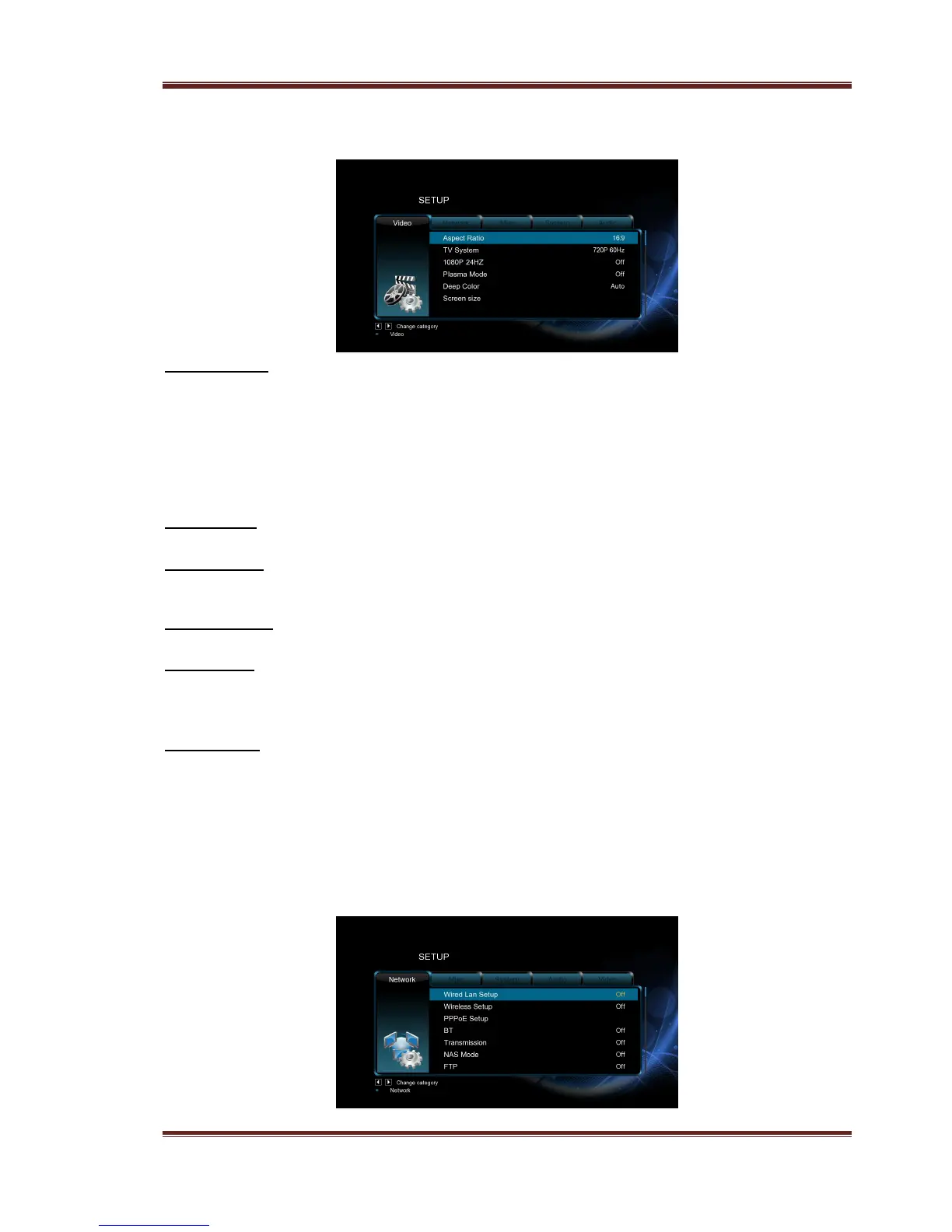
3.1.3 Changing Video Settings
Use this menu to configure video settings.
Aspect Ratio
- Pan Scan 4:3: Display a wide picture on the entire screen and cuts off the redundant
portions. Select when a standard 4:3 TV is connected.
- Letter Box 4:3: Display a wide picture with two black borders on the top and bottom of
4:3 screen. Select when a standard 4:3 TV is connected.
- 16:9: Compress the image to convert the whole image. Select when a 16:9 TV is
connected.
- 16:10: Select when a 16:10 TV is connected.
TV SYSTEM
- Select to adjust video output resolution.
1080p 24Hz
- Choose this option to enable or disable 1080P 24HZ support. A TV set with 1080P 24HZ
(24P) mode is needed.
Plasma Mode
- Help to protect your plasma TV by reducing the level of brightness.
Deep Color
- Help to perform more detailed level of color depth, make continuous color change
smoother. You can get more vivid color effects.
A TV set with deep color support is needed.
Screen Size
- Adjust the video output size according to the size of TV screen. Press Left/Right button
to adjust the width of the screen, and Up/Down button to adjust the height of the
screen.
- And press Zoom button to fit the screen size you have set during video playback.
3.1.4 Changing Network Settings
Use this menu to configure your Wireless Local Area Network.



 To Next Page