iconBIT XDS100GL User Manual
20
TV Region
- Select TV region.
Channel Scan
- Select to start channel scan automatically or manually.
Channel Sort
- Select to sort channels by name, LCN, Service ID or ONID.
REC Device
- Select to set device to restore the recorded files.
REC priority
- Select to choose record priority manual or schedule.
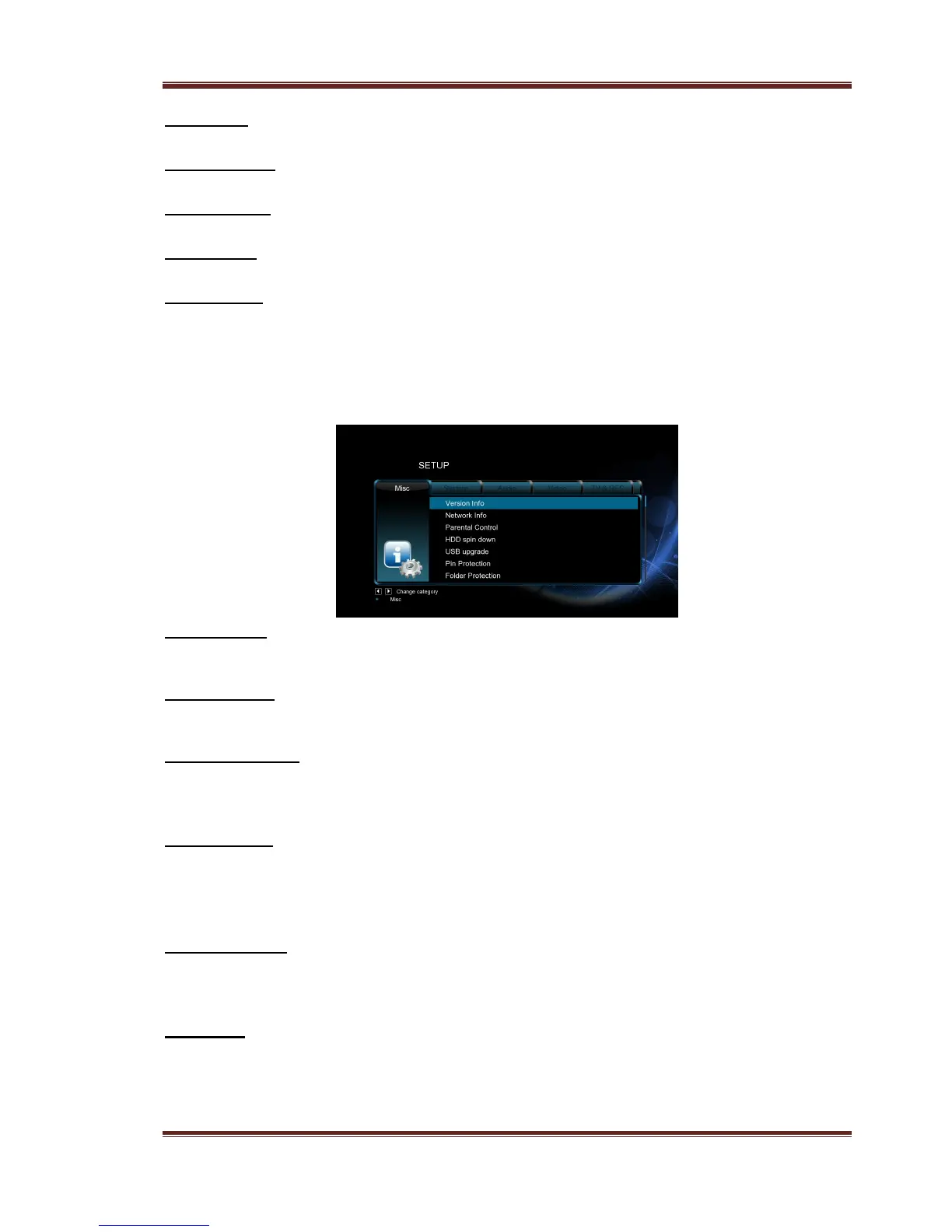
3.1.6 Miscellaneous
Use this menu to adjust miscellaneous settings.
Version Info
- This tab shows you information about the software installed and about the material
components of your player.
Network Info
- This tab shows you information about your network, MAC Address, IP address Gateway,
Subnet.
Parental Control
- Select to set the TV parental control options.
The default password is ‘0000’. Press the numerical buttons to input, and the OK
button to confirm.
USB Upgrade
- Select to update the firmware via a USB stick.
1) Copy ‘install.img’ or extension files to the root directory of a USB stick, and connect
it to the USB HOST port of the player.
2) Press OK to confirm.
Edit Protection
- To prevent deleting files and formatting HDD by asking for a password.
The default password is ‘0000’. Press the numerical buttons to input, and the OK button to
confirm.
Password
- Change the password.
The default password is ‘0000’. Press the numerical buttons to input, and the OK button to
confirm.



 To Next Page