Red Press to enter navigation mode or normal mode.
In normal mode, only mouse can be used to move the cursor.
In Navigation mode, remote control also can be used to move the
3.11 SAMBA Server and Client
This player can be used either as a SAMBA Server or as a client.
3.11.1 SAMBA Client
You can stream media files shared on the home network. Please refer to ’3.5.2 A/V
Streaming via Network’ for more details.
3.11.2 SAMBA Server
- This product functions as a NAS (Network Attached Storage) device when it is attached
to the home network via WLAN. This feature allows users to store and retrieve large
amounts of data from their own local network.
- When the network connection is done correctly and ready for use, please turn on
SAMBA function in the setup menu in advance (refer to 3.1.4 Changing Network
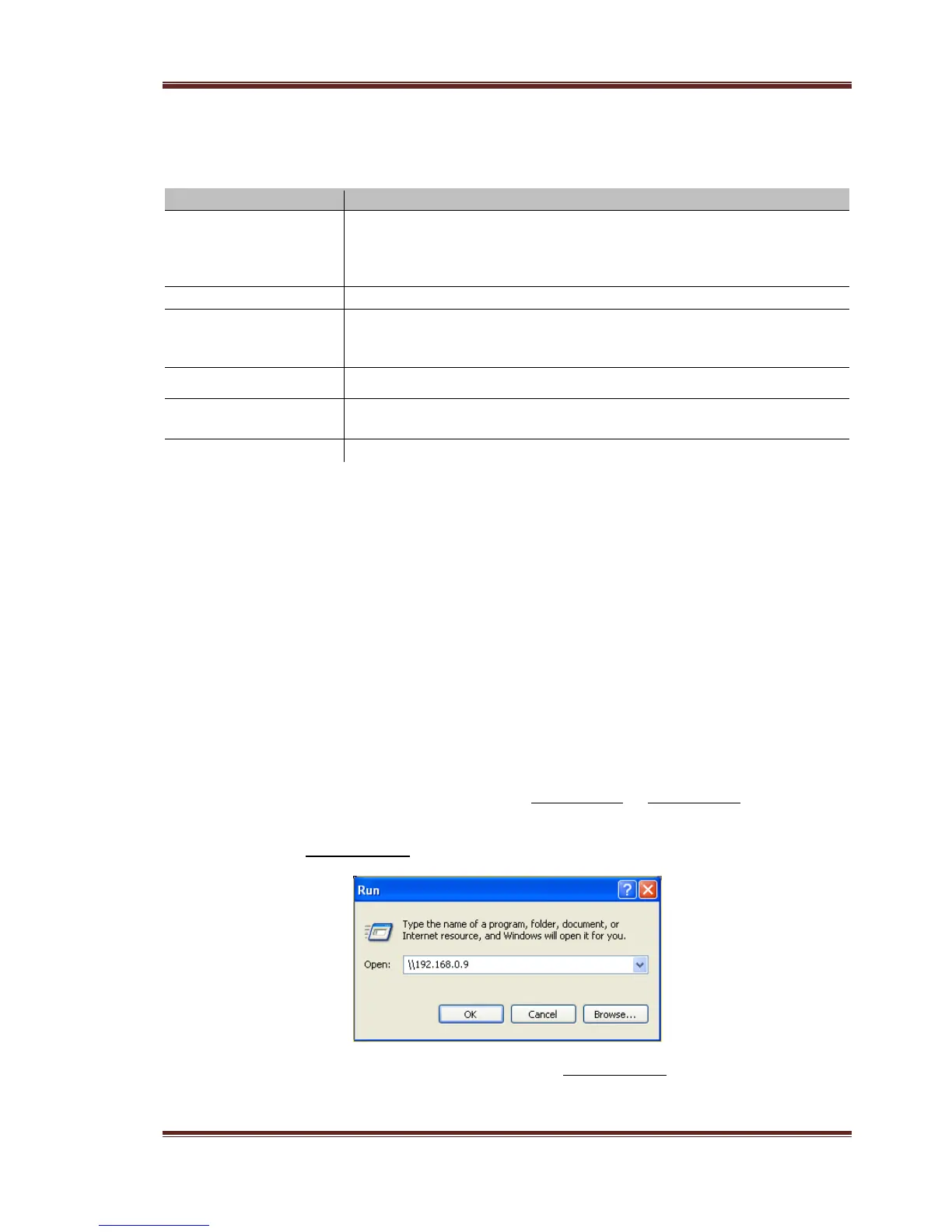
Settings for more details), and then type in: \\IP Address or \\Host name in the Run
window (click Run in the start menu) or in the address bar of a web browser, for
example Internet Explorer on your PC (if the IP address of the product is 192.168.0.9,
please type in: \\192.168.0.9), and click OK or press the Enter button on the keyboard.
Under Windows Vista and Windows 7, please type in: \\192.168.0.9 at the search bar, then
press the Enter button on the keyboard.



 To Next Page