iconBIT XDS100GL User Manual
32
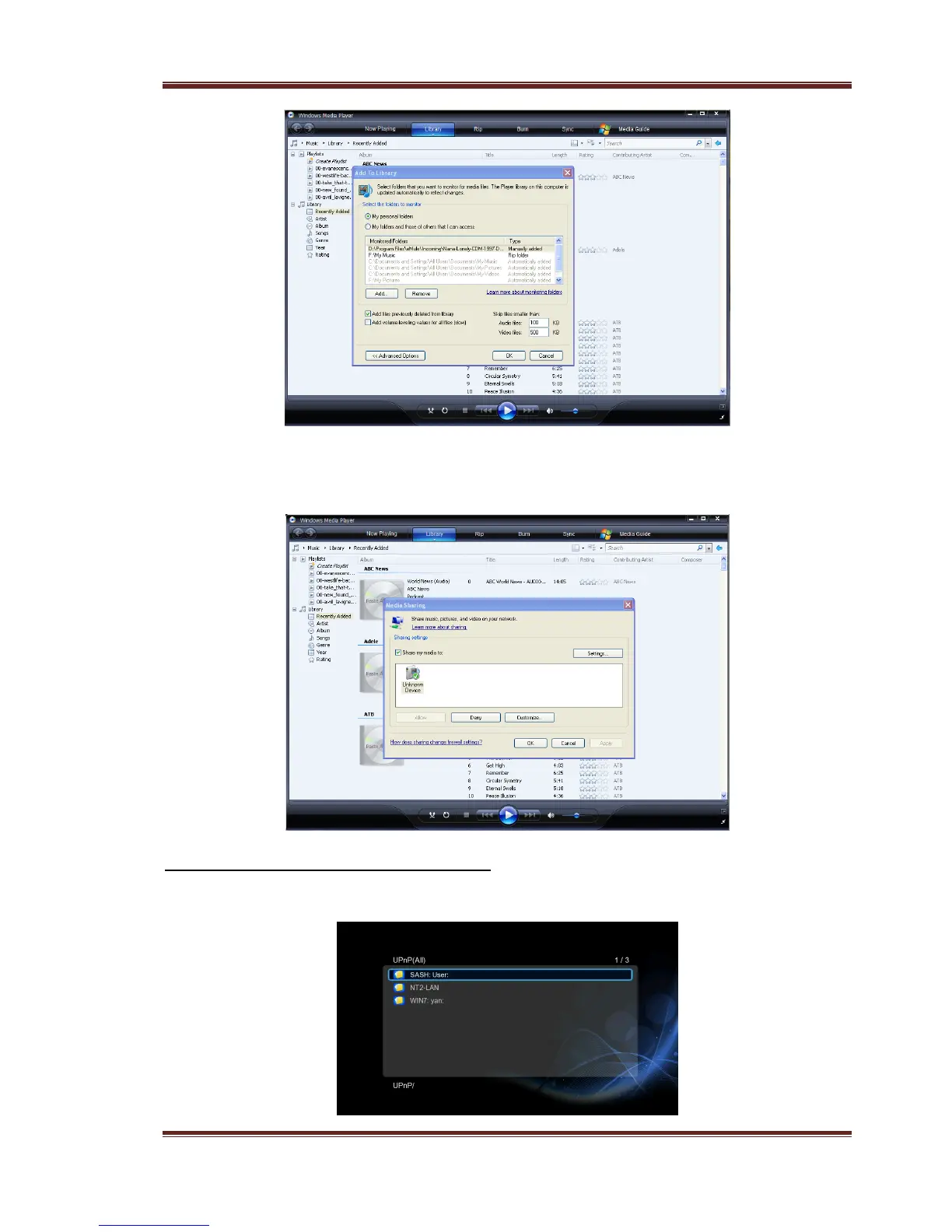
- Click Library -> Media Sharing, then you can allow or deny devices to access the
media library. Click Allow to authorize your player.
3.7.3.3 Streaming Media on your Player
- Connect your player to the home network (LAN or WLAN).
- Visit Files Manager -> UPnP menu on the player, select the UPnP-server, and press OK.



 To Next Page